AI agent for midwifes
Birth Registration Filing Agent
Every birth is registered correctly before the legal deadline
What it does
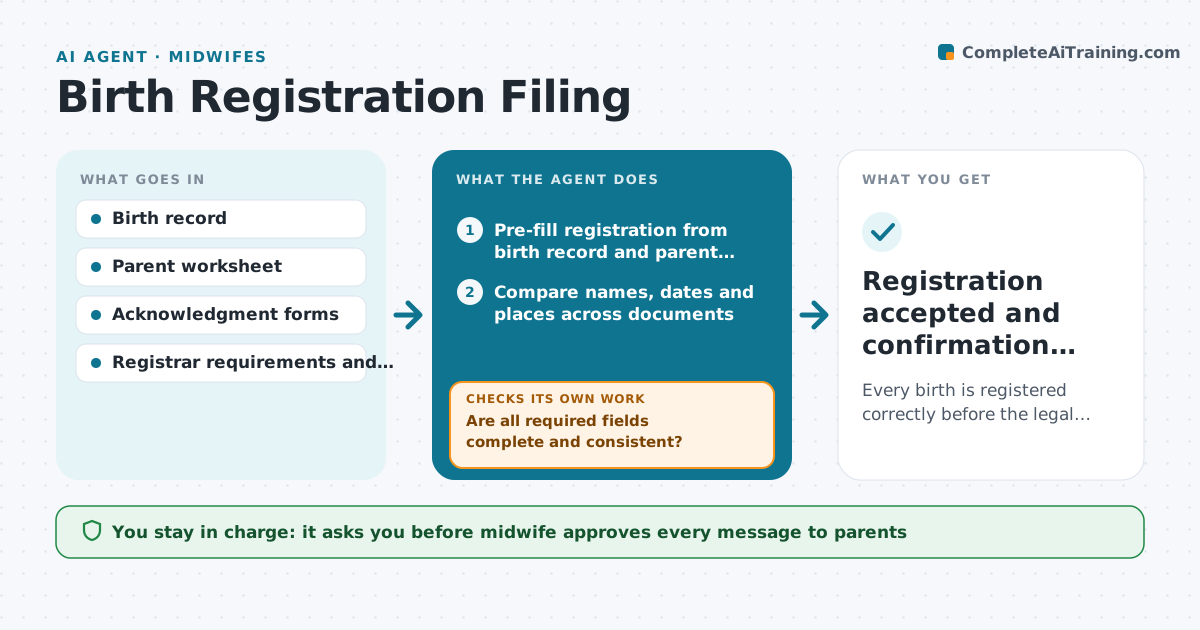
After an out-of-hospital birth, the midwife often has to file the birth registration within days. Forms bounce back for missing fields, unsigned parent worksheets or mismatched spellings. This agent starts a filing for every birth. It pre-fills the registration from the birth record and the parent worksheet, then checks every required field and compares names and dates across documents. Any mismatch goes to the midwife with the two values side by side. It drafts a message asking parents for missing signatures or details. Once the midwife approves and submits, it watches the registrar portal and loops back if the filing is rejected. It never submits on its own. Edge case: when parents are not married and the second parent is to be listed, it checks that the acknowledgment form is signed before the filing goes in.
How it works
Follow the arrows from top to bottom. The orange dashed arrow is the loop: when a check fails, the agent goes back and tries again.
Read the steps as a list
- Birth recorded by the midwife
- Pre-fill registration from birth record and parent worksheet
- Compare names, dates and places across documents
- Are all required fields complete and consistent?If not: draft a request to parents for missing details and wait for a reply. Back to step 2.
- Are required forms signed, including any parentage acknowledgment?If not: draft a signature request with the form attached. Back to step 2.
- Midwife reviews and submits the filingThe agent waits here for your OK.
- Watch the registrar portal for acceptance
- Was the filing accepted?If not: read the rejection reason and prepare a corrected filing. Back to step 3.
- Registration accepted and confirmation saved
How it decides
It treats any blank required field or any mismatch between documents as a blocker, and orders open filings by days left to the deadline.
- Filings due in 2 days or less go to the top
- A spelling that differs between documents always goes to the parents to confirm
- Parentage acknowledgment must be signed before listing a second unmarried parent
- Rejected filings are corrected within 1 business day
Make it yours
Every agent is a starting point. You choose these settings for your own situation.
- Filing deadline by state (default 5 days)
- Reminder timing for parents (default 24 hours)
- Required document list
- Who submits filings
What keeps you in control
It always asks you first
- Midwife approves every message to parents
- Midwife submits the registration
Hard limits
- Never submits a registration itself
- Never guesses a name spelling
- Stores identity documents only in the practice record
It stops when
- Done: registration accepted
- Stop: deadline passed; hand to the midwife for the late filing process
Set it up
We guide you through the set-up, step by step
Members get the full set-up guide for this agent. No technical skills needed: you copy, paste and upload.
- One set of instructions to paste into your AI, with the clicks for ChatGPT, Claude, Microsoft 365 Copilot, Gemini and Grok
- The agent then walks you through connecting your own data, one source at a time
- A downloadable copy with the flow chart, the rules and the full guide