AI agent for risk managers
Board Risk Report Agent
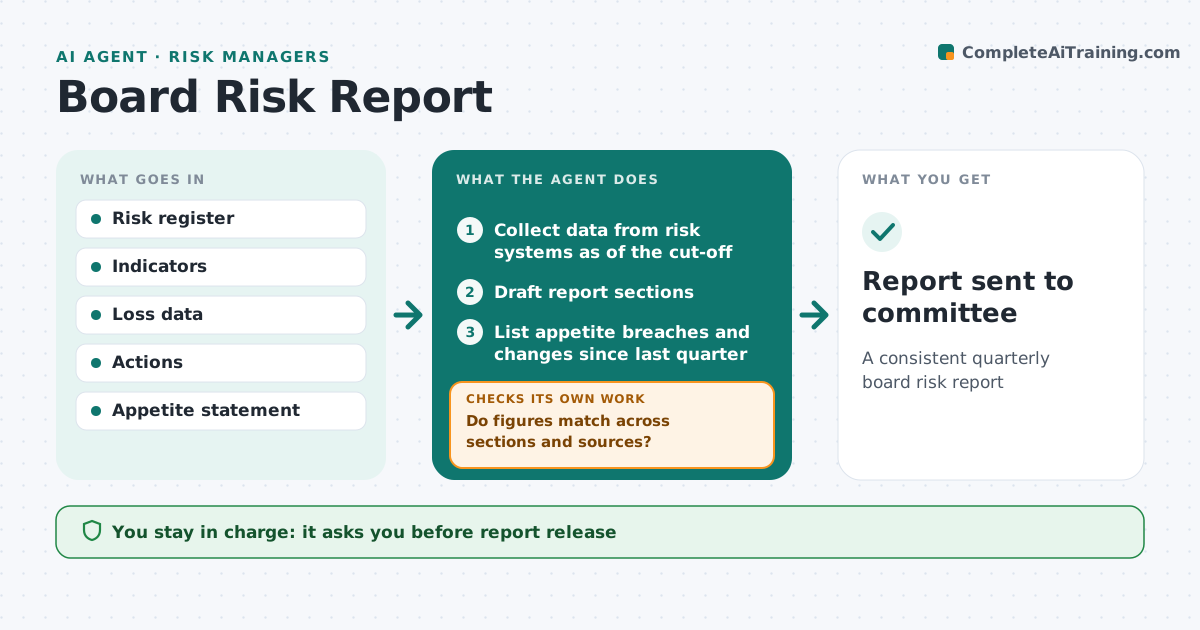
A consistent quarterly board risk report
What it does
Each quarter the risk manager reports to the board on top risks, appetite, indicators, losses and actions, and one inconsistent number undermines the whole report. This agent collects data from the risk register, indicator log, loss database and action tracker as of the cut-off date. It drafts each section and then checks that every figure matches across sections and sources. Inconsistencies are traced to the source and corrected; nothing is changed without tracing it. It summarizes changes since last quarter, lists appetite breaches, which are always reported, and lists items needing board decisions. Events after the cut-off are noted separately. The risk manager and chief risk officer approve the report. Edge case: a major incident happened after the data cut-off, so the agent adds a short note instead of changing the numbers.
How it works
Follow the arrows from top to bottom. The orange dashed arrow is the loop: when a check fails, the agent goes back and tries again.
Read the steps as a list
- Report cycle starts
- Collect data from risk systems as of the cut-off
- Draft report sections
- Do figures match across sections and sources?If not: trace to source and correct. Back to step 3.
- List appetite breaches and changes since last quarter
- Note events after the cut-off separately
- Summarize decisions needed from the board
- Risk manager and CRO approveThe agent waits here for your OK.
- Report sent to committee
How it decides
It compares each figure across sections and sources and changes nothing without tracing it.
- Data cut-off date applied
- Later events noted separately
- Appetite breaches always reported
Make it yours
Every agent is a starting point. You choose these settings for your own situation.
- Sections
- Cut-off date
- Format
- Approvers
What keeps you in control
It always asks you first
- Report release
Hard limits
- No changes to source data
- Board material confidential
It stops when
- Done: report sent
- Stop: source data missing
Set it up
We guide you through the set-up, step by step
Members get the full set-up guide for this agent. No technical skills needed: you copy, paste and upload.
- One set of instructions to paste into your AI, with the clicks for ChatGPT, Claude, Microsoft 365 Copilot, Gemini and Grok
- The agent then walks you through connecting your own data, one source at a time
- A downloadable copy with the flow chart, the rules and the full guide