AI agent for bank branch managers
Branch Cash Holding Monitor Agent
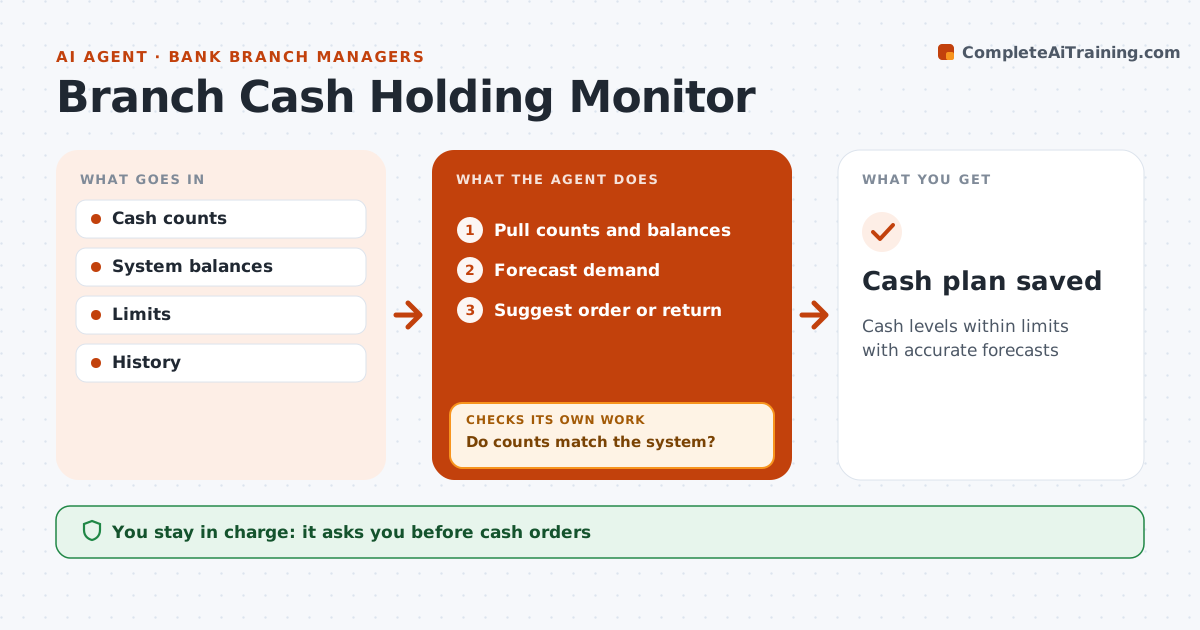
Cash levels within limits with accurate forecasts
What it does
Branches must keep enough cash for customers without holding too much, which costs money and raises security risk. At each daily close, this agent pulls cash counts and system balances and first checks that they match. If they differ, it flags a count review and does not plan from the wrong number. It then forecasts the coming days' demand from history, paydays and holidays, and compares expected levels with the branch's holding limits. Based on that, it suggests a cash order or a return to the cash center. The branch manager approves every order before it is placed. The plan is saved so the next day's run can compare forecast with what really happened. Edge case: a holiday weekend raises withdrawals sharply, so the agent increases the forecast for those days and suggests ordering earlier than usual.
How it works
Follow the arrows from top to bottom. The orange dashed arrow is the loop: when a check fails, the agent goes back and tries again.
Read the steps as a list
- Daily close
- Pull counts and balances
- Do counts match the system?If not: flag count review. Back to step 2.
- Forecast demand
- Suggest order or return
- Branch manager approves orderThe agent waits here for your OK.
- Cash plan saved
How it decides
It forecasts demand and suggests orders to stay in limits.
- Holidays raise forecast
- Limits enforced
- Differences reviewed
Make it yours
Every agent is a starting point. You choose these settings for your own situation.
- Limits
- Forecast rules
- Order schedule
- Approval
What keeps you in control
It always asks you first
- Cash orders
Hard limits
- Never orders cash itself
- Follows security rules
It stops when
- Done: plan saved
- Stop: security issue
Set it up
We guide you through the set-up, step by step
Members get the full set-up guide for this agent. No technical skills needed: you copy, paste and upload.
- One set of instructions to paste into your AI, with the clicks for ChatGPT, Claude, Microsoft 365 Copilot, Gemini and Grok
- The agent then walks you through connecting your own data, one source at a time
- A downloadable copy with the flow chart, the rules and the full guide