AI agent for bank branch managers
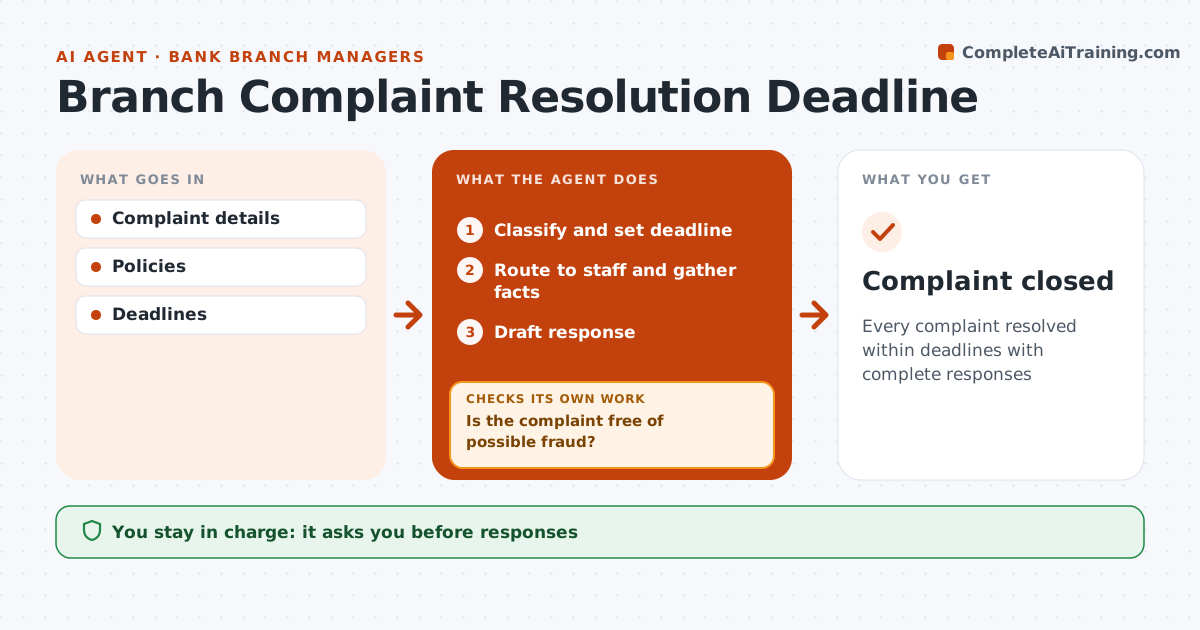
Branch Complaint Resolution Deadline Agent
Every complaint resolved within deadlines with complete responses
What it does
Banks must answer complaints within set timeframes, and missing a point or the required wording can lead to a regulator complaint. This agent logs each complaint, classifies it and sets the regulatory deadline. Possible fraud goes straight to the fraud team with no draft reply. For others, it routes the complaint to the right staff and gathers the facts. It drafts a response and checks that it covers every point raised and includes required information such as escalation rights. Incomplete drafts go back to staff for the missing parts. It tracks deadlines and warns before they pass. The branch manager approves every response. Monthly, it counts complaints by cause so the branch can fix repeat problems such as fee confusion. Edge case: a complaint involves possible fraud, so it goes to the fraud team without a draft reply.
How it works
Follow the arrows from top to bottom. The orange dashed arrow is the loop: when a check fails, the agent goes back and tries again.
Read the steps as a list
- Complaint received
- Classify and set deadline
- Is the complaint free of possible fraud?If not: route to the fraud team and stop drafting. Back to step 2.
- Route to staff and gather facts
- Draft response
- Does the draft cover every point and required wording?If not: return to staff for missing parts. Back to step 5.
- Branch manager approves responseThe agent waits here for your OK.
- Record cause for monthly theme review
- Complaint closed
How it decides
It classifies complaints and checks responses for coverage and required wording.
- Regulatory deadlines set
- Fraud routes to fraud team
- Themes reviewed monthly
Make it yours
Every agent is a starting point. You choose these settings for your own situation.
- Deadlines
- Categories
- Templates
- Report frequency
What keeps you in control
It always asks you first
- Responses
- Compensation
Hard limits
- Never sends responses
- No compensation decisions
It stops when
- Done: closed
- Stop: legal case
Set it up
We guide you through the set-up, step by step
Members get the full set-up guide for this agent. No technical skills needed: you copy, paste and upload.
- One set of instructions to paste into your AI, with the clicks for ChatGPT, Claude, Microsoft 365 Copilot, Gemini and Grok
- The agent then walks you through connecting your own data, one source at a time
- A downloadable copy with the flow chart, the rules and the full guide