AI agent for bank branch managers
Branch Teller Staffing Pattern Agent
Build an hourly teller staffing pattern from traffic data and check it against results
What it does
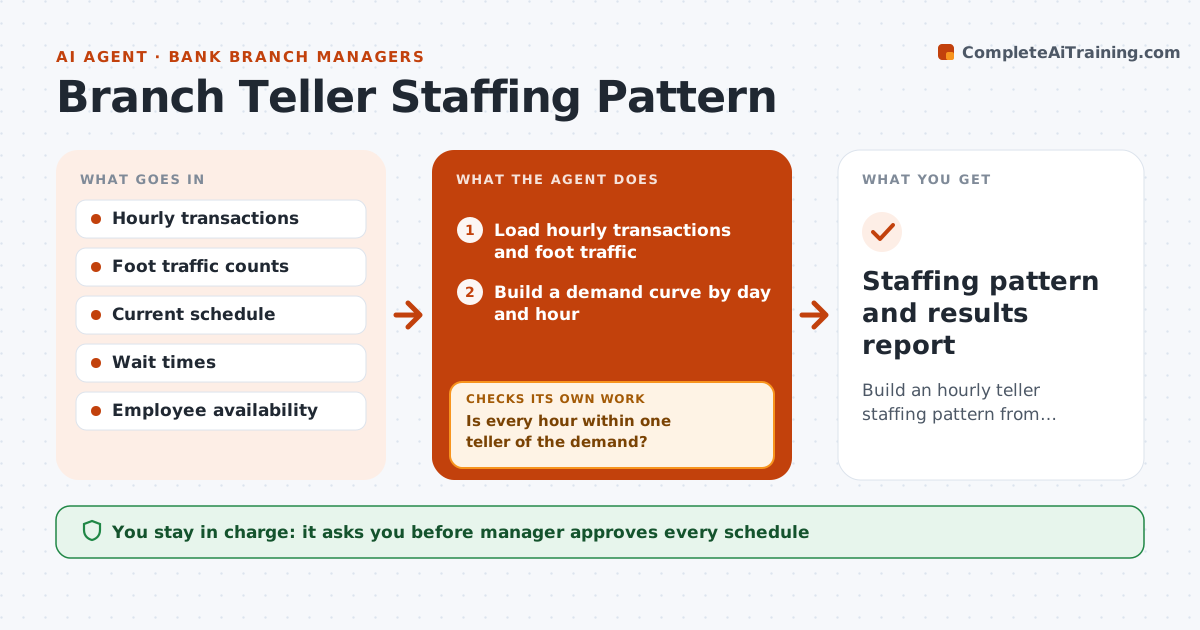
Lobby traffic peaks rarely match the teller schedule, so customers wait at noon and tellers idle at 2 pm. The agent reads transaction counts and foot traffic by hour and builds a staffing pattern, a demand curve for each day of the week. It compares the pattern with the current schedule and spots gaps and overstaffing. It then proposes shift changes, such as staggering lunch breaks or a late start for one teller, within employee availability. After two weeks it checks wait times and transactions against its prediction and keeps or reverses each change. The manager approves the schedule. Edge case: month-end Fridays are twice as busy, so the agent builds a separate pattern.
How it works
Follow the arrows from top to bottom. The orange dashed arrow is the loop: when a check fails, the agent goes back and tries again.
Read the steps as a list
- Schedule cycle begins
- Load hourly transactions and foot traffic
- Build a demand curve by day and hour
- Compare it with the current schedule
- Is every hour within one teller of the demand?If not: Mark gaps and propose shift changes within availability. Back to step 3.
- Draft the proposed schedule
- Manager approves the scheduleThe agent waits here for your OK.
- Run the schedule for two weeks
- Read wait times and transactions per hour
- Did waits fall in the hours that were changed?If not: Reverse or adjust the changed shifts and propose again. Back to step 3.
- Staffing pattern and results report
How it decides
Staffing follows demand per hour within the available hours; a change stays only if later wait times improve.
- Staff one teller per defined transaction load per hour
- Build separate patterns for month end and paydays
- Respect availability and break rules
- Keep a change only if peak waits fall
Make it yours
Every agent is a starting point. You choose these settings for your own situation.
- Transactions per teller per hour
- Review cycle (default 2 weeks)
- Target wait time
- Special days to model
What keeps you in control
It always asks you first
- Manager approves every schedule
- Manager approves any change to employee hours
Hard limits
- Never change a schedule without manager approval
- Never exceed employee hours or break rules
It stops when
- Done: waits fall and the schedule is approved
- Stop: data is missing for more than a week
Set it up
We guide you through the set-up, step by step
Members get the full set-up guide for this agent. No technical skills needed: you copy, paste and upload.
- One set of instructions to paste into your AI, with the clicks for ChatGPT, Claude, Microsoft 365 Copilot, Gemini and Grok
- The agent then walks you through connecting your own data, one source at a time
- A downloadable copy with the flow chart, the rules and the full guide