AI agent for midwifes
Breastfeeding Follow-up Agent
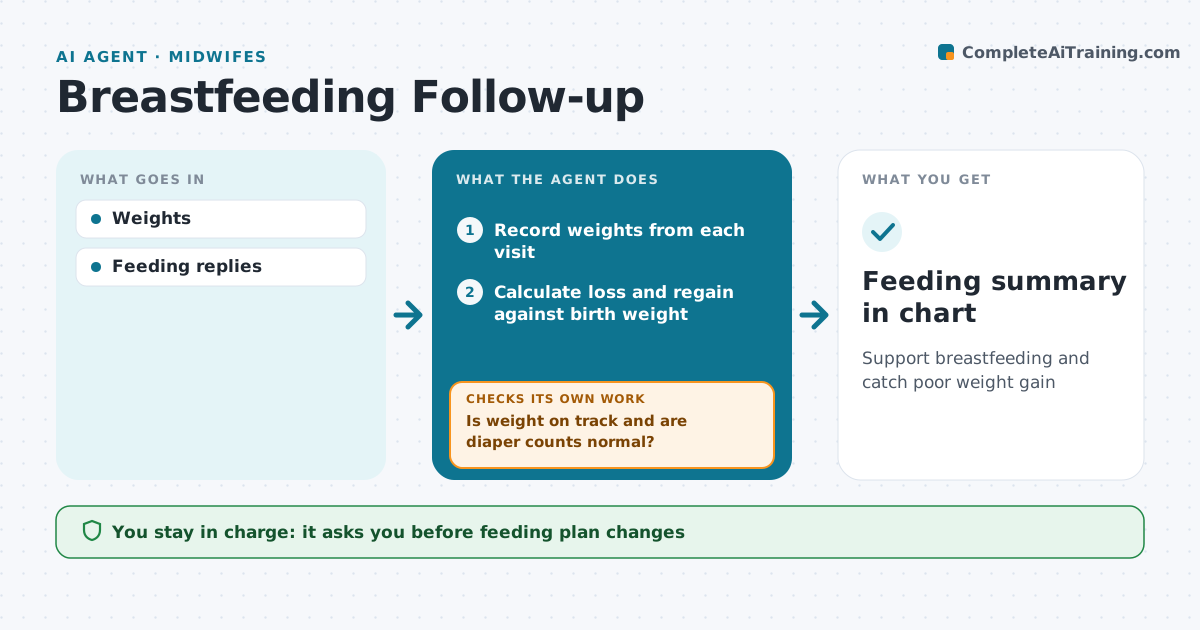
Support breastfeeding and catch poor weight gain
What it does
The first weeks of breastfeeding need close follow-up of the baby's weight, wet and dirty diapers, and the parent's comfort. This agent records weights from each visit, calculates loss and regain against birth weight, and sends the parent short questions about feeds per day, diapers and nipple pain. It flags weight loss over the set percentage, slow regain or too few diapers, and drafts a feeding plan review for the midwife with the numbers laid out. At the next visit it checks the weight again to see if the plan is working. If not, it flags the baby again and suggests an earlier weigh. The midwife approves any feeding plan change. Edge case: replies that suggest dehydration, such as very few wet diapers and a sleepy baby, trigger an urgent alert.
How it works
Follow the arrows from top to bottom. The orange dashed arrow is the loop: when a check fails, the agent goes back and tries again.
Read the steps as a list
- Birth recorded
- Record weights from each visit
- Calculate loss and regain against birth weight
- Send the parent questions on feeds, diapers and pain
- Is weight on track and are diaper counts normal?If not: flag the baby to the midwife and schedule an earlier weigh. Back to step 2.
- Draft feeding summary with trend
- Midwife reviews the feeding planThe agent waits here for your OK.
- Feeding summary in chart
How it decides
Weight change is compared with thresholds.
- Loss over 10% flags
- Birth weight not regained by day 14 flags
- Dehydration signs urgent
Make it yours
Every agent is a starting point. You choose these settings for your own situation.
- Thresholds
- Questions
- Timing
- Alert channel
What keeps you in control
It always asks you first
- Feeding plan changes
Hard limits
- No feeding advice without the midwife
It stops when
- Done: weight regained
- Stop: care ends
Set it up
We guide you through the set-up, step by step
Members get the full set-up guide for this agent. No technical skills needed: you copy, paste and upload.
- One set of instructions to paste into your AI, with the clicks for ChatGPT, Claude, Microsoft 365 Copilot, Gemini and Grok
- The agent then walks you through connecting your own data, one source at a time
- A downloadable copy with the flow chart, the rules and the full guide