AI agent for chief operating officers
Business Continuity Plan Test Agent
Find and close gaps in a continuity plan through a scheduled tabletop test
What it does
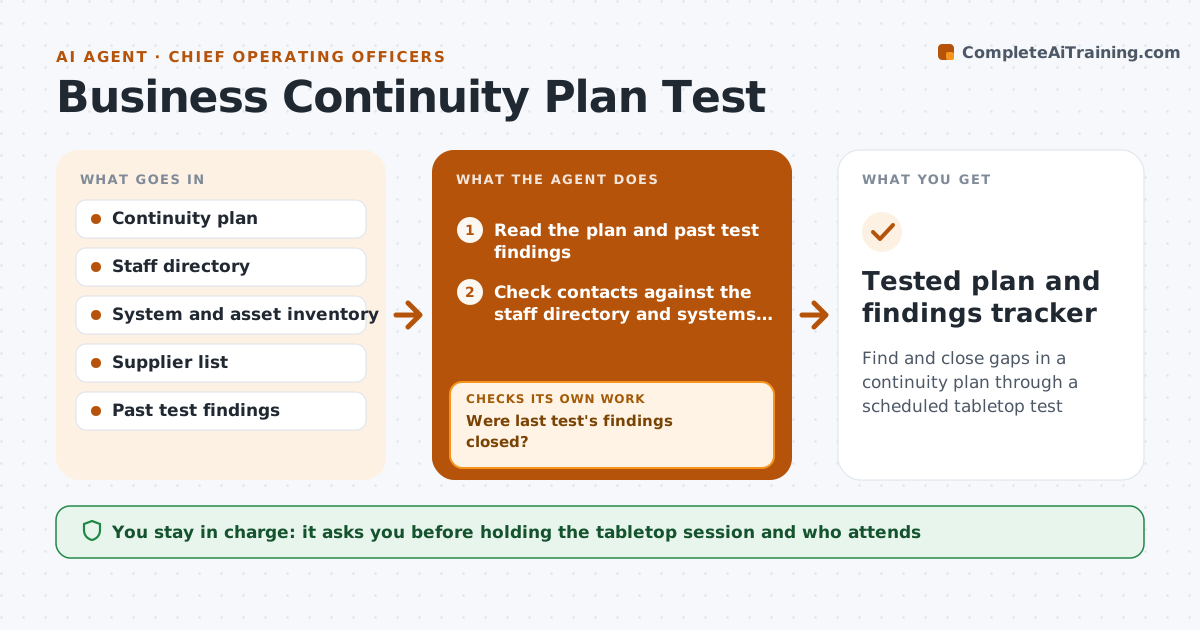
A continuity plan only helps if it works on the day. This agent runs a tabletop test cycle for one site or process each quarter. It reads the plan, checks the contact list against the staff directory, and checks that the systems named in recovery steps still exist in the asset list. It then builds a scenario, such as a site power loss or a key supplier failing, and walks the plan step by step with timing targets. It records each gap it finds. After drafting findings, it checks that every gap has an owner and a fix date. If not, it goes back to the plan section and proposes a fix owner. The executive approves when and with whom the live tabletop runs, and approves plan changes. Edge case: the backup site listed in the plan was closed last year, so it flags the recovery step as broken, not just late.
How it works
Follow the arrows from top to bottom. The orange dashed arrow is the loop: when a check fails, the agent goes back and tries again.
Read the steps as a list
- Quarterly test slot for the next site or process
- Read the plan and past test findings
- Check contacts against the staff directory and systems against the asset list
- Build a scenario with recovery time targets
- Walk each recovery step and record gaps as broken, slow or stale
- Were last test's findings closed?If not: carry open findings forward and raise their priority. Back to step 5.
- Does every gap have an owner and a fix date?If not: propose an owner from the plan section and ask them to confirm. Back to step 5.
- Executive approves the tabletop session and inviteesThe agent waits here for your OK.
- Draft plan updates and findings report
- Executive approves plan changesThe agent waits here for your OK.
- Tested plan and findings tracker
How it decides
It ranks gaps as broken (step cannot be done), slow (misses the recovery time target) or stale (wrong contact or document), and fixes broken gaps first.
- Rank broken steps above slow steps above stale contacts
- Treat a contact who left more than 30 days ago as stale
- Carry any finding open more than one quarter forward as high priority
- Choose the scenario that hits the process with the most open findings
Make it yours
Every agent is a starting point. You choose these settings for your own situation.
- Rotation of sites and processes
- Recovery time targets per process
- Stale contact threshold (default 30 days)
- Who must attend the tabletop
What keeps you in control
It always asks you first
- Holding the tabletop session and who attends
- Changes to the continuity plan
Hard limits
- Never triggers real alerts or failovers
- Never changes the live plan without approval
- Keeps personal phone numbers out of the findings report
It stops when
- Done: findings logged with owners and plan updates drafted
- Stop: plan document missing for the site, so it reports that as the first finding
Set it up
We guide you through the set-up, step by step
Members get the full set-up guide for this agent. No technical skills needed: you copy, paste and upload.
- One set of instructions to paste into your AI, with the clicks for ChatGPT, Claude, Microsoft 365 Copilot, Gemini and Grok
- The agent then walks you through connecting your own data, one source at a time
- A downloadable copy with the flow chart, the rules and the full guide