AI agent for chief operating officers
Operating Model Transition Agent
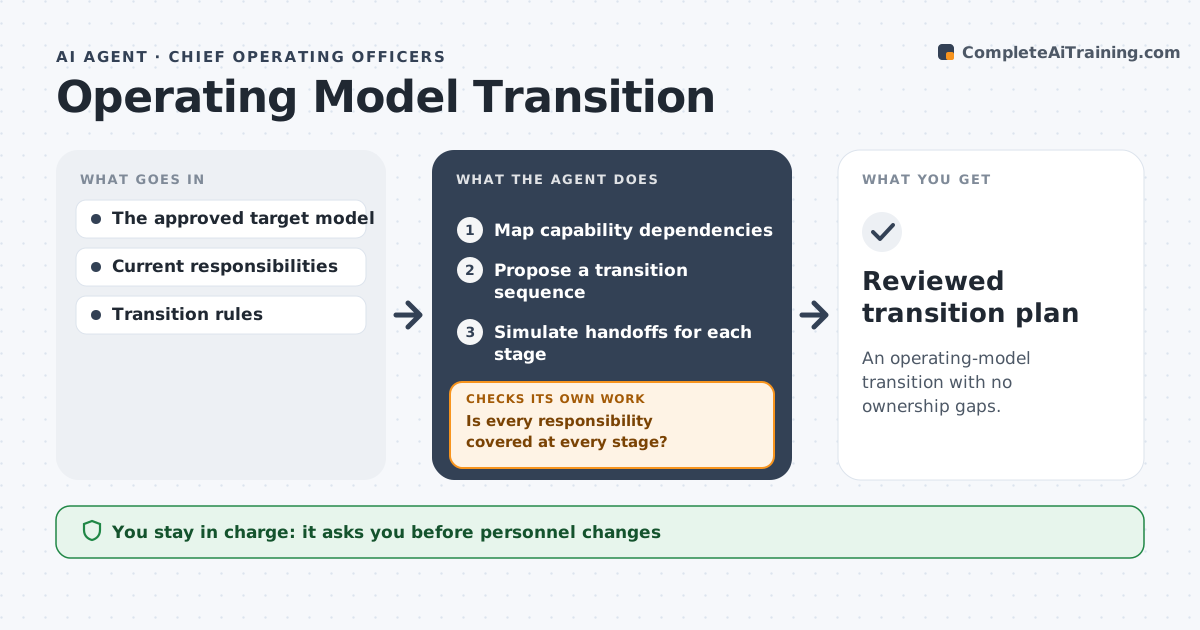
An operating-model transition with no ownership gaps.
What it does
Reorganizations miss dependencies between capabilities, such as who approves what and who owns a system. Work stops when a step has no owner. Once the target model is approved, this agent maps capability dependencies and proposes a transition sequence. It simulates the handoffs at every stage and checks whether each responsibility is covered. If a gap appears, for example an approval step with no owner, it resequences the moves or raises a named decision for leadership. The transformation lead approves the plan. Edge case: a temporary dual-owner period is allowed only with an end date.
How it works
Follow the arrows from top to bottom. The orange dashed arrow is the loop: when a check fails, the agent goes back and tries again.
Read the steps as a list
- Target model approved
- Map capability dependencies
- Propose a transition sequence
- Simulate handoffs for each stage
- Is every responsibility covered at every stage?If not: resequence or raise a named decision. Back to step 3.
- Transformation lead approves the planThe agent waits here for your OK.
- Reviewed transition plan
How it decides
It sequences by dependency and resequences when simulation shows uncovered handoffs.
- Sequence by dependency: providers move before those who depend on them.
- Gap fix: resequence first, escalate as a named decision if that fails.
- Dual ownership: allowed only with an end date.
- Coverage: every responsibility needs a named owner at every stage.
Make it yours
Every agent is a starting point. You choose these settings for your own situation.
- Responsibility list and source (default the RACI chart)
- Number of transition stages (default 4)
- Maximum length of temporary dual ownership (default 30 days)
- Plan format (default stage table with owners)
- Who approves the plan (default the transformation lead)
What keeps you in control
It always asks you first
- Personnel changes
- Organizational announcements
Hard limits
- No personnel decisions.
It stops when
- Done: no gaps in simulation.
Set it up
We guide you through the set-up, step by step
Members get the full set-up guide for this agent. No technical skills needed: you copy, paste and upload.
- One set of instructions to paste into your AI, with the clicks for ChatGPT, Claude, Microsoft 365 Copilot, Gemini and Grok
- The agent then walks you through connecting your own data, one source at a time
- A downloadable copy with the flow chart, the rules and the full guide