AI agent for chief of staffs
Executive Commitment Follow-through Agent
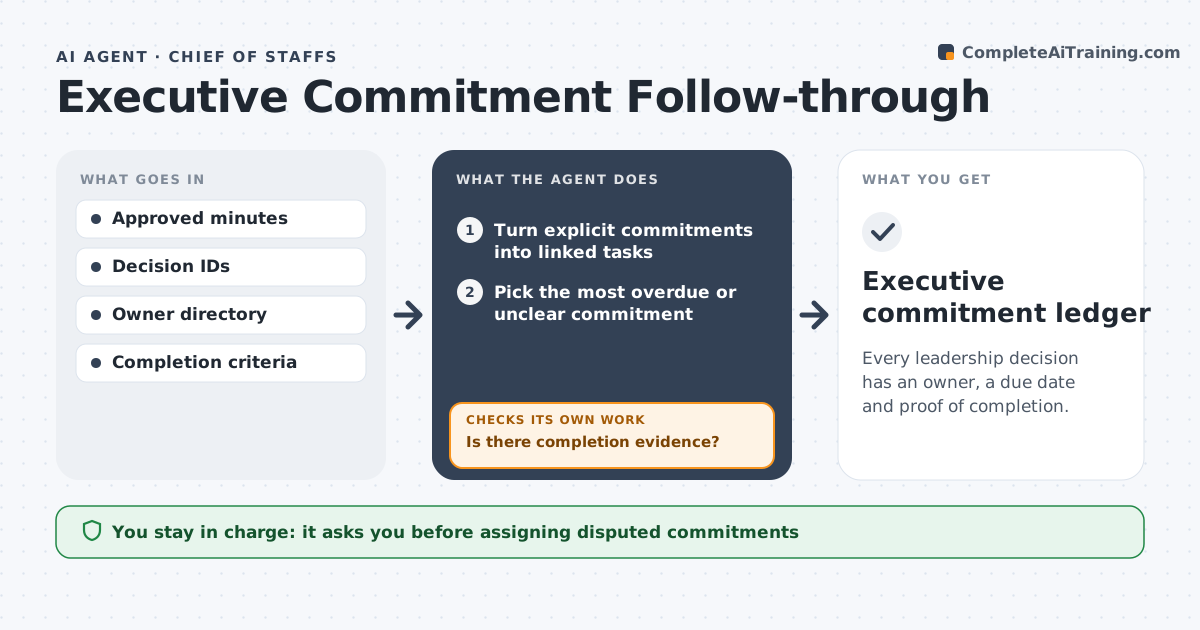
Every leadership decision has an owner, a due date and proof of completion.
What it does
Decisions made in leadership meetings often lose their owner, or nobody checks whether they were done. This agent reads approved minutes and turns explicit commitments into linked tasks with an owner and due date. General suggestions, such as 'consider a new vendor', are not counted as commitments; the agent asks whether they should be. Each week it picks the most overdue or unclear commitment and checks the linked work and owner updates against the original decision. A commitment closes only with completion evidence. Items without evidence get a clarification drafted for the next meeting's agenda. The chief of staff approves agenda items and messages to executives. Edge case: a commitment that was quietly changed in a later update is flagged against the original decision.
How it works
Follow the arrows from top to bottom. The orange dashed arrow is the loop: when a check fails, the agent goes back and tries again.
Read the steps as a list
- Minutes approved or weekly follow-up
- Turn explicit commitments into linked tasks
- Pick the most overdue or unclear commitment
- Check linked work and owner updates
- Is there completion evidence?If not: draft a clarification for the next agenda. Back to step 3.
- Chief of staff approves agenda items and messagesThe agent waits here for your OK.
- Executive commitment ledger
How it decides
It picks the most overdue or ambiguous commitment, inspects linked work, closes only with evidence, and drafts agenda items for the rest.
- Commitment or suggestion: only explicit decisions with an action count.
- Close: only with completion evidence, such as a document or system change.
- Order: most overdue or unclear commitment first.
- Changed scope: flag any update that differs from the original decision.
Make it yours
Every agent is a starting point. You choose these settings for your own situation.
- Where minutes come from (default the approved minutes folder)
- Follow-up schedule (default weekly on Monday)
- Evidence accepted per commitment type
- Who approves agenda items and messages (default the chief of staff)
- Ledger format (default table with decision, owner, due date, status and evidence link)
What keeps you in control
It always asks you first
- Assigning disputed commitments
- Messages to stakeholders
Hard limits
- Never assigns owners on its own.
It stops when
- Done: all commitments closed or on the agenda.
Set it up
We guide you through the set-up, step by step
Members get the full set-up guide for this agent. No technical skills needed: you copy, paste and upload.
- One set of instructions to paste into your AI, with the clicks for ChatGPT, Claude, Microsoft 365 Copilot, Gemini and Grok
- The agent then walks you through connecting your own data, one source at a time
- A downloadable copy with the flow chart, the rules and the full guide