AI agent for change managers
Change Impact Assessment Agent
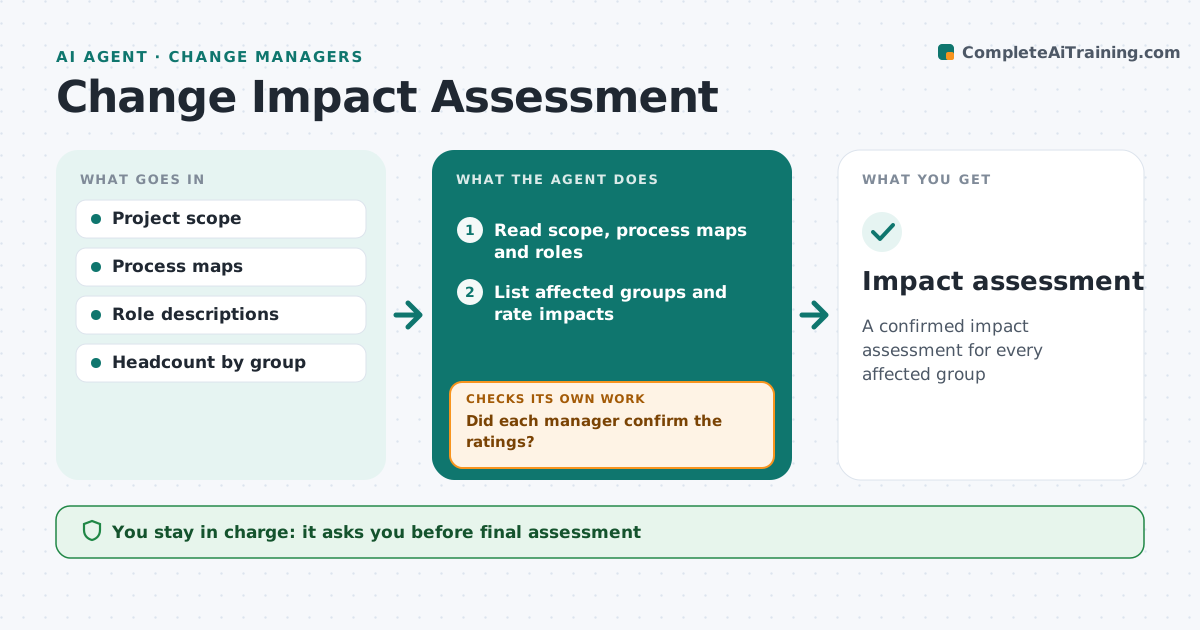
A confirmed impact assessment for every affected group
What it does
Before a change rolls out, change managers need to know who is affected and how much, but impacts are often guessed. This agent reads the project scope, process maps and role descriptions, and lists every group touched. For each group it rates the impact on processes, systems, skills, reporting lines and workload, from low to high. A small group with a high impact, such as payroll, is listed on its own so it is not lost among large groups. It checks each rating with the group's manager or an expert. If they disagree, it updates the rating and the reason. It drafts a heat map and summary that feeds training and communication plans. The change manager approves the assessment.
How it works
Follow the arrows from top to bottom. The orange dashed arrow is the loop: when a check fails, the agent goes back and tries again.
Read the steps as a list
- Scope approved
- Read scope, process maps and roles
- List affected groups and rate impacts
- Send ratings to group managers for confirmation
- Did each manager confirm the ratings?If not: update ratings with their input and resend. Back to step 3.
- Draft heat map and summary
- Change manager approvesThe agent waits here for your OK.
- Impact assessment
How it decides
It rates impact on each dimension from the scope and process changes and only finalizes after the group's manager confirms.
- High impact on any dimension means high overall
- Small high-impact groups are listed separately
- Scope changes trigger a refresh
Make it yours
Every agent is a starting point. You choose these settings for your own situation.
- Impact dimensions
- Rating scale
- Who confirms
What keeps you in control
It always asks you first
- Final assessment
Hard limits
- Never shares individual names
It stops when
- Done: assessment approved
- Stop: scope unclear; ask project lead
Set it up
We guide you through the set-up, step by step
Members get the full set-up guide for this agent. No technical skills needed: you copy, paste and upload.
- One set of instructions to paste into your AI, with the clicks for ChatGPT, Claude, Microsoft 365 Copilot, Gemini and Grok
- The agent then walks you through connecting your own data, one source at a time
- A downloadable copy with the flow chart, the rules and the full guide