AI agent for diplomats
Visa Rule Change Rollout Agent
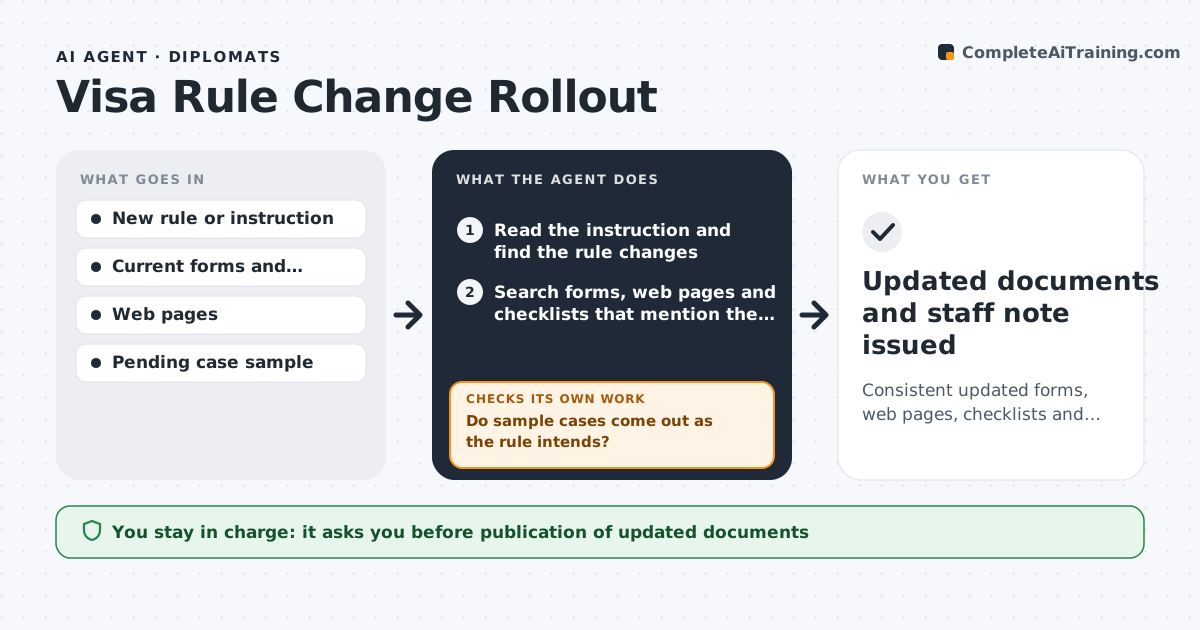
Consistent updated forms, web pages, checklists and staff guidance, tested against pending cases before publication
What it does
When a visa rule changes, the website is updated on Monday, the form on Thursday and the staff guide never. This agent reads the new instruction and finds every form, web page and checklist it affects. It lists each place that needs a change and drafts the updated text. It then tests a sample of pending cases against the new rule to see how many change outcome and which documents they lack. If cases fail the test, it flags gaps in the draft, such as a document missing from the checklist, and revises it. It checks that all documents say the same thing and that the effective date is the same everywhere. The consul approves publication. Edge case: applicants who applied before the effective date are covered by a transition note instead of the new checklist.
How it works
Follow the arrows from top to bottom. The orange dashed arrow is the loop: when a check fails, the agent goes back and tries again.
Read the steps as a list
- New visa instruction arrives
- Read the instruction and find the rule changes
- Search forms, web pages and checklists that mention the old rule
- Draft updated text for each affected document
- Test a sample of pending cases against the new rule
- Do sample cases come out as the rule intends?If not: find the gap in the draft, such as a missing document or step, and revise. Back to step 3.
- Do all documents agree on wording and effective date?If not: align the text and dates across the documents. Back to step 3.
- Write a transition note for applications in progress
- Consul approves publicationThe agent waits here for your OK.
- Updated documents and staff note issued
How it decides
Every document that quotes the old rule is on the update list. The change is accepted when sample cases are handled correctly under the new text and all documents agree.
- Update every document that repeats the old rule
- Use one effective date across all documents
- Apply a transition note to cases filed before the effective date
- Hold publication while any sample case fails
Make it yours
Every agent is a starting point. You choose these settings for your own situation.
- Document locations to search
- Sample size for testing (default 25)
- Transition rule
- Approval route
What keeps you in control
It always asks you first
- Publication of updated documents
Hard limits
- Never publishes anything
- Does not decide individual cases
It stops when
- Done: documents are consistent, tested and approved
- Stop: the instruction is unclear or withdrawn
Set it up
We guide you through the set-up, step by step
Members get the full set-up guide for this agent. No technical skills needed: you copy, paste and upload.
- One set of instructions to paste into your AI, with the clicks for ChatGPT, Claude, Microsoft 365 Copilot, Gemini and Grok
- The agent then walks you through connecting your own data, one source at a time
- A downloadable copy with the flow chart, the rules and the full guide