AI agent for hr generalists
Policy Rollout Acknowledgment Agent
Every person who must read the policy has acknowledged it by the deadline, with proof
What it does
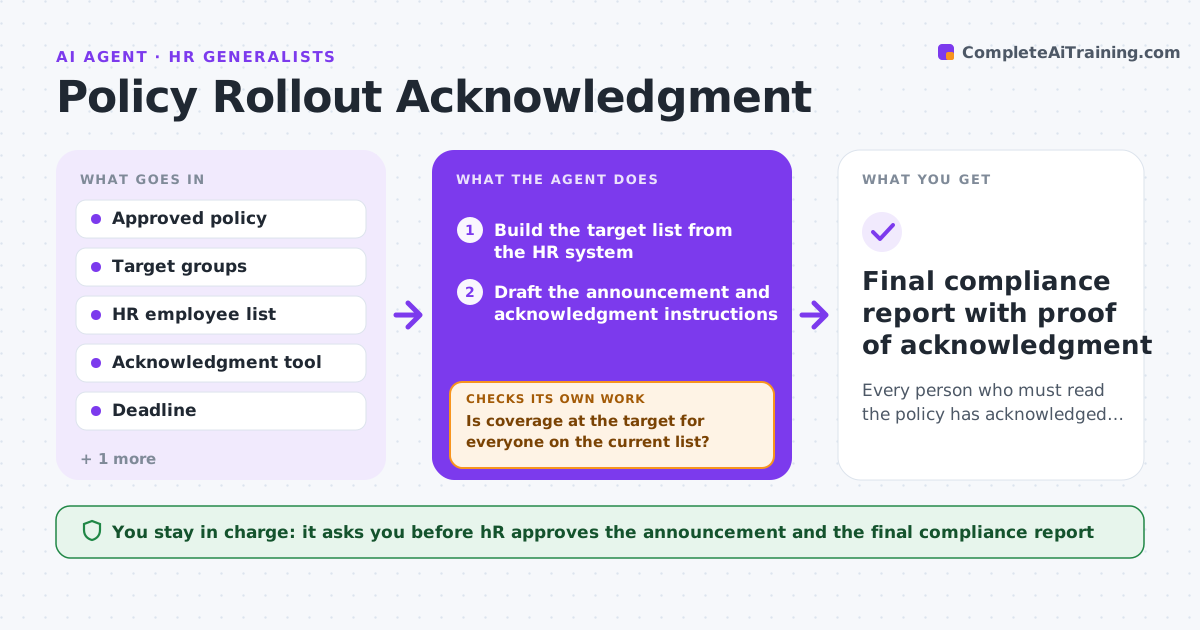
Employees often never confirm they read a new policy, and nobody finds out until an audit. After a policy is approved, this agent builds the target list from the HR system, so it includes the right groups and locations. It sends the announcement through the approved channels and tracks acknowledgments. It chases managers for gaps in their teams and each week checks the list against joiners and leavers so that new people are added and departed people are removed. It stops when coverage reaches the target or the deadline passes. HR approves the message and the final compliance report. Edge case: a department has no manager listed, so the agent routes the chase to the director.
How it works
Follow the arrows from top to bottom. The orange dashed arrow is the loop: when a check fails, the agent goes back and tries again.
Read the steps as a list
- Policy approved for rollout
- Build the target list from the HR system
- Draft the announcement and acknowledgment instructions
- HR approves the messageThe agent waits here for your OK.
- Send through approved channels and track acknowledgments
- Chase managers for their team's gaps
- Each week, compare the list with joiners and leavers
- Is coverage at the target for everyone on the current list?If not: update the list and chase remaining people again. Back to step 6.
- Has the deadline passed with gaps left?If not: escalate the list to the director and HR. Back to step 6.
- HR approves the compliance reportThe agent waits here for your OK.
- Final compliance report with proof of acknowledgment
How it decides
A person counts as covered when they have acknowledged the current version. Gaps go to the manager first, then the director.
- Add joiners within a week of their start date
- Remove leavers from the target list
- Chase managers at day 7 and day 14
- Escalate to the director after the deadline
Make it yours
Every agent is a starting point. You choose these settings for your own situation.
- Target coverage (default: 98%)
- Chase schedule (default: day 7 and day 14)
- Channels allowed for announcements
- Deadline for acknowledgment
What keeps you in control
It always asks you first
- HR approves the announcement and the final compliance report
Hard limits
- Never marks someone as acknowledged without a record
- Never sends any message without HR approval
It stops when
- Done: target coverage reached and report approved
- Stop: the policy is withdrawn or replaced
Set it up
We guide you through the set-up, step by step
Members get the full set-up guide for this agent. No technical skills needed: you copy, paste and upload.
- One set of instructions to paste into your AI, with the clicks for ChatGPT, Claude, Microsoft 365 Copilot, Gemini and Grok
- The agent then walks you through connecting your own data, one source at a time
- A downloadable copy with the flow chart, the rules and the full guide