AI agent for change managers
Change Training Session Planning Agent
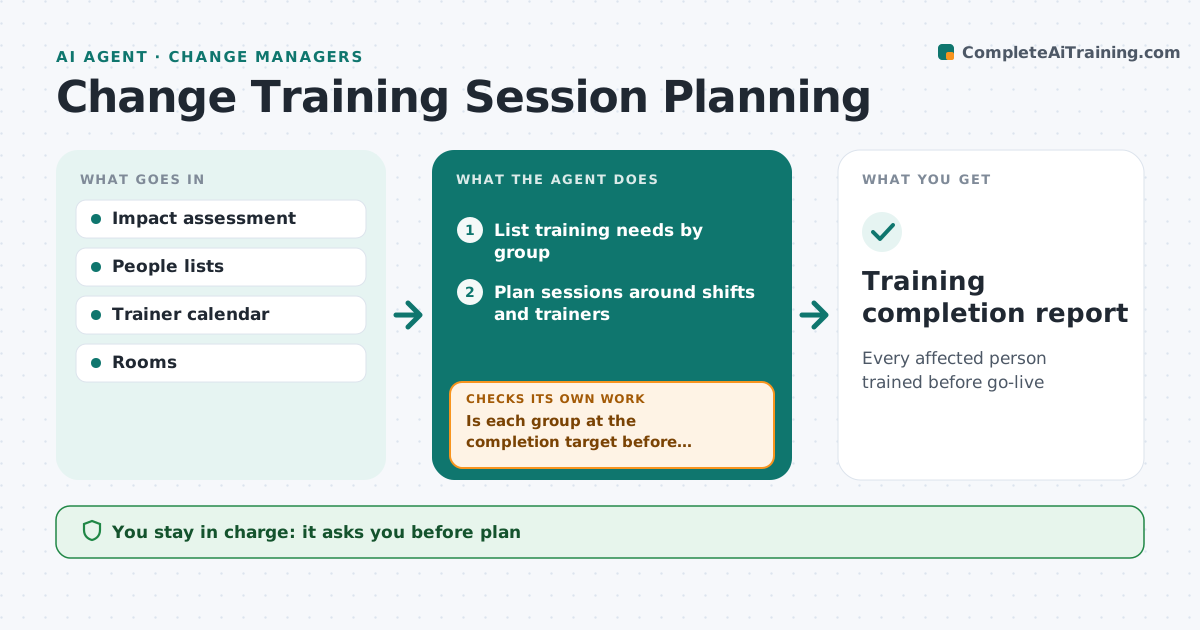
Every affected person trained before go-live
What it does
Training must reach every affected person close to go-live, or people forget it or never get it at all. Six weeks before go-live, this agent reads the change impact assessment and lists who needs which training. It plans sessions by group, location and shift, keeping class sizes and trainer availability in mind, and aims to deliver training within three weeks of go-live. The change manager approves the plan. The agent then sends invites and tracks attendance. Before go-live, it checks completion for each group against the target. If a group is short, it adds sessions or a recorded option, reminds managers, and checks again. Any extra sessions need the change manager's approval. Its output is a training completion report by group. Edge case: night shift staff get sessions during their own hours instead of being asked to come in during the day.
How it works
Follow the arrows from top to bottom. The orange dashed arrow is the loop: when a check fails, the agent goes back and tries again.
Read the steps as a list
- Six weeks before go-live
- List training needs by group
- Plan sessions around shifts and trainers
- Change manager approves the planThe agent waits here for your OK.
- Send invites and track attendance
- Is each group at the completion target before go-live?If not: add sessions or a recording and remind managers. Back to step 5.
- Training completion report
How it decides
It plans sessions by need and capacity and adds sessions when completion falls short.
- Train within 3 weeks of go-live
- Night shifts in their hours
- 90% completion per group
Make it yours
Every agent is a starting point. You choose these settings for your own situation.
- Completion target
- Class size
- Timing window
What keeps you in control
It always asks you first
- Plan
- Extra sessions
Hard limits
- Never changes shifts
It stops when
- Done: targets met
- Stop: go-live moved; replan
Set it up
We guide you through the set-up, step by step
Members get the full set-up guide for this agent. No technical skills needed: you copy, paste and upload.
- One set of instructions to paste into your AI, with the clicks for ChatGPT, Claude, Microsoft 365 Copilot, Gemini and Grok
- The agent then walks you through connecting your own data, one source at a time
- A downloadable copy with the flow chart, the rules and the full guide