AI agent for executive coachs
Client Accountability Check-in Agent
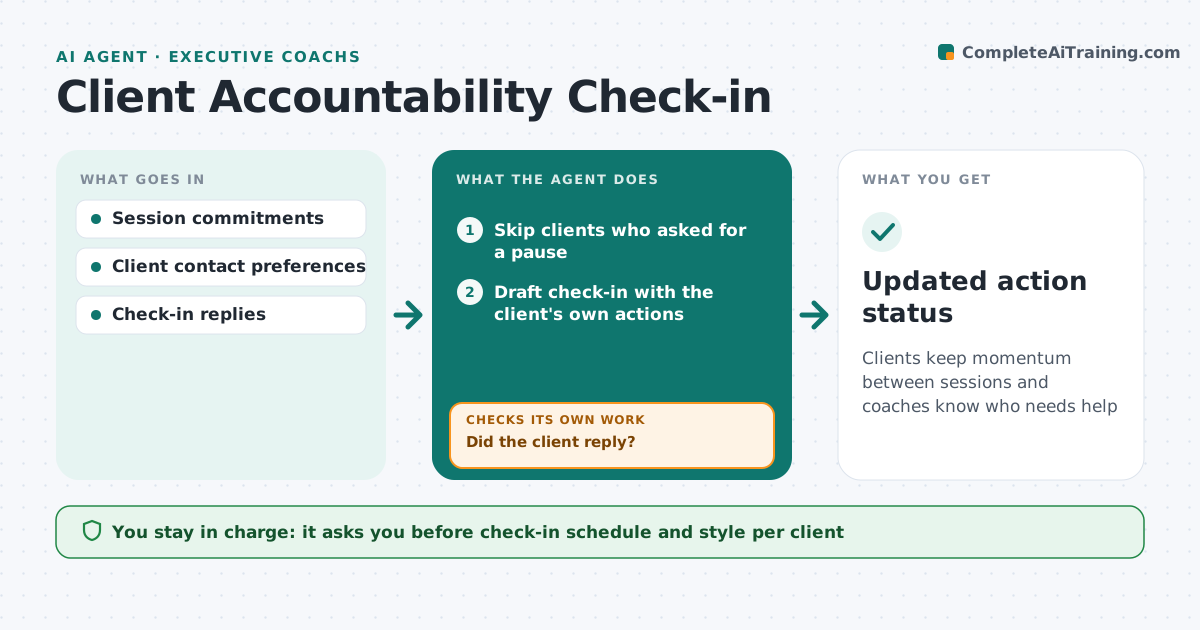
Clients keep momentum between sessions and coaches know who needs help
What it does
Commitments made in a coaching session often fade within days, and coaches only find out at the next meeting. Midway between sessions this agent sends each client a short check-in about the specific actions they agreed. A client who asked for no messages during a busy period is paused. It reads replies and marks each action as done, in progress or stuck. If a client does not reply, it sends one gentle follow-up. If an action is stuck or the client sounds overwhelmed, it alerts the coach with a summary so they can decide whether to reach out. Results feed the next session prep. The coach approves the schedule and message style for each client.
How it works
Follow the arrows from top to bottom. The orange dashed arrow is the loop: when a check fails, the agent goes back and tries again.
Read the steps as a list
- Midpoint between sessions
- Skip clients who asked for a pause
- Draft check-in with the client's own actions
- Coach approves schedule and style for the clientThe agent waits here for your OK.
- Send check-in and read reply
- Did the client reply?If not: send one gentle follow-up after two days. Back to step 5.
- Mark each action done, in progress or stuck
- Is any action stuck or the client overwhelmed?If not: alert the coach with a summary. Back to step 7.
- Updated action status
How it decides
It flags a client to the coach when an action is stuck, the reply shows stress, or there is no reply after a follow-up.
- One follow-up only
- Stress signals go to the coach
- Paused clients get no messages
Make it yours
Every agent is a starting point. You choose these settings for your own situation.
- Check-in timing
- Message tone
- What counts as stuck
- Channel
What keeps you in control
It always asks you first
- Check-in schedule and style per client
Hard limits
- Never gives coaching advice in messages
- Never shares replies outside the coach
It stops when
- Done: status updated
- Stop: client opts out
Set it up
We guide you through the set-up, step by step
Members get the full set-up guide for this agent. No technical skills needed: you copy, paste and upload.
- One set of instructions to paste into your AI, with the clicks for ChatGPT, Claude, Microsoft 365 Copilot, Gemini and Grok
- The agent then walks you through connecting your own data, one source at a time
- A downloadable copy with the flow chart, the rules and the full guide