AI agent for clinical research coordinators
Clinical Trial Data Query Resolution Agent
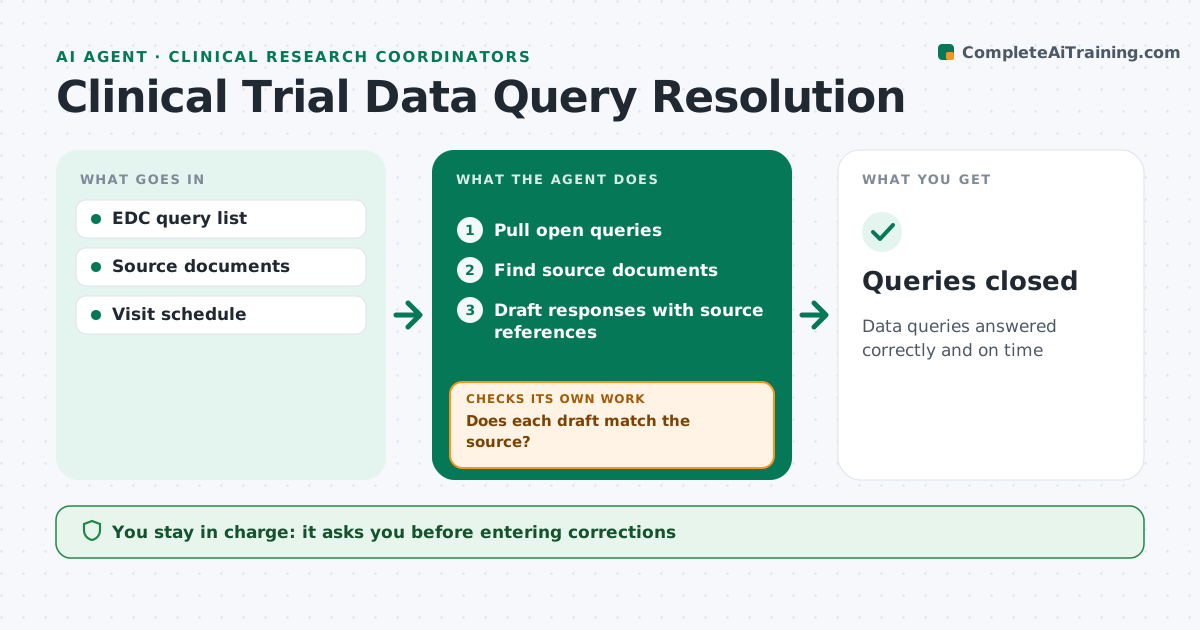
Data queries answered correctly and on time
What it does
Trial sponsors raise data queries when entries in the data capture system look wrong or missing, and slow answers delay study milestones. Each day this agent pulls open queries, groups them by participant and visit, and finds the source documents needed to answer each one. It drafts responses or corrections with source references. Before the coordinator sees a draft, it checks the draft against the source, and if they do not match, it redrafts. It tracks query age and flags those near the sponsor's deadline. The coordinator enters and signs every correction in the system; the agent never changes study data. Edge case: a query that needs the investigator's medical judgment, such as whether a lab value is clinically significant, is routed to the investigator instead of being answered.
How it works
Follow the arrows from top to bottom. The orange dashed arrow is the loop: when a check fails, the agent goes back and tries again.
Read the steps as a list
- Daily query review
- Pull open queries
- Find source documents
- Draft responses with source references
- Does each draft match the source?If not: search for the right source or route to the investigator. Back to step 3.
- Coordinator enters and signs correctionsThe agent waits here for your OK.
- Queries closed
How it decides
It drafts answers only when the source document clearly supports them and routes medical judgment questions to the investigator.
- Route medical judgment to the investigator
- Flag queries near deadline
- Group by participant
Make it yours
Every agent is a starting point. You choose these settings for your own situation.
- Deadline warning days
- Query grouping
- Report format
- Routing rules
What keeps you in control
It always asks you first
- Entering corrections
Hard limits
- Never enters data in the EDC
It stops when
- Done: queries closed
- Stop: source missing
Set it up
We guide you through the set-up, step by step
Members get the full set-up guide for this agent. No technical skills needed: you copy, paste and upload.
- One set of instructions to paste into your AI, with the clicks for ChatGPT, Claude, Microsoft 365 Copilot, Gemini and Grok
- The agent then walks you through connecting your own data, one source at a time
- A downloadable copy with the flow chart, the rules and the full guide