AI agent for clinical data managers
Protocol Deviation Tracking Agent
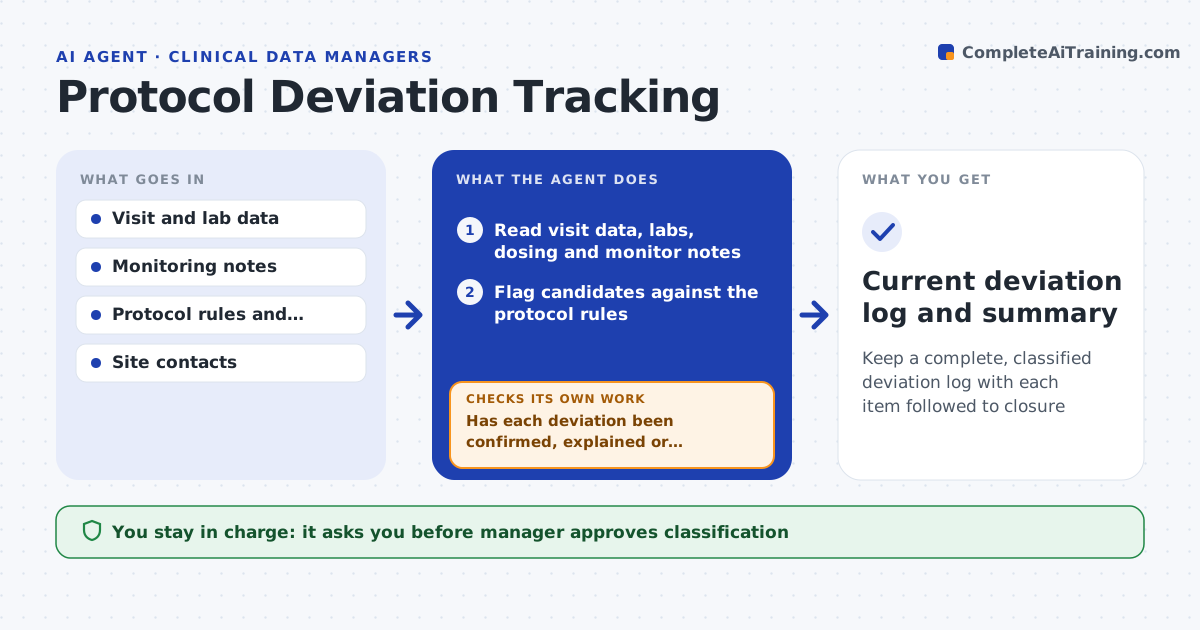
Keep a complete, classified deviation log with each item followed to closure
What it does
Missed visit windows, out-of-range results and dosing errors sit in listings, monitor notes and emails, and the deviation log lags behind. This agent reads visit data and monitoring notes and flags candidates: a visit outside its window, a missed assessment, an out-of-range lab, a dose outside the allowed range. It checks each against the protocol rules and classifies it as minor or major per the study's definitions. It then asks the site to confirm or explain, and follows each deviation to closure: confirmed, explained, corrected or reported. It keeps the log current and sends the summary to the manager. The manager approves the classification. Edge case: a visit is 2 days late but the protocol allows a 3-day grace, so the agent dismisses it.
How it works
Follow the arrows from top to bottom. The orange dashed arrow is the loop: when a check fails, the agent goes back and tries again.
Read the steps as a list
- Weekly run or monitoring visit
- Read visit data, labs, dosing and monitor notes
- Flag candidates against the protocol rules
- Classify each as minor or major
- Manager approves the classification and site queriesThe agent waits here for your OK.
- Send queries to the sites for confirmation
- Read the site responses
- Has each deviation been confirmed, explained or dismissed?If not: send reminders and escalate to the monitor after the deadline. Back to step 6.
- Update the deviation log and corrective actions
- Report counts by site and type to the manager
- Current deviation log and summary
How it decides
It flags a deviation when data breaks a protocol rule and classifies it using the study definitions, asking the site when the data cannot settle it.
- Apply the protocol grace period before flagging a window deviation
- Classify as major when subject safety or the primary endpoint is affected
- Escalate any query unanswered for 10 days
- Always report dosing deviations on the day found
Make it yours
Every agent is a starting point. You choose these settings for your own situation.
- Deviation definitions
- Grace periods
- Query deadline (default 10 days)
- Sites and contacts
- Report frequency
What keeps you in control
It always asks you first
- Manager approves classification
- Manager approves messages to sites
Hard limits
- Never change clinical data
- Never close a major deviation without the manager
It stops when
- Done: all deviations are closed or tracked with an owner
- Stop: protocol rules are unclear and the sponsor must rule
Set it up
We guide you through the set-up, step by step
Members get the full set-up guide for this agent. No technical skills needed: you copy, paste and upload.
- One set of instructions to paste into your AI, with the clicks for ChatGPT, Claude, Microsoft 365 Copilot, Gemini and Grok
- The agent then walks you through connecting your own data, one source at a time
- A downloadable copy with the flow chart, the rules and the full guide