AI agent for clinical research coordinators
Study Start-up Document Readiness Agent
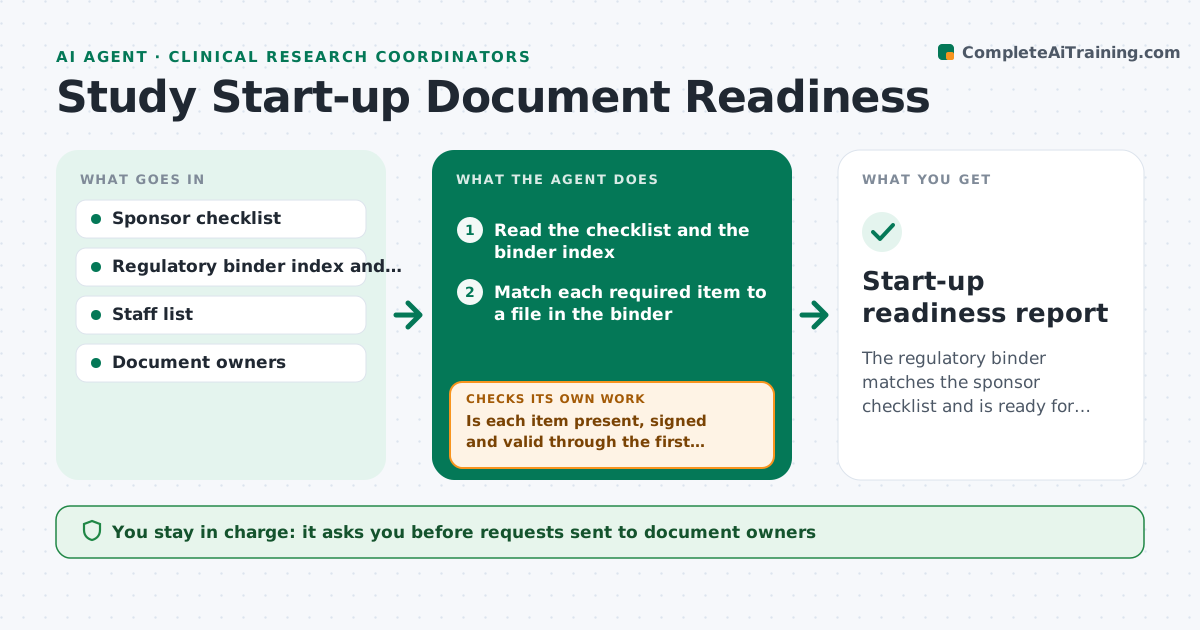
The regulatory binder matches the sponsor checklist and is ready for sponsor review as early as possible.
What it does
A site cannot start enrolling until every regulatory document is in the binder, signed and current, and one expired license can hold it for weeks. This agent compares the sponsor's start-up checklist to the regulatory binder. It flags items that are missing, unsigned, out of date or expired, such as CVs, licenses, training records and the delegation log. It drafts requests to the owner of each item and updates the status list. It rechecks every day until the list is clear. You approve submission to the sponsor. Edge case: a document that expires before the planned first patient visit is treated as a gap even though it is valid today.
How it works
Follow the arrows from top to bottom. The orange dashed arrow is the loop: when a check fails, the agent goes back and tries again.
Read the steps as a list
- Sponsor checklist received
- Read the checklist and the binder index
- Match each required item to a file in the binder
- Is each item present, signed and valid through the first visit?If not: mark it as missing, unsigned or expiring and add it to the gap list. Back to step 3.
- Draft a request to the owner of each gap with the due date
- Coordinator approves requestsThe agent waits here for your OK.
- Recheck the binder daily for new documents
- Is the checklist complete?If not: update the gap list and chase owners who have not responded. Back to step 7.
- Prepare the submission package and a status summary
- Coordinator approves submission to the sponsorThe agent waits here for your OK.
- Start-up readiness report
How it decides
An item passes if the right version exists, is signed and dated, and is valid through the planned first visit. Everything else is a gap to chase.
- Document expires within 60 days after the first visit: treat as a gap
- Unsigned or undated item: do not count
- Owner silent for 3 days: send a reminder and tell the coordinator
- Wrong version on file: request the current version
Make it yours
Every agent is a starting point. You choose these settings for your own situation.
- Checklist template
- Expiry buffer in days (default 60)
- Reminder interval
- Owner contacts
- Recheck frequency
What keeps you in control
It always asks you first
- Requests sent to document owners
- Submission to the sponsor
Hard limits
- Never sign or backdate any document
- Never submit to the sponsor without approval
It stops when
- Done: checklist complete and submitted
- Stop: study cancelled or put on hold
Set it up
We guide you through the set-up, step by step
Members get the full set-up guide for this agent. No technical skills needed: you copy, paste and upload.
- One set of instructions to paste into your AI, with the clicks for ChatGPT, Claude, Microsoft 365 Copilot, Gemini and Grok
- The agent then walks you through connecting your own data, one source at a time
- A downloadable copy with the flow chart, the rules and the full guide