AI agent for executive coachs
Coaching Session Prep Agent
Every session starts with a clear view of commitments, progress and focus
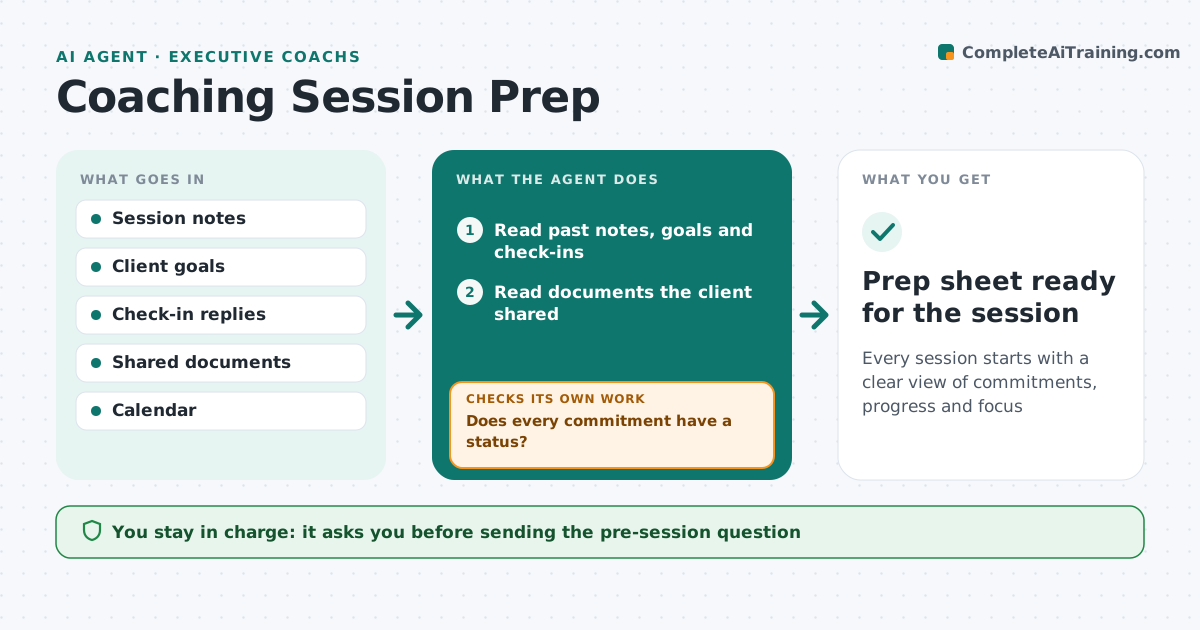
What it does
A good coaching session starts from what the client committed to last time, but coaches often walk in without recalling it. Two days before each session this agent reads past notes, the client's goals, check-in replies and documents the client shared. It lists each commitment and whether it was done, and notes new events such as a reorganization or a missed target. A client who canceled last time gets prep based on the session before. It checks every commitment has a status, and if not, sends the client a short pre-session question. It drafts a one-page prep sheet with a suggested agenda and two or three questions. The coach decides the agenda.
How it works
Follow the arrows from top to bottom. The orange dashed arrow is the loop: when a check fails, the agent goes back and tries again.
Read the steps as a list
- Session in two days
- Read past notes, goals and check-ins
- Read documents the client shared
- List commitments and their status
- Note new events since last session
- Does every commitment have a status?If not: send the client a short pre-session question and wait for the reply. Back to step 4.
- Draft prep sheet with agenda and questions
- Coach reviews and sets the agendaThe agent waits here for your OK.
- Prep sheet ready for the session
How it decides
It builds the agenda around open commitments and the goal with the least recent progress.
- Open commitments come first
- Focus on the goal with least progress
- Skip canceled sessions when looking back
Make it yours
Every agent is a starting point. You choose these settings for your own situation.
- Days before session
- Prep sheet length
- Question style
- Sources read
What keeps you in control
It always asks you first
- Sending the pre-session question
Hard limits
- Keeps client notes private
- Never shares notes between clients
It stops when
- Done: prep sheet ready
- Stop: session canceled
Set it up
We guide you through the set-up, step by step
Members get the full set-up guide for this agent. No technical skills needed: you copy, paste and upload.
- One set of instructions to paste into your AI, with the clicks for ChatGPT, Claude, Microsoft 365 Copilot, Gemini and Grok
- The agent then walks you through connecting your own data, one source at a time
- A downloadable copy with the flow chart, the rules and the full guide