AI agent for product analysts
Cohort Retention Report Agent
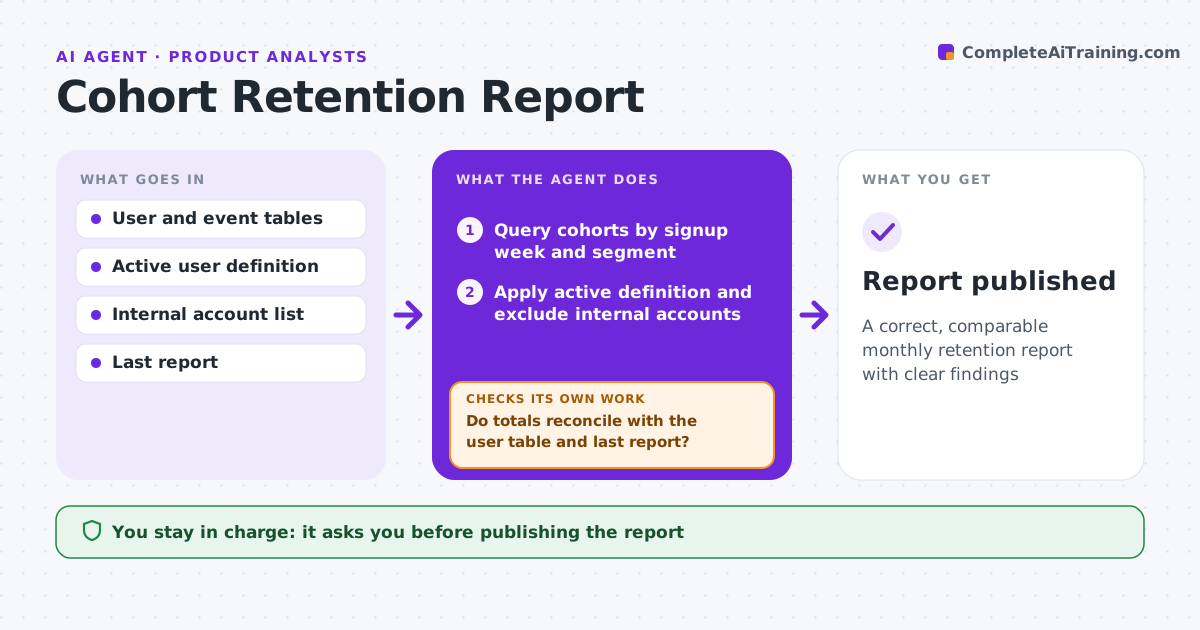
A correct, comparable monthly retention report with clear findings
What it does
Retention numbers drive big product decisions, so a small data error can send a team in the wrong direction. Each month this agent builds retention cohorts by signup week and by key segments such as channel, plan and first feature used. It applies the agreed active-user definition and excludes test and internal accounts. It then checks totals against the user table and the last report, and flags cohorts that changed after the fact. If numbers do not reconcile, it finds the cause, such as late-arriving events or a filter gap, and rebuilds. It writes findings: which cohorts improved, which segments retain best, and what changed after recent releases. The analyst reviews before sharing. Edge case: a cohort too small for a reliable rate is shown but greyed out.
How it works
Follow the arrows from top to bottom. The orange dashed arrow is the loop: when a check fails, the agent goes back and tries again.
Read the steps as a list
- Monthly report run
- Query cohorts by signup week and segment
- Apply active definition and exclude internal accounts
- Do totals reconcile with the user table and last report?If not: find late or missing events and rebuild. Back to step 2.
- Compare cohorts and segments
- Draft report with findings
- Analyst reviews before sharingThe agent waits here for your OK.
- Report published
How it decides
It uses one fixed active-user definition and only calls out changes larger than normal cohort-to-cohort spread.
- Cohorts under 200 users are greyed out
- Exclude internal and test accounts
- Changes must exceed normal spread to be called out
Make it yours
Every agent is a starting point. You choose these settings for your own situation.
- Active user definition
- Segments
- Minimum cohort size
- Report format
What keeps you in control
It always asks you first
- Publishing the report
Hard limits
- Never edits source data
- Never changes the active definition without approval
It stops when
- Done: report published
- Stop: event data incomplete
Set it up
We guide you through the set-up, step by step
Members get the full set-up guide for this agent. No technical skills needed: you copy, paste and upload.
- One set of instructions to paste into your AI, with the clicks for ChatGPT, Claude, Microsoft 365 Copilot, Gemini and Grok
- The agent then walks you through connecting your own data, one source at a time
- A downloadable copy with the flow chart, the rules and the full guide