AI agent for bank branch managers
Community Outreach Planner Agent
Pick quarterly community events from past results, then track outcomes and adjust the plan
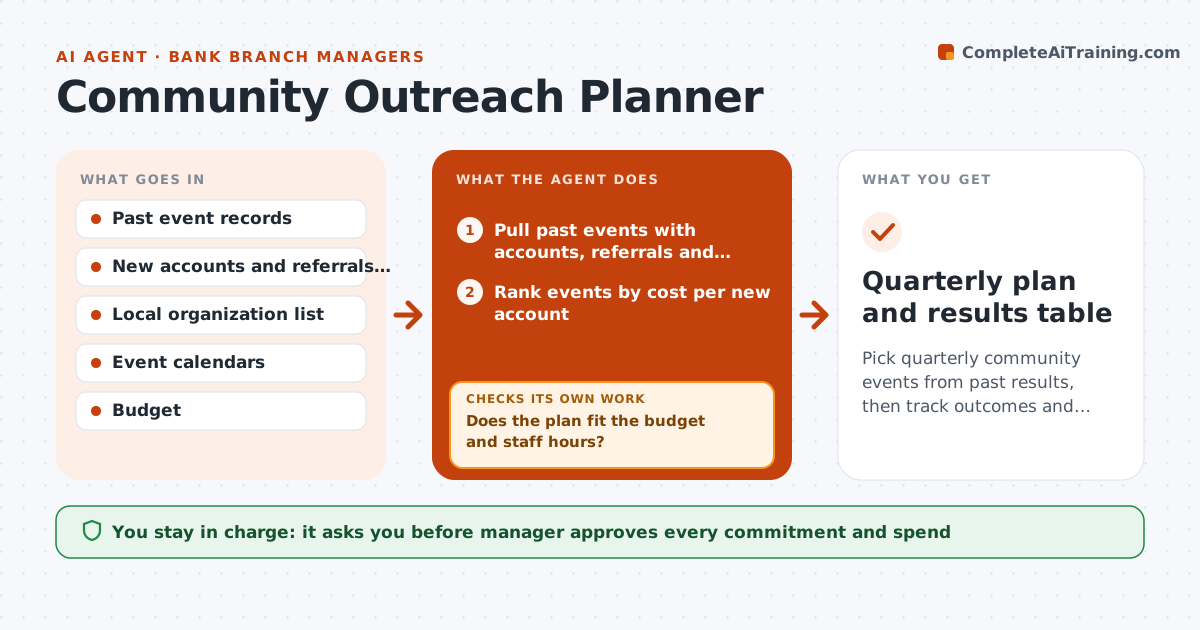
What it does
Branch outreach events are often chosen by habit. The agent reviews past events and counts new accounts and referrals for each, with costs and staff hours. It lists local organizations and calendars, such as farmers markets, chambers and school events, and ranks them by expected return and fit. It proposes a quarterly plan with dates, owners and costs. After each event, it records results from the account system and compares them with the target. If an event falls short, it suggests a change or a replacement. The manager approves all commitments and spending. Edge case: a golf outing produced two accounts for $1,800, so the agent drops it and proposes a cheaper alternative.
How it works
Follow the arrows from top to bottom. The orange dashed arrow is the loop: when a check fails, the agent goes back and tries again.
Read the steps as a list
- Quarter starts or an event ends
- Pull past events with accounts, referrals and cost
- Rank events by cost per new account
- Find local organizations and event dates
- Draft the quarterly plan with dates and budget
- Does the plan fit the budget and staff hours?If not: Drop or swap the lowest-ranked event and redraft. Back to step 4.
- Manager approves commitments and spendThe agent waits here for your OK.
- Record results after each event
- Did the event meet its target accounts?If not: Mark the event as weak, propose a change or replacement. Back to step 4.
- Update the ranking and the plan
- Quarterly plan and results table
How it decides
Events are ranked by cost per new account and referral; the plan changes when results fall below the target.
- Rank by cost per new account
- Drop an event that missed target twice
- Cap staff hours per quarter
- Require a date and owner for every event
Make it yours
Every agent is a starting point. You choose these settings for your own situation.
- Budget per quarter
- Target accounts per event
- Staff hours limit
- Event types to consider
What keeps you in control
It always asks you first
- Manager approves every commitment and spend
- Manager approves partnerships or sponsorships
Hard limits
- Never commit money without approval
- Never use customer data outside the bank's policy
It stops when
- Done: plan approved and results tracked
- Stop: no budget is available
Set it up
We guide you through the set-up, step by step
Members get the full set-up guide for this agent. No technical skills needed: you copy, paste and upload.
- One set of instructions to paste into your AI, with the clicks for ChatGPT, Claude, Microsoft 365 Copilot, Gemini and Grok
- The agent then walks you through connecting your own data, one source at a time
- A downloadable copy with the flow chart, the rules and the full guide