AI agent for civil servants
Community Project Funding Request Agent
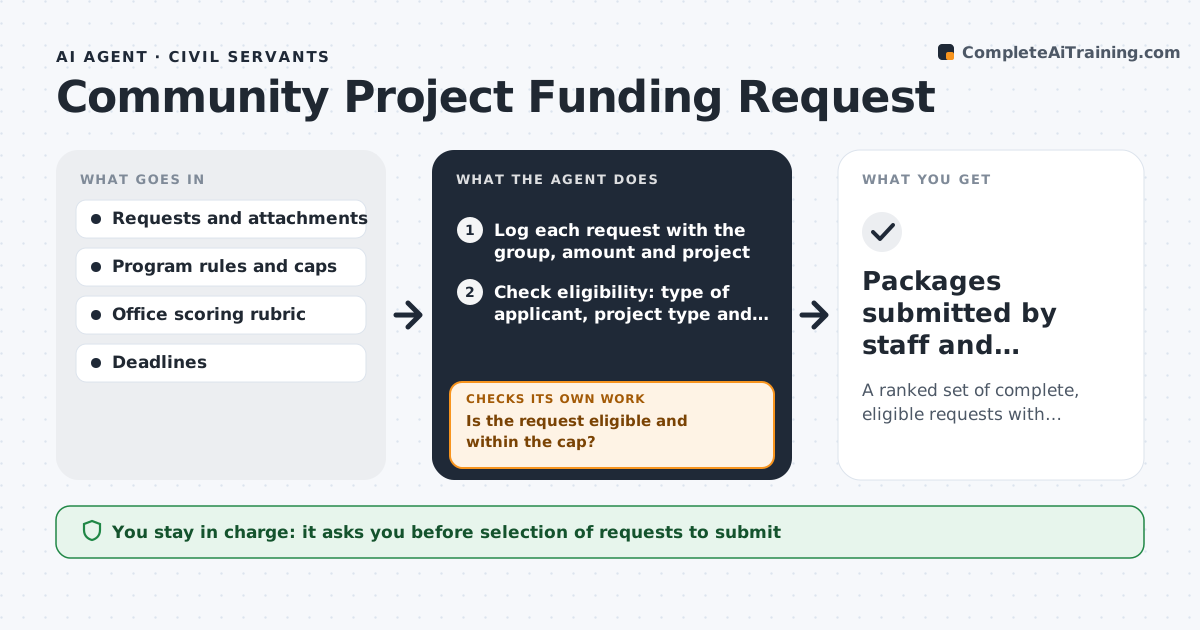
A ranked set of complete, eligible requests with submission packages ready before the committee deadline
What it does
Each year a member's office receives dozens of funding requests from cities, schools and nonprofits, and only a limited number can be submitted to the appropriations committee. Each must meet program rules and carry documentation: a cost estimate, community support letters, a sponsor and proof the project is ready. Staff vet them in a rush before the deadline. This agent collects the requests as they arrive, checks eligibility and documentation against the program rules, and scores each on need, readiness and community support using the office's rubric. It builds the submission package for the strongest ones and lists missing items for the rest. It asks each group for what is missing and rechecks when it arrives, then rescores. The member approves which requests go forward. Edge case: a request exceeds the cap per project, and the agent asks the group to scale it or find other funding.
How it works
Follow the arrows from top to bottom. The orange dashed arrow is the loop: when a check fails, the agent goes back and tries again.
Read the steps as a list
- The funding program opens and requests arrive
- Log each request with the group, amount and project
- Check eligibility: type of applicant, project type and cap
- Is the request eligible and within the cap?If not: tell the group what rule fails and invite a revised request or mark it ineligible. Back to step 3.
- Check the documents: cost estimate, support letters, sponsor and readiness
- Is every required document present and current?If not: send a request for each missing item and recheck when it arrives. Back to step 5.
- Score each complete request with the rubric
- Rank requests and build the submission packages
- Member approves which requests go forwardThe agent waits here for your OK.
- Packages submitted by staff and decisions logged
How it decides
It scores eligible requests against the rubric and moves a request forward only when every required document is present and the amount fits program limits.
- Reject requests above the program cap unless scaled
- Require a cost estimate dated within 12 months
- Score need, readiness and community support equally by default
- Submit no more requests than the committee limit
Make it yours
Every agent is a starting point. You choose these settings for your own situation.
- Scoring rubric weights
- Cap per project
- Document age limit (default 12 months)
- Number of requests to submit
What keeps you in control
It always asks you first
- Selection of requests to submit
- Messages declining requests
Hard limits
- Never submits requests
- Treats all groups the same by the rubric
- Does not promise funding
It stops when
- Done: selected packages are submitted
- Stop: program rules are not published
Set it up
We guide you through the set-up, step by step
Members get the full set-up guide for this agent. No technical skills needed: you copy, paste and upload.
- One set of instructions to paste into your AI, with the clicks for ChatGPT, Claude, Microsoft 365 Copilot, Gemini and Grok
- The agent then walks you through connecting your own data, one source at a time
- A downloadable copy with the flow chart, the rules and the full guide