AI agent for investment analysts
Comparable Companies Refresh Agent
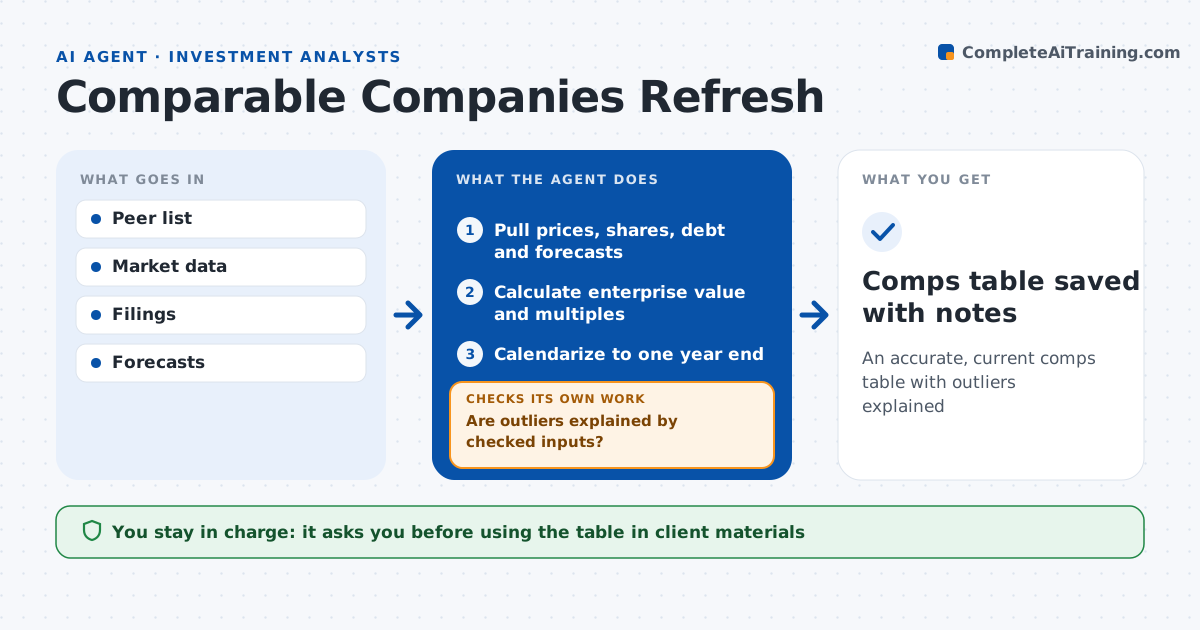
An accurate, current comps table with outliers explained
What it does
Comparable companies tables go out of date fast, and refreshing one by hand invites typos in share counts and debt. On request or on a schedule, this agent pulls prices, share counts, debt, cash and forecast figures for each peer, calculates enterprise value and multiples, and calendarizes years to a common year end. It checks each figure against the latest filing, updates any share count older than the last filing, and confirms adjustments such as excluding one-time items. It then looks for outliers: a multiple more than twice the median distance from the group triggers a recheck of share counts, debt and adjustments, then a recalculation. It either fixes the input or notes why the outlier is real. The user reviews the peer set and approves the table for client materials. Edge case: a peer just made a large acquisition, so the agent flags that forward figures may not include it.
How it works
Follow the arrows from top to bottom. The orange dashed arrow is the loop: when a check fails, the agent goes back and tries again.
Read the steps as a list
- Comps refresh requested
- Pull prices, shares, debt and forecasts
- Calculate enterprise value and multiples
- Calendarize to one year end
- Are outliers explained by checked inputs?If not: recheck share counts, debt and adjustments and recalculate. Back to step 2.
- User approves peer set and tableThe agent waits here for your OK.
- Comps table saved with notes
How it decides
It flags any multiple more than a set distance from the median and rechecks its inputs.
- Multiple over 2 times median distance: recheck
- Recent acquisition: flag pro forma issue
- Share count older than last filing: update
Make it yours
Every agent is a starting point. You choose these settings for your own situation.
- Peer list
- Multiples shown
- Outlier rule
- Refresh schedule
What keeps you in control
It always asks you first
- Using the table in client materials
Hard limits
- Never changes peer set without approval
- Never uses unverified data
It stops when
- Done: table approved
- Stop: market data unavailable
Set it up
We guide you through the set-up, step by step
Members get the full set-up guide for this agent. No technical skills needed: you copy, paste and upload.
- One set of instructions to paste into your AI, with the clicks for ChatGPT, Claude, Microsoft 365 Copilot, Gemini and Grok
- The agent then walks you through connecting your own data, one source at a time
- A downloadable copy with the flow chart, the rules and the full guide