AI agent for business analysts
Competitor Product Release Notes Teardown Agent
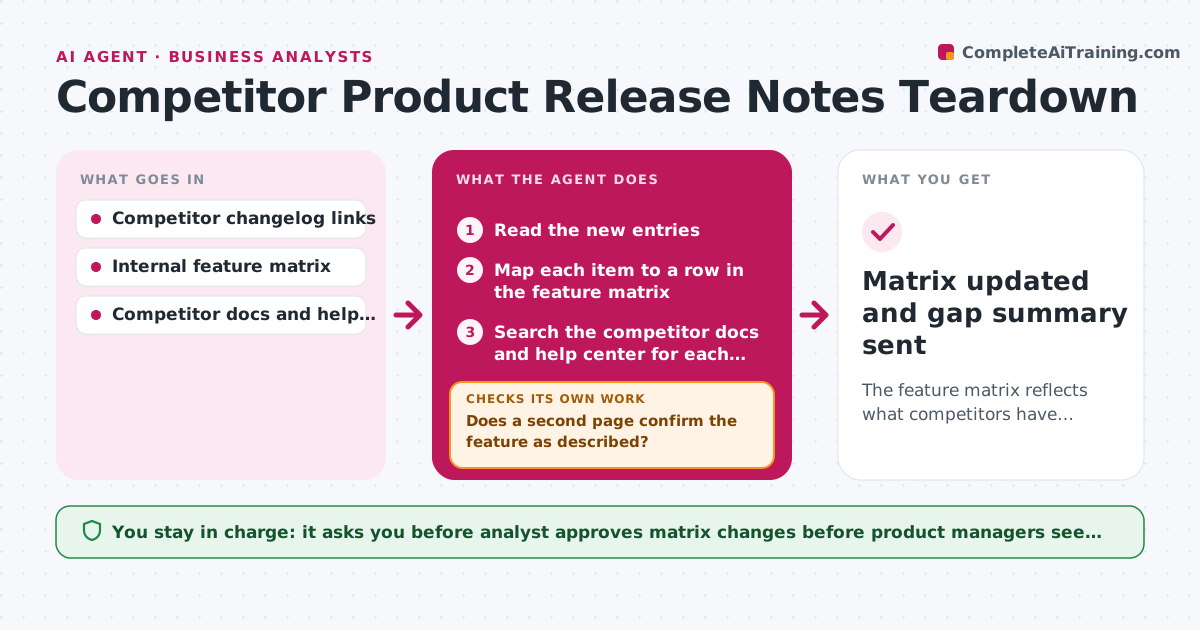
The feature matrix reflects what competitors have actually shipped, with proof for each change.
What it does
Competitors ship changes every week, and the notes sit unread until a sales call goes badly. This agent watches the release notes and changelogs of tracked competitors. When a new entry appears, it reads it, maps each item to the internal feature matrix and looks in the competitor's docs and help center for confirmation that the feature exists as described. Items it cannot confirm are marked unverified and checked again after a few days. It then drafts matrix changes with the evidence. The analyst approves changes before product managers see them. Edge case: a note says a feature is coming soon, so the agent logs it as announced, not shipped.
How it works
Follow the arrows from top to bottom. The orange dashed arrow is the loop: when a check fails, the agent goes back and tries again.
Read the steps as a list
- New competitor release notes detected
- Read the new entries
- Map each item to a row in the feature matrix
- Search the competitor docs and help center for each item
- Does a second page confirm the feature as described?If not: mark unverified, wait 3 days and search again, then check pricing and demo pages. Back to step 4.
- Classify each item as shipped, announced or fix
- Draft matrix changes with evidence links and gap notes
- Does each change cite a source and a matrix row?If not: fill in the missing source or row, or remove the change. Back to step 3.
- Analyst approves matrix changes before product managers see themThe agent waits here for your OK.
- Matrix updated and gap summary sent
How it decides
A feature counts as shipped only when a release note and a doc or help page agree. Otherwise it stays unverified and is rechecked in 3 days.
- Count a feature as shipped only with two agreeing pages.
- Recheck unverified items after 3 days, up to 2 times.
- Mark a gap as urgent when the feature appears on 2 or more competitors.
- Ignore bug fix entries unless they remove a known weakness.
Make it yours
Every agent is a starting point. You choose these settings for your own situation.
- Competitors and changelog sources
- Recheck delay (default 3 days)
- Feature matrix columns
- Who is notified after approval
What keeps you in control
It always asks you first
- Analyst approves matrix changes before product managers see them
Hard limits
- Use only public pages
- Never sign up with a false identity to confirm a feature
It stops when
- Done: matrix updated and approved.
- Stop: item still unconfirmed after 2 rechecks, so it stays logged as unverified.
Set it up
We guide you through the set-up, step by step
Members get the full set-up guide for this agent. No technical skills needed: you copy, paste and upload.
- One set of instructions to paste into your AI, with the clicks for ChatGPT, Claude, Microsoft 365 Copilot, Gemini and Grok
- The agent then walks you through connecting your own data, one source at a time
- A downloadable copy with the flow chart, the rules and the full guide