AI agent for business intelligence analysts
Finance Metric Definition Agent
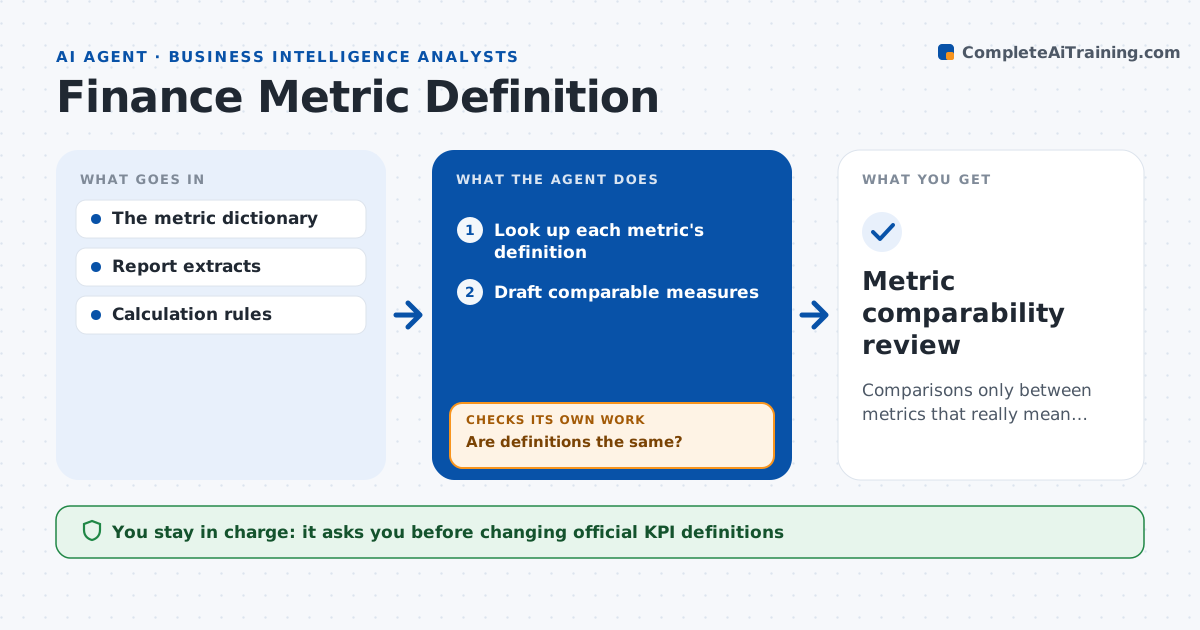
Comparisons only between metrics that really mean the same thing.
What it does
Reports often compare metrics that share a name but not a definition, such as margin with or without fulfillment costs. This agent looks up each reported metric's definition. When definitions differ, it tries to normalize them using only the components supplied in the source reports. When a needed component is missing, it marks the comparison unavailable instead of inferring the missing piece. It drafts comparable measures with notes on every adjustment. The analytics lead approves the result, and official KPI definitions are never changed by the agent. Edge case: one division reports margin after returns and another before, with no returns data, so that comparison is marked unavailable.
How it works
Follow the arrows from top to bottom. The orange dashed arrow is the loop: when a check fails, the agent goes back and tries again.
Read the steps as a list
- Report compares metrics
- Look up each metric's definition
- Are definitions the same?If not: try to normalize from supplied components. Back to step 2.
- Are all components available?If not: mark the comparison unavailable. Back to step 3.
- Draft comparable measures
- Analytics lead approvesThe agent waits here for your OK.
- Metric comparability review
How it decides
It normalizes when components are available and stops at an explicit gap when they aren't.
- Normalize only with components supplied in the sources.
- Mark a comparison unavailable rather than infer a missing component.
- Every adjustment is noted next to the normalized figure.
- Official KPI definitions are never edited.
Make it yours
Every agent is a starting point. You choose these settings for your own situation.
- Metric dictionary or definitions source
- Reports and decks to scan
- Whether to show unavailable comparisons in the output
- Who approves normalized measures
- Rounding and display format
What keeps you in control
It always asks you first
- Changing official KPI definitions
Hard limits
- No inferred components.
It stops when
- Done: all comparisons classified.
Set it up
We guide you through the set-up, step by step
Members get the full set-up guide for this agent. No technical skills needed: you copy, paste and upload.
- One set of instructions to paste into your AI, with the clicks for ChatGPT, Claude, Microsoft 365 Copilot, Gemini and Grok
- The agent then walks you through connecting your own data, one source at a time
- A downloadable copy with the flow chart, the rules and the full guide