AI agent for clinical research coordinators
Consent Form Version Check Agent
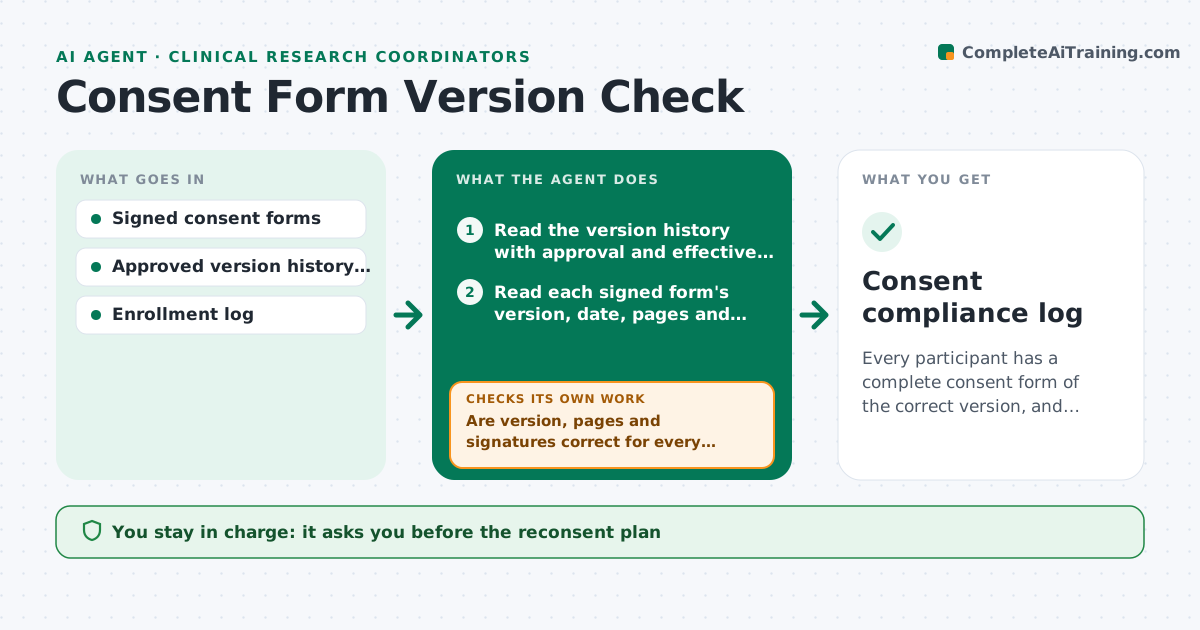
Every participant has a complete consent form of the correct version, and every mismatch has an approved reconsent plan.
What it does
After a protocol amendment, the new consent form is approved on one date and used from another, and a participant may still sign the old one. This agent compares each signed consent form to the version that was approved and in effect on the day of signing. It checks version number, date, page count and signatures, and flags mismatches or missing pages. For each mismatch it classifies the problem, drafts a reconsent plan with timing, and lists who must be informed. It rechecks when reconsent forms are filed. The coordinator and investigator approve the plan. Edge case: a form signed during the gap between IRB approval and the site's go-live date is flagged for review, not auto-failed.
How it works
Follow the arrows from top to bottom. The orange dashed arrow is the loop: when a check fails, the agent goes back and tries again.
Read the steps as a list
- Consent form filed or amendment approved
- Read the version history with approval and effective dates
- Read each signed form's version, date, pages and signatures
- Match each form to the version in effect on its signing date
- Are version, pages and signatures correct for every form?If not: classify the problem and list the affected participants. Back to step 3.
- Draft a reconsent plan with timing for each affected participant
- Coordinator and investigator approve the planThe agent waits here for your OK.
- Read newly filed reconsent forms
- Does each reconsent form meet the version, page and signature rules?If not: return the form for correction and keep the participant on the open list. Back to step 8.
- Update the log and prepare a note to file
- Consent compliance log
How it decides
The correct version is the one in effect on the date of signing. A mismatch, a missing page or a missing signature fails the check.
- Wrong version signed after the effective date: reconsent needed and a deviation record
- Missing page: reconsent or investigator review
- Signed in the gap before the site go-live date: flag for investigator judgment
- Reconsent not completed by the next visit: escalate before any procedure
Make it yours
Every agent is a starting point. You choose these settings for your own situation.
- Version history source
- Fields checked on each form
- Reconsent timing rules
- Deviation form template
- Check frequency
What keeps you in control
It always asks you first
- The reconsent plan
- Any deviation report
Hard limits
- Never alter or fill in a signed form
- Never advise a participant directly
It stops when
- Done: all participants have the correct forms
- Stop: participant withdraws
Set it up
We guide you through the set-up, step by step
Members get the full set-up guide for this agent. No technical skills needed: you copy, paste and upload.
- One set of instructions to paste into your AI, with the clicks for ChatGPT, Claude, Microsoft 365 Copilot, Gemini and Grok
- The agent then walks you through connecting your own data, one source at a time
- A downloadable copy with the flow chart, the rules and the full guide