AI agent for elected officials
Constituent Correspondence Triage and Reply Agent
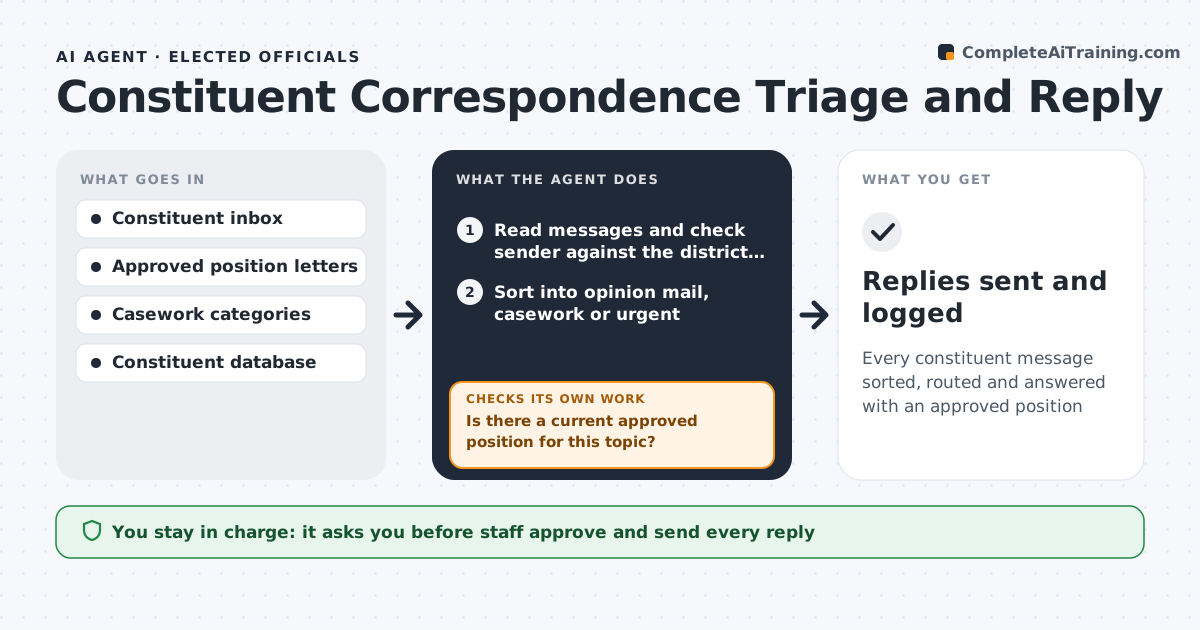
Every constituent message sorted, routed and answered with an approved position
What it does
Constituents write about bills, local issues and problems with state agencies, and the inbox can reach hundreds of messages a day. This agent reads incoming mail, checks each sender against the district list, and sorts messages into opinion mail, casework and urgent items. Opinion mail is matched to a bill and to the office's approved position letter. Before drafting, it checks that a current approved position exists for that topic. If the position changed or none exists, it holds the messages in a 'needs position' queue and tells staff. Casework goes to the caseworker with a short summary. Out-of-district senders get a courtesy reply. Staff review the drafts in batches and decide what is sent. Edge case: messages that mention self-harm or threats skip the queue and go to the chief of staff right away.
How it works
Follow the arrows from top to bottom. The orange dashed arrow is the loop: when a check fails, the agent goes back and tries again.
Read the steps as a list
- New constituent mail arrives
- Read messages and check sender against the district list
- Sort into opinion mail, casework or urgent
- Match opinion mail to a bill and an approved position letter
- Is there a current approved position for this topic?If not: hold the message in a 'needs position' queue and notify staff. Back to step 4.
- Draft replies and casework summaries in the constituent database
- Staff review and send replies in batchesThe agent waits here for your OK.
- Replies sent and logged
How it decides
Mail is matched to a topic and position letter. Requests for help with an agency become casework. No approved position means a hold for staff.
- Out-of-district mail gets a short courtesy reply
- Agency problems are casework, not opinion mail
- Urgent safety messages go straight to the chief of staff
Make it yours
Every agent is a starting point. You choose these settings for your own situation.
- Run frequency (default every 2 hours)
- Casework categories and who handles each
- Reply tone and signature
- Whether to answer out-of-district mail
What keeps you in control
It always asks you first
- Staff approve and send every reply
- New positions are approved by the member or chief of staff
Hard limits
- Never sends replies on its own
- Never states a position the member has not approved
It stops when
- Done: inbox sorted and drafts ready
- Stop: position letter library unavailable
Set it up
We guide you through the set-up, step by step
Members get the full set-up guide for this agent. No technical skills needed: you copy, paste and upload.
- One set of instructions to paste into your AI, with the clicks for ChatGPT, Claude, Microsoft 365 Copilot, Gemini and Grok
- The agent then walks you through connecting your own data, one source at a time
- A downloadable copy with the flow chart, the rules and the full guide