
AI agent for epidemiologists
Contact Tracing Capacity Planning Agent
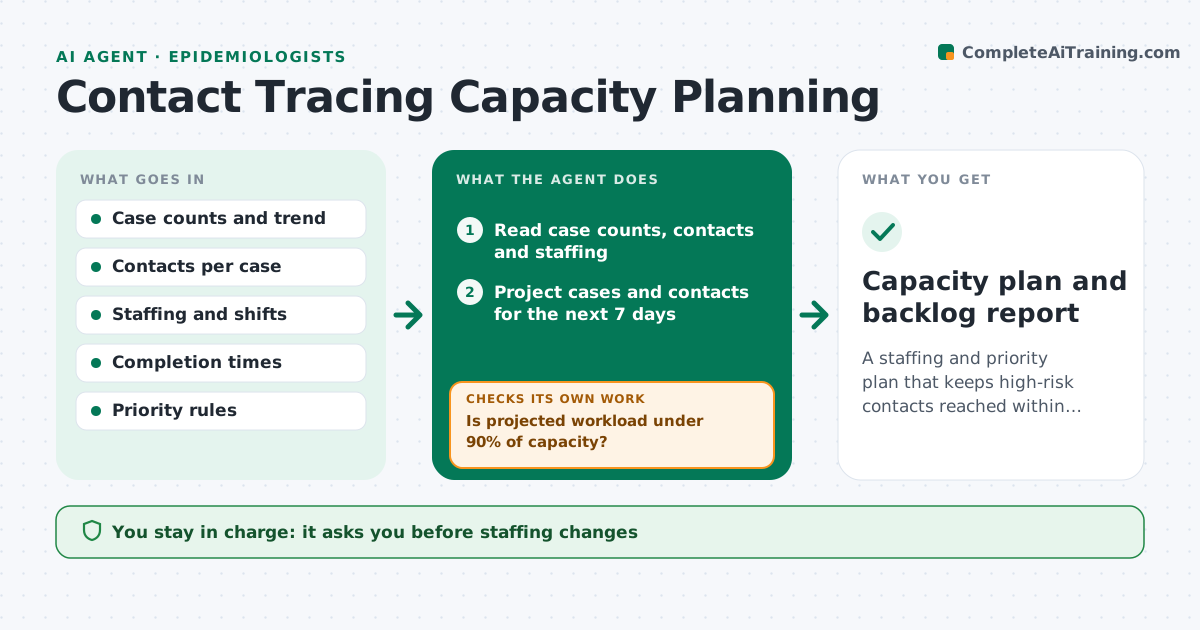
A staffing and priority plan that keeps high-risk contacts reached within target time as cases change
What it does
When cases surge, contact tracing teams are buried and the highest risk contacts are reached last. This agent projects new cases and contacts from the recent trend and compares the workload to the number of staff. It proposes prioritization rules, such as reaching household contacts and high risk settings first, and estimates how many contacts per day each team can finish. After each day it reads the completion rates and checks whether the plan is keeping up. If the backlog grows, it updates the projection and suggests changes in staffing or rules. The director approves any staffing or priority change. Edge case: an outbreak at a school adds 200 contacts, so the agent moves the school to its own queue.
How it works
Follow the arrows from top to bottom. The orange dashed arrow is the loop: when a check fails, the agent goes back and tries again.
Read the steps as a list
- Daily update
- Read case counts, contacts and staffing
- Project cases and contacts for the next 7 days
- Calculate workload against capacity
- Is projected workload under 90% of capacity?If not: propose tighter prioritization or added staff. Back to step 3.
- Draft priority rules and queue assignments
- Director approves staffing or priority changesThe agent waits here for your OK.
- Read completion times and rates after the change
- Are high-priority contacts reached within the target time?If not: adjust the rules and rerun the projection. Back to step 5.
- Update the backlog and staffing report
- Capacity plan and backlog report
How it decides
Capacity is staff times contacts per person per day. If projected contacts exceed 90% of capacity, rules move to tighter prioritization.
- Tighten prioritization when workload exceeds 90% of capacity
- Put household contacts and high-risk settings first
- Give large settings such as schools their own queue
- Review the plan daily during a surge
Make it yours
Every agent is a starting point. You choose these settings for your own situation.
- Capacity alert level (default 90%)
- Target time to reach contacts (default 24 hours)
- Priority categories
- Projection window
What keeps you in control
It always asks you first
- Staffing changes
- Changes to priority rules
Hard limits
- Never changes staffing on its own
- Never skips contacts in high-risk settings
It stops when
- Done: backlog within target
- Stop: case data is delayed more than 3 days
Set it up
We guide you through the set-up, step by step
Members get the full set-up guide for this agent. No technical skills needed: you copy, paste and upload.
- One set of instructions to paste into your AI, with the clicks for ChatGPT, Claude, Microsoft 365 Copilot, Gemini and Grok
- The agent then walks you through connecting your own data, one source at a time
- A downloadable copy with the flow chart, the rules and the full guide



