AI agent for investment analysts
Coverage Watchlist News Triage Agent
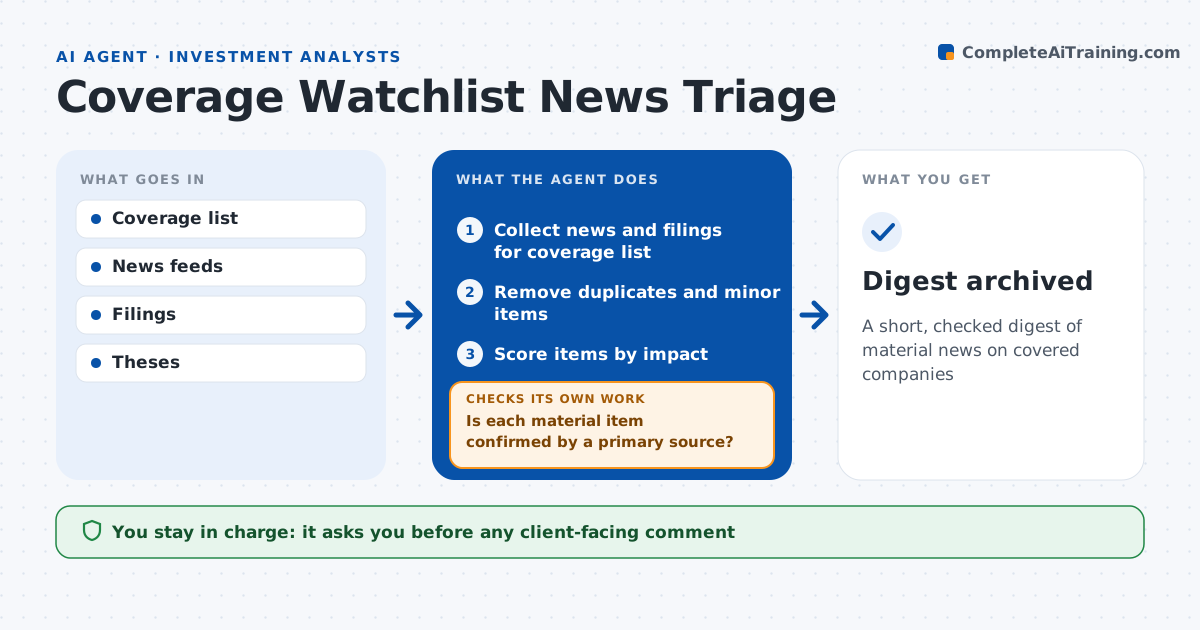
A short, checked digest of material news on covered companies
What it does
Analysts covering many companies cannot read every headline, and acting on a rumor can be costly. Through the day, this agent watches news, filings and press releases for the coverage list. It removes duplicates and minor items, then scores each remaining item by likely effect on the thesis or model. Guidance changes come first, then management changes, deals and legal events. It checks each material item against the primary source, such as the company filing, so rumors are not treated as fact. When a story cannot be confirmed, it labels it unconfirmed and checks again later. It sends a short digest with the top items and links. The analyst decides what to act on. Edge case: a headline says a deal is done but the filing says talks only, so the agent uses the filing wording.
How it works
Follow the arrows from top to bottom. The orange dashed arrow is the loop: when a check fails, the agent goes back and tries again.
Read the steps as a list
- Scheduled news sweep
- Collect news and filings for coverage list
- Remove duplicates and minor items
- Score items by impact
- Is each material item confirmed by a primary source?If not: mark as unconfirmed and recheck in the next sweep. Back to step 2.
- Send digest
- Analyst decides follow-up actionsThe agent waits here for your OK.
- Digest archived
How it decides
It scores items by type and size of impact and confirms material items against primary sources.
- Guidance change: top priority
- Management change: high priority
- Unconfirmed report: label clearly
Make it yours
Every agent is a starting point. You choose these settings for your own situation.
- Coverage list
- Sweep frequency
- Priority rules
- Digest format
What keeps you in control
It always asks you first
- Any client-facing comment
Hard limits
- Never trades
- Never forwards to clients
It stops when
- Done: digest sent
- Stop: feeds unavailable
Set it up
We guide you through the set-up, step by step
Members get the full set-up guide for this agent. No technical skills needed: you copy, paste and upload.
- One set of instructions to paste into your AI, with the clicks for ChatGPT, Claude, Microsoft 365 Copilot, Gemini and Grok
- The agent then walks you through connecting your own data, one source at a time
- A downloadable copy with the flow chart, the rules and the full guide