AI agent for dispatchers
Customer ETA Update Agent
Tell customers about delays before they have to ask, with ETAs that hold.
What it does
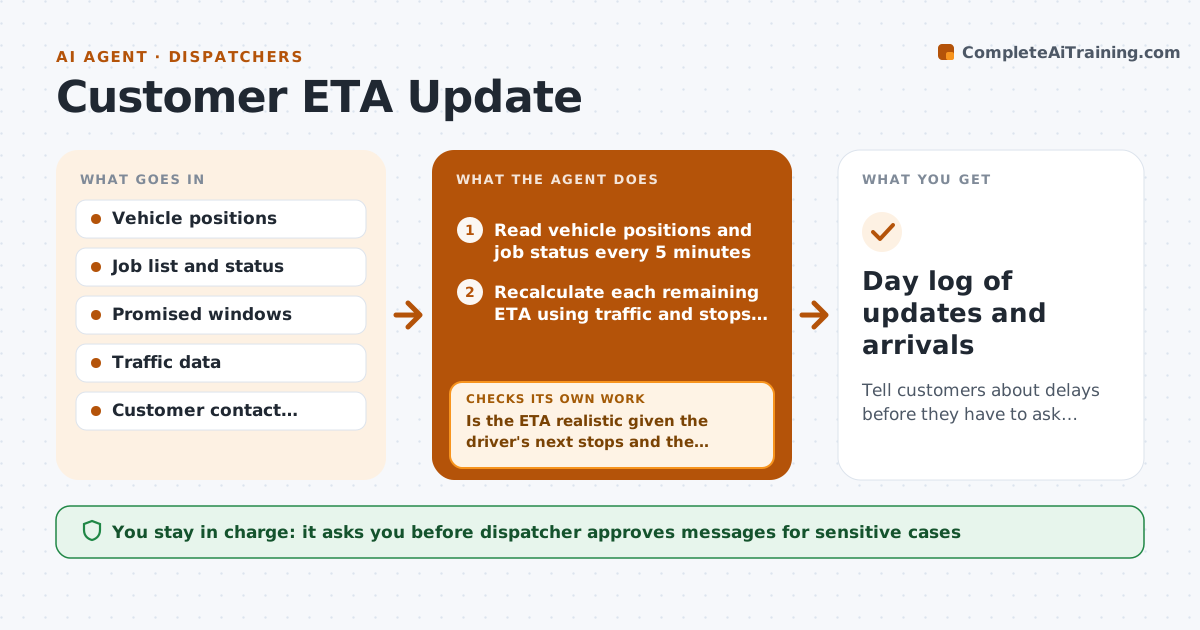
A customer waits in a two-hour window and calls the office three times, and each call takes the dispatcher away from the board. The agent reads vehicle positions and job status throughout the day, recalculates each ETA from traffic, remaining stops and job progress, and compares it with the window promised to the customer. When a delay passes the threshold, for example the ETA slips 20 minutes past the window, it drafts an update with the new time. It checks the new ETA is realistic against the driver's next stops, and recomputes when it is not. Sensitive cases, such as a medical delivery or an upset customer, go to the dispatcher for review before sending. The dispatcher approves messages for sensitive cases. Edge case: a driver whose position feed drops. The agent flags it rather than guessing.
How it works
Follow the arrows from top to bottom. The orange dashed arrow is the loop: when a check fails, the agent goes back and tries again.
Read the steps as a list
- Dispatch day begins
- Read vehicle positions and job status every 5 minutes
- Recalculate each remaining ETA using traffic and stops left
- Compare ETAs with the promised windows
- Is the ETA realistic given the driver's next stops and the position feed?If not: flag the stale feed and recalculate from the last confirmed stop. Back to step 2.
- Draft an update when the delay is over the threshold
- Mark sensitive jobs for review
- Dispatcher approves messages for sensitive casesThe agent waits here for your OK.
- Send the update to the customer by their preferred channel
- Did the arrival happen within the updated ETA?If not: recalculate and send a second update if it passes the threshold again. Back to step 3.
- Day log of updates and arrivals
How it decides
A message is drafted when the ETA falls outside the promised window by more than the threshold. It is sent automatically only for standard cases already approved by the dispatcher.
- Send an update when the ETA is 20 minutes past the window
- Send at most 2 updates per job
- Use the customer's preferred channel
- Send sensitive jobs to the dispatcher first
Make it yours
Every agent is a starting point. You choose these settings for your own situation.
- Delay threshold (default 20 minutes)
- Update limit per job (default 2)
- Sensitive job types
- Customer channels
- Position refresh rate
What keeps you in control
It always asks you first
- Dispatcher approves messages for sensitive cases
- Dispatcher approves any change to the delay threshold
Hard limits
- Never promise a time the plan cannot support
- Send at most 2 updates per job
It stops when
- Done: all jobs complete and log saved
- Stop: tracking is down for over 15 minutes, alert the dispatcher
Set it up
We guide you through the set-up, step by step
Members get the full set-up guide for this agent. No technical skills needed: you copy, paste and upload.
- One set of instructions to paste into your AI, with the clicks for ChatGPT, Claude, Microsoft 365 Copilot, Gemini and Grok
- The agent then walks you through connecting your own data, one source at a time
- A downloadable copy with the flow chart, the rules and the full guide