AI agent for dispatchers
Service Appointment Window Agent
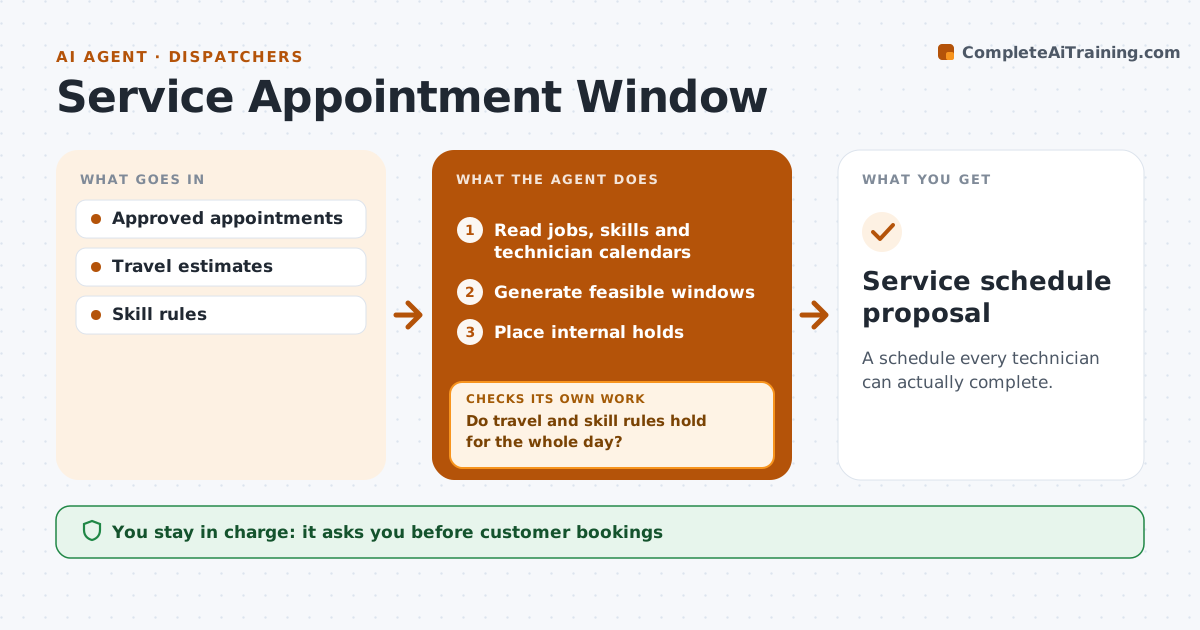
A schedule every technician can actually complete.
What it does
Field service schedules often ignore travel time and technician skills, so visits run late or the wrong person arrives. When new appointments come in or one is cancelled, this agent generates possible appointment windows using travel estimates between jobs and the skill each job needs. It checks the whole day for each technician, not just the new slot. If travel or skill rules fail anywhere, it resequences the affected visits and checks again. It then places internal holds. The coordinator confirms customer bookings and dispatch. Edge case: travel between two jobs makes an 11 a.m. window impossible, so the agent swaps the order of two visits.
How it works
Follow the arrows from top to bottom. The orange dashed arrow is the loop: when a check fails, the agent goes back and tries again.
Read the steps as a list
- New appointments or a cancellation
- Read jobs, skills and technician calendars
- Generate feasible windows
- Do travel and skill rules hold for the whole day?If not: resequence the affected visits. Back to step 3.
- Place internal holds
- Did every hold succeed?If not: regenerate windows for the failed visits. Back to step 3.
- Coordinator confirms bookingsThe agent waits here for your OK.
- Service schedule proposal
How it decides
It chooses slots that satisfy travel and skills and resequences after any failure.
- Travel time and skills come before customer preference.
- Check the whole day after every change.
- Only the coordinator confirms customer bookings.
Make it yours
Every agent is a starting point. You choose these settings for your own situation.
- Travel time source and buffer (default 10 minutes)
- Skill and certification rules per job type
- Working hours and break rules
- Who confirms bookings
What keeps you in control
It always asks you first
- Customer bookings
- Dispatch
Hard limits
- No customer contact.
It stops when
- Done: feasible schedule.
Set it up
We guide you through the set-up, step by step
Members get the full set-up guide for this agent. No technical skills needed: you copy, paste and upload.
- One set of instructions to paste into your AI, with the clicks for ChatGPT, Claude, Microsoft 365 Copilot, Gemini and Grok
- The agent then walks you through connecting your own data, one source at a time
- A downloadable copy with the flow chart, the rules and the full guide