AI agent for caregivers
Daily Care Log Change Agent
Notice health changes early and report them
What it does
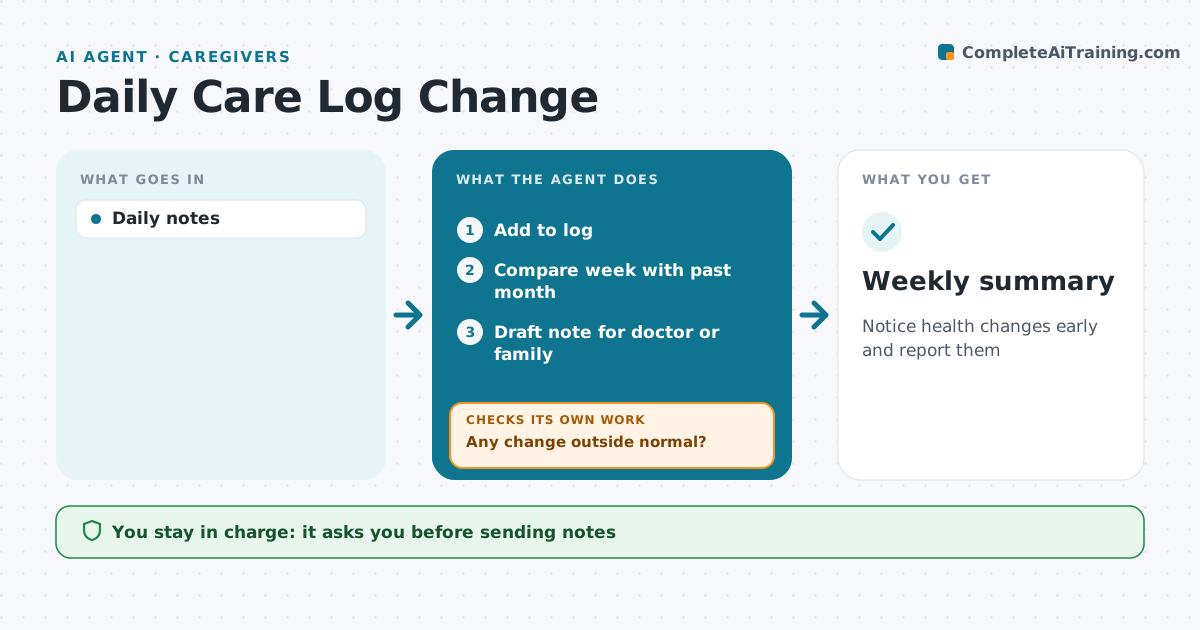
Family caregivers note meals, sleep, mood, toileting and activity, but slow changes are hard to see from day to day. This agent turns quick daily entries into a log and compares each week with the past month. It flags changes such as eating less, more confusion, new falls or less sleep, and suggests whether each one is worth mentioning to the doctor. It drafts a short note for the doctor or the family, which the caregiver reviews and sends. The following week it checks whether the change continued, eased or got worse, and updates the note. If nothing is outside normal, it simply keeps logging. Edge case: sudden changes, like new confusion or a fall with injury, prompt the caregiver to seek medical help right away rather than wait for the weekly review.
How it works
Follow the arrows from top to bottom. The orange dashed arrow is the loop: when a check fails, the agent goes back and tries again.
Read the steps as a list
- Daily entry
- Add to log
- Compare week with past month
- Any change outside normal?If not: continue logging. Back to step 3.
- Draft note for doctor or family
- Caregiver decides to sendThe agent waits here for your OK.
- Weekly summary
How it decides
Weekly patterns are compared with the past month.
- Eating down by a third flags
- New falls flag
- Sudden changes urge medical help
Make it yours
Every agent is a starting point. You choose these settings for your own situation.
- Items tracked
- Thresholds
- Summary format
- Recipients
What keeps you in control
It always asks you first
- Sending notes
Hard limits
- No diagnosis
It stops when
- Done: summary
- Stop: care ends
Set it up
We guide you through the set-up, step by step
Members get the full set-up guide for this agent. No technical skills needed: you copy, paste and upload.
- One set of instructions to paste into your AI, with the clicks for ChatGPT, Claude, Microsoft 365 Copilot, Gemini and Grok
- The agent then walks you through connecting your own data, one source at a time
- A downloadable copy with the flow chart, the rules and the full guide