AI agent for caregivers
Medical Appointment Transport Agent
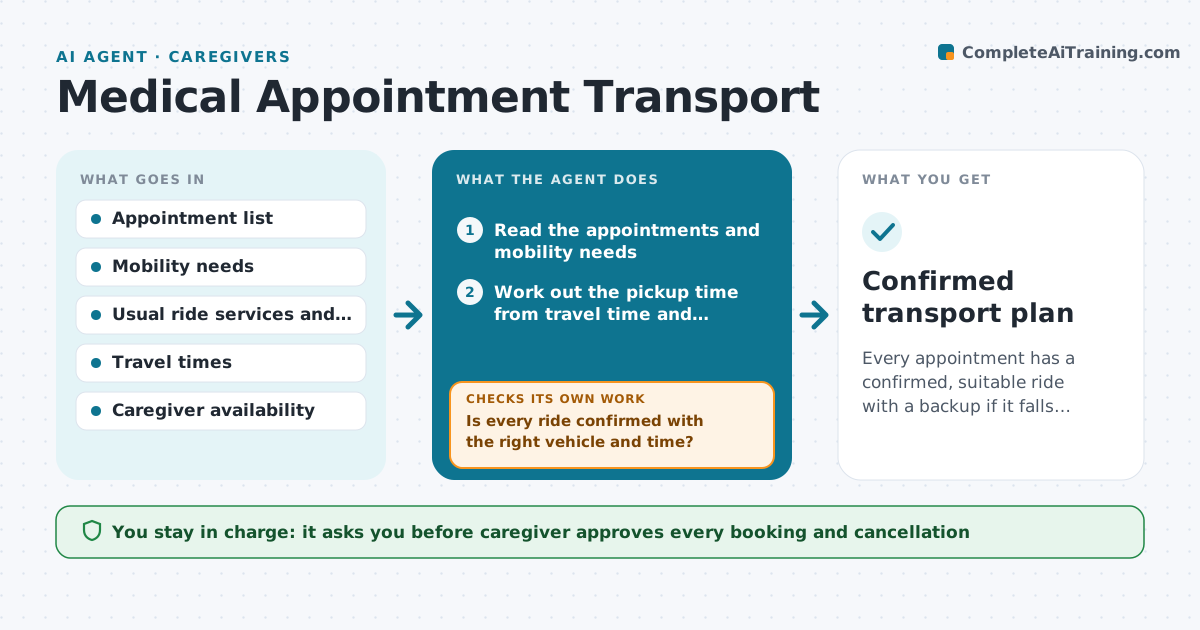
Every appointment has a confirmed, suitable ride with a backup if it falls through.
What it does
Getting someone to a medical appointment means a ride, a wheelchair-ready vehicle, the right pickup time and sometimes an escort, and it is usually arranged the night before. The agent reads the appointment list and the person's mobility needs, such as a wheelchair or oxygen, and works out when to leave using the travel time and the check-in window. It drafts ride requests to the usual services or family and checks the confirmation. The day before it confirms again. If a ride is cancelled, it finds alternatives and drafts a new request. The caregiver approves every booking. Edge case: a dialysis or early surgery appointment needs a buffer for delays, and the agent adds extra time.
How it works
Follow the arrows from top to bottom. The orange dashed arrow is the loop: when a check fails, the agent goes back and tries again.
Read the steps as a list
- New appointment or weekly run
- Read the appointments and mobility needs
- Work out the pickup time from travel time and check-in
- Choose a suitable ride option
- Draft ride requests
- Caregiver approves bookingsThe agent waits here for your OK.
- Send requests and record confirmations
- Check confirmations the day before
- Is every ride confirmed with the right vehicle and time?If not: Contact the next ride option, draft a new request and ask the caregiver to approve. Back to step 4.
- Send the caregiver the day plan
- Confirmed transport plan
How it decides
It matches each appointment to a ride type that meets the mobility need and picks pickup times with a buffer.
- Wheelchair needs require an accessible vehicle
- Add a 30 minute buffer for critical appointments
- Check confirmation 24 hours before
- Two failed rides trigger a family backup request
Make it yours
Every agent is a starting point. You choose these settings for your own situation.
- Buffer minutes (default 30)
- Ride services in order
- Confirmation lead time
- Mobility needs
- Family backup contacts
What keeps you in control
It always asks you first
- Caregiver approves every booking and cancellation
- Caregiver approves any payment
Hard limits
- Never book or pay without approval
- Never share medical details beyond what the ride needs
- Never cancel an appointment
It stops when
- Done: all appointments have confirmed rides
- Stop: no suitable ride is available and the caregiver decides
Set it up
We guide you through the set-up, step by step
Members get the full set-up guide for this agent. No technical skills needed: you copy, paste and upload.
- One set of instructions to paste into your AI, with the clicks for ChatGPT, Claude, Microsoft 365 Copilot, Gemini and Grok
- The agent then walks you through connecting your own data, one source at a time
- A downloadable copy with the flow chart, the rules and the full guide