AI agent for treasury analysts
Daily Cash Position Agent
An accurate morning cash position with funding proposals
What it does
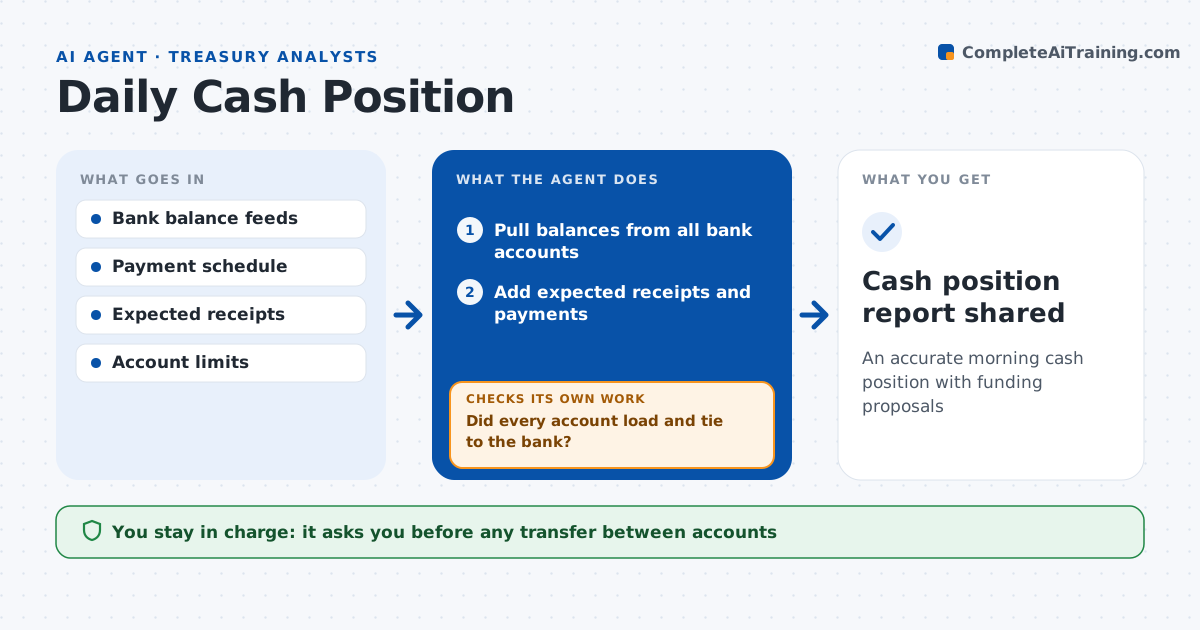
Treasury analysts start each day piecing together balances from many bank portals before they can decide what to fund or sweep. Each morning this agent builds the cash position. It pulls prior-day and intraday balances from each bank account, adds expected receipts and payments for today, and shows the position by entity and currency. It checks every balance against the ledger and the bank's closing figures. If an account is missing or differs, it retries the feed, uses the bank export if needed, and flags unknown items over the set amount. It then proposes transfers to fund short accounts and sweep surplus to the concentration account. The analyst approves every transfer. Edge case: a bank posts a large receipt late in the day, so the agent re-pulls intraday data before making final proposals.
How it works
Follow the arrows from top to bottom. The orange dashed arrow is the loop: when a check fails, the agent goes back and tries again.
Read the steps as a list
- Business day starts
- Pull balances from all bank accounts
- Add expected receipts and payments
- Did every account load and tie to the bank?If not: retry the feed and list missing or unknown items. Back to step 2.
- Propose funding and sweep transfers
- Analyst approves transfersThe agent waits here for your OK.
- Cash position report shared
How it decides
It sets each account to its target balance and proposes transfers from accounts with surplus.
- Account below target balance: propose funding
- Surplus over $100,000: propose sweep
- Unknown item over $10,000: investigate before proposing
Make it yours
Every agent is a starting point. You choose these settings for your own situation.
- Target balance per account
- Report time
- Sweep threshold
- Entities and currencies included
What keeps you in control
It always asks you first
- Any transfer between accounts
Hard limits
- Never initiates transfers
- Never changes account limits
It stops when
- Done: report shared by 10am
- Stop: main bank feed down, use manual balances
Set it up
We guide you through the set-up, step by step
Members get the full set-up guide for this agent. No technical skills needed: you copy, paste and upload.
- One set of instructions to paste into your AI, with the clicks for ChatGPT, Claude, Microsoft 365 Copilot, Gemini and Grok
- The agent then walks you through connecting your own data, one source at a time
- A downloadable copy with the flow chart, the rules and the full guide