AI agent for data architects
Data Contract Violation Agent
Catch contract breaks early and confirm each fix restores the feed
What it does
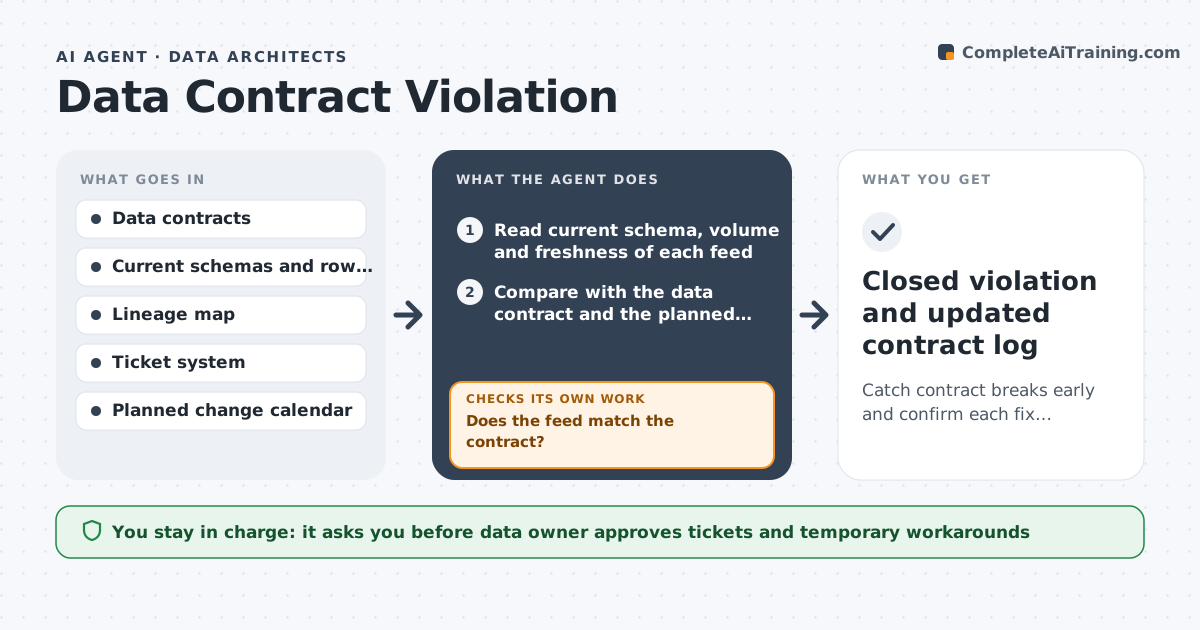
A source team renames a column and the sales dashboard goes blank on Monday. This agent monitors each data feed and compares its current schema, volume and freshness with the written data contract. When a field changes type, a column vanishes or volume drops sharply, it flags a violation and identifies which tables, dashboards and teams consume that feed. It opens a ticket with the producing team, with the exact difference and the affected consumers. It re-checks after the producer replies or fixes the feed. If the fix does not clear the violation, it escalates. The data owner approves any temporary workaround, such as a view that maps the old name. Edge case: a planned change with notice is logged as expected, not as a violation.
How it works
Follow the arrows from top to bottom. The orange dashed arrow is the loop: when a check fails, the agent goes back and tries again.
Read the steps as a list
- Scheduled check runs
- Read current schema, volume and freshness of each feed
- Compare with the data contract and the planned change calendar
- Does the feed match the contract?If not: Log a violation and identify affected consumers from lineage. Back to step 2.
- Draft a ticket with the exact difference and impact
- Data owner approves the ticket and any workaroundThe agent waits here for your OK.
- Open the ticket with the producing team
- Rerun the check after the next load
- Is the violation cleared?If not: Escalate to the producer's manager and keep the workaround in place. Back to step 8.
- Closed violation and updated contract log
How it decides
It flags schema changes, null spikes above 5 percent and volume swings above 30 percent. It marks a violation fixed only when the next load matches the contract.
- Flag any removed or retyped column
- Flag null rates above 5 percent versus baseline
- Flag volume swings above 30 percent day over day
- Treat changes on the planned calendar as expected
Make it yours
Every agent is a starting point. You choose these settings for your own situation.
- Null and volume thresholds (default 5 percent and 30 percent)
- Check frequency (default hourly and daily)
- Escalation time (default 48 hours)
- Ticket destination (default the data team's queue)
What keeps you in control
It always asks you first
- Data owner approves tickets and temporary workarounds
Hard limits
- Never change a production feed without owner approval
- Never silence a violation
- Log every change
It stops when
- Done: Feed matches the contract again
- Stop: Producer cannot fix within the agreed time, so hand to the data owner
Set it up
We guide you through the set-up, step by step
Members get the full set-up guide for this agent. No technical skills needed: you copy, paste and upload.
- One set of instructions to paste into your AI, with the clicks for ChatGPT, Claude, Microsoft 365 Copilot, Gemini and Grok
- The agent then walks you through connecting your own data, one source at a time
- A downloadable copy with the flow chart, the rules and the full guide