AI agent for database administrators
Index Usage and Redundancy Review Agent
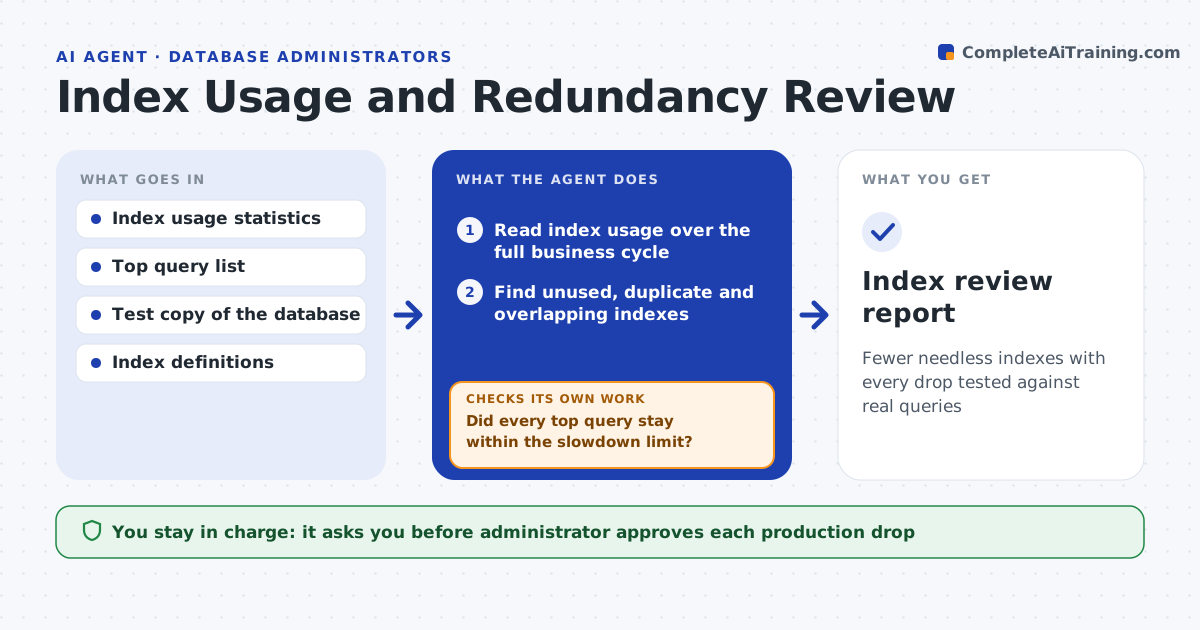
Fewer needless indexes with every drop tested against real queries
What it does
Unused and duplicate indexes slow writes and waste space, but dropping the wrong one hurts reads. This agent reads index usage statistics over a full business cycle and finds indexes that are unused, duplicated or overlapping with another. For each one, it tests dropping it in a copy of the database against your top queries. If any query slows beyond a set limit, it reverts the test and keeps the index. The administrator approves each drop for production. Edge case: an index shows no use all month, but a quarter-end report depends on it, so the agent checks usage over a full quarter before suggesting a drop.
How it works
Follow the arrows from top to bottom. The orange dashed arrow is the loop: when a check fails, the agent goes back and tries again.
Read the steps as a list
- Quarterly index review
- Read index usage over the full business cycle
- Find unused, duplicate and overlapping indexes
- Rank by write cost and space
- Drop each candidate in the test copy and run the top queries
- Did every top query stay within the slowdown limit?If not: revert the test and keep the index. Back to step 5.
- Estimate space and write savings for passing candidates
- Administrator approves each production dropThe agent waits here for your OK.
- Drop in production in a window and record the definition for rebuild
- Are query times normal a week later?If not: recreate the index from the saved definition. Back to step 9.
- Index review report
How it decides
An index is a drop candidate when it shows no use over the full cycle, or when another index covers the same columns. A drop is kept if no top query slows.
- Use a full business cycle of statistics
- Test every drop against the top queries
- Keep a saved definition of every dropped index
- Revert when any top query slows beyond 10%
Make it yours
Every agent is a starting point. You choose these settings for your own situation.
- Statistics period (default: 90 days)
- Slowdown limit (default: 10%)
- Top query list
- Tables in scope
What keeps you in control
It always asks you first
- Administrator approves each production drop
Hard limits
- Never drops an index without approval
- Never tests in production
It stops when
- Done: approved drops are applied and stable
- Stop: usage statistics were reset recently
Set it up
We guide you through the set-up, step by step
Members get the full set-up guide for this agent. No technical skills needed: you copy, paste and upload.
- One set of instructions to paste into your AI, with the clicks for ChatGPT, Claude, Microsoft 365 Copilot, Gemini and Grok
- The agent then walks you through connecting your own data, one source at a time
- A downloadable copy with the flow chart, the rules and the full guide