AI agent for investment bankers
Data Room Q&A Tracking Agent
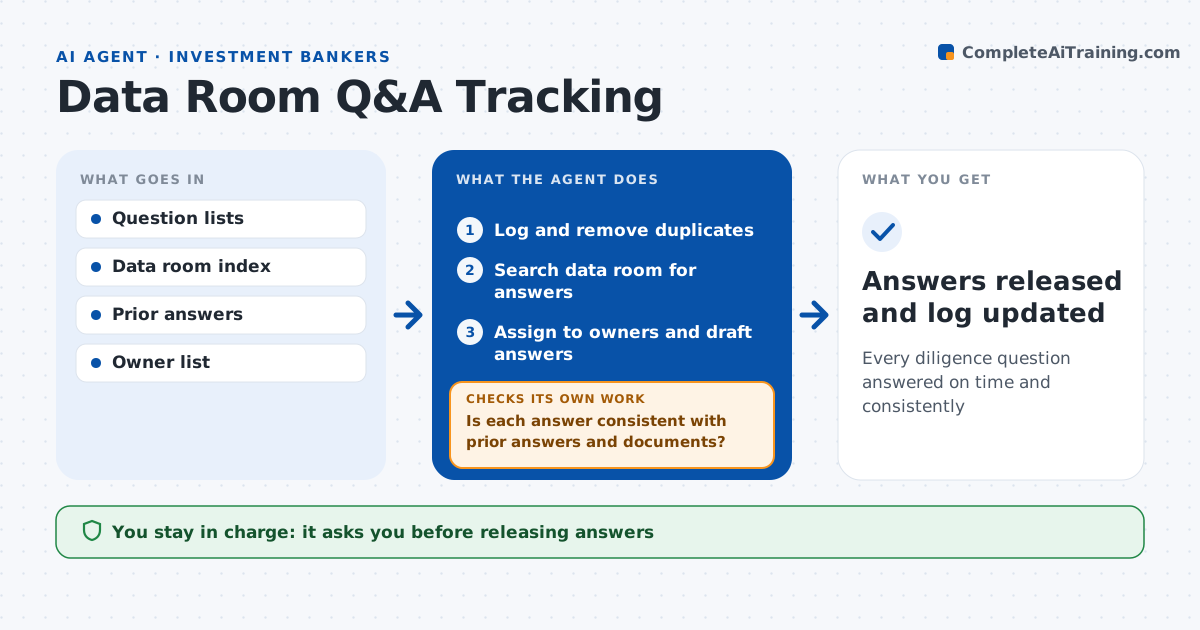
Every diligence question answered on time and consistently
What it does
In due diligence, hundreds of buyer questions arrive, and inconsistent answers can cost credibility or price. This agent manages the question list. It logs each question, removes duplicates and links the same question from different buyers so answers stay the same. It searches the data room for documents that may already answer it, assigns it to the right owner by topic, and drafts an answer from the documents for the owner to review. It tracks due dates and escalates questions unanswered two days before due. It checks each answer for consistency with earlier answers and data room files. If an answer conflicts, it holds it and sends it back with the conflict. Owners and the deal lead approve answers before release. Edge case: two buyers ask the same question worded differently, so the agent links them.
How it works
Follow the arrows from top to bottom. The orange dashed arrow is the loop: when a check fails, the agent goes back and tries again.
Read the steps as a list
- New questions arrive
- Log and remove duplicates
- Search data room for answers
- Assign to owners and draft answers
- Is each answer consistent with prior answers and documents?If not: return to the owner with the conflict. Back to step 4.
- Owner and deal lead approve answersThe agent waits here for your OK.
- Answers released and log updated
How it decides
It routes questions by topic and checks new answers against prior answers and documents.
- Same question from two parties: same answer
- Answer due in 2 days and unanswered: escalate
- Answer conflicts with a document: hold
Make it yours
Every agent is a starting point. You choose these settings for your own situation.
- Topic to owner mapping
- Due date rules
- Escalation timing
- Answer format
What keeps you in control
It always asks you first
- Releasing answers
Hard limits
- Never releases answers
- Never uploads documents
It stops when
- Done: all questions closed
- Stop: process ends
Set it up
We guide you through the set-up, step by step
Members get the full set-up guide for this agent. No technical skills needed: you copy, paste and upload.
- One set of instructions to paste into your AI, with the clicks for ChatGPT, Claude, Microsoft 365 Copilot, Gemini and Grok
- The agent then walks you through connecting your own data, one source at a time
- A downloadable copy with the flow chart, the rules and the full guide