AI agent for founders
Investor Data Room Preparation Agent
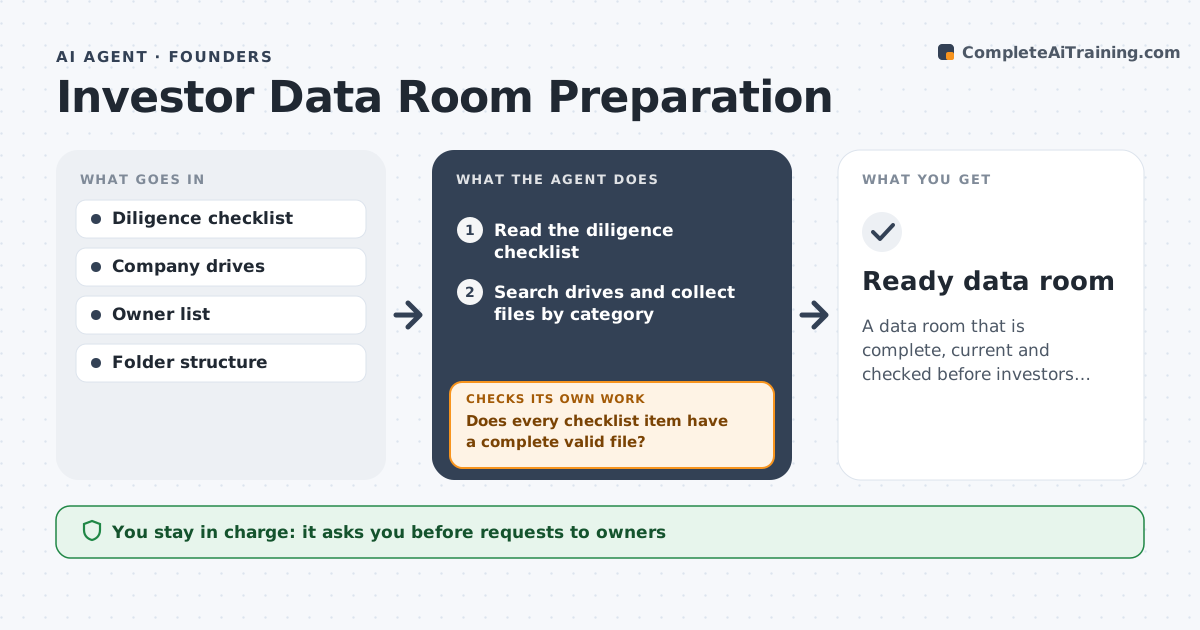
A data room that is complete, current and checked before investors see it.
What it does
A due diligence request arrives and the founder spends a weekend finding contracts, one of which is missing a signature. This agent reads the standard diligence list and collects files from your drives. It checks each for date, version and signatures, lists missing items and chases owners. It rechecks the room before opening it. It keeps a short log of which owner was asked for which file and when, so chasing is not repeated and nothing is lost. Before opening, it scans the room once more for stray drafts, internal notes or files in the wrong folder. Edge case: a customer contract is signed by only one party, so the agent flags it. The founder approves access for investors.
How it works
Follow the arrows from top to bottom. The orange dashed arrow is the loop: when a check fails, the agent goes back and tries again.
Read the steps as a list
- Diligence request received
- Read the diligence checklist
- Search drives and collect files by category
- Check each file for date, version and signatures
- Does every checklist item have a complete valid file?If not: list the gaps and draft requests to owners. Back to step 2.
- Founder approves requests to ownersThe agent waits here for your OK.
- Collect replacement files
- Recheck the whole room
- Is the room complete and consistent?If not: list remaining issues and chase owners. Back to step 8.
- Founder approves investor accessThe agent waits here for your OK.
- Ready data room
How it decides
It marks each item complete only when the file is the right version, dated and signed where needed.
- Unsigned contracts are flagged as gaps.
- Use the latest version only.
- Sensitive files go in restricted folders.
- Do not open the room until the founder approves.
Make it yours
Every agent is a starting point. You choose these settings for your own situation.
- Checklist source
- Folder structure
- Version rules
- Owners
- Access levels
What keeps you in control
It always asks you first
- Requests to owners
- Investor access
Hard limits
- Do not share the room with anyone.
- Do not alter documents.
It stops when
- Done: the room is complete and access is approved
- Stop: key documents do not exist, so the agent lists them for the founder
Set it up
We guide you through the set-up, step by step
Members get the full set-up guide for this agent. No technical skills needed: you copy, paste and upload.
- One set of instructions to paste into your AI, with the clicks for ChatGPT, Claude, Microsoft 365 Copilot, Gemini and Grok
- The agent then walks you through connecting your own data, one source at a time
- A downloadable copy with the flow chart, the rules and the full guide