
AI agent for epidemiologists
Disease Surveillance Signal Agent
Early, reliable detection of unusual disease activity
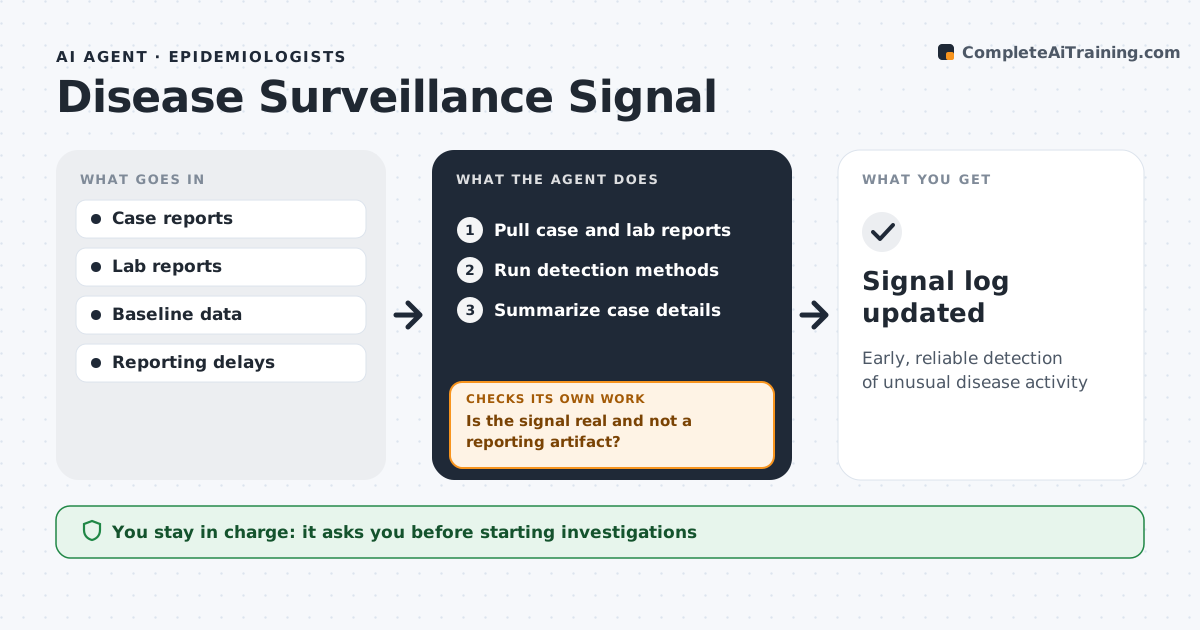
What it does
Surveillance data arrives every day from labs, clinics and hospitals, and staff must decide quickly whether a rise is real. This agent runs detection methods on case counts by disease, area and age group and compares them with expected counts for the season. Before calling a signal, it checks reporting delays and data quality, because a batch of late reports can look like an outbreak. If the rise traces back to a reporting change, it marks it that way and keeps watching. For signals that hold up, it summarizes the case details, such as onset dates, places and common exposures, and suggests next steps. It never starts an investigation or a public message itself. You decide on investigation and communications. Edge case: a jump caused by a new lab starting to report is flagged as a reporting change.
How it works
Follow the arrows from top to bottom. The orange dashed arrow is the loop: when a check fails, the agent goes back and tries again.
Read the steps as a list
- Daily data load
- Pull case and lab reports
- Run detection methods
- Is the signal real and not a reporting artifact?If not: mark as reporting change. Back to step 2.
- Summarize case details
- Epidemiologist decides on investigationThe agent waits here for your OK.
- Signal log updated
How it decides
It flags counts above the expected threshold after adjusting for reporting delays.
- Adjust for reporting delays
- Flag new reporting sources
- Use seasonal baselines
Make it yours
Every agent is a starting point. You choose these settings for your own situation.
- Detection method
- Threshold
- Diseases
- Report time
What keeps you in control
It always asks you first
- Starting investigations
- Public communications
Hard limits
- Never releases data publicly
It stops when
- Done: log updated
- Stop: data feed down
Set it up
We guide you through the set-up, step by step
Members get the full set-up guide for this agent. No technical skills needed: you copy, paste and upload.
- One set of instructions to paste into your AI, with the clicks for ChatGPT, Claude, Microsoft 365 Copilot, Gemini and Grok
- The agent then walks you through connecting your own data, one source at a time
- A downloadable copy with the flow chart, the rules and the full guide



