AI agent for dispatchers
Dispatch Shift Performance Report Agent
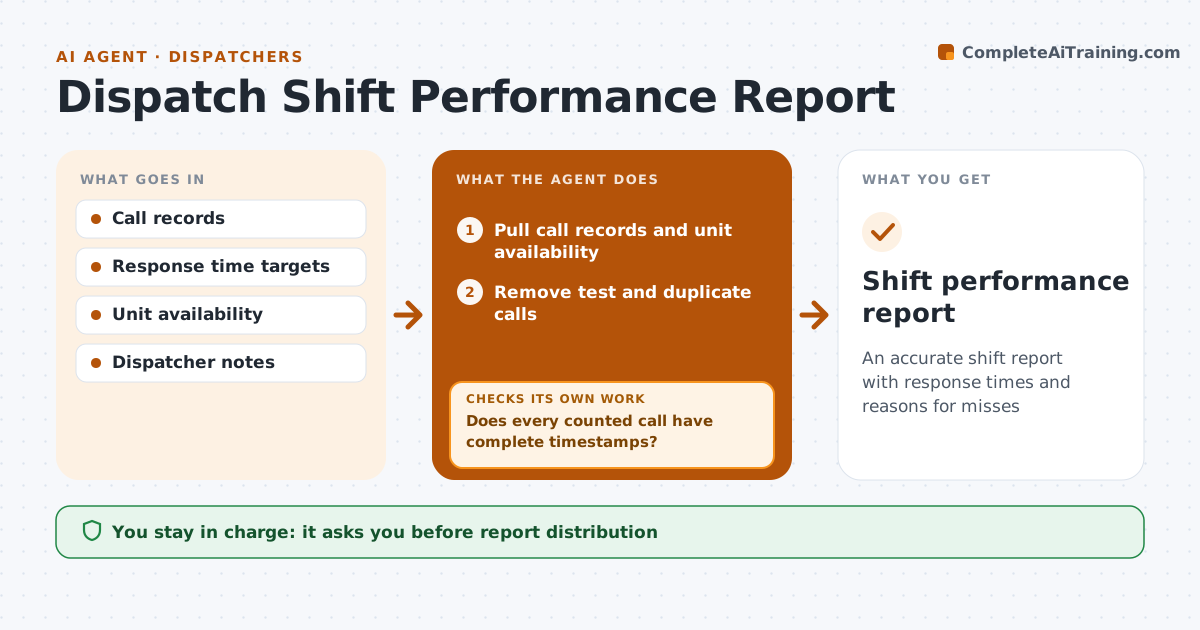
An accurate shift report with response times and reasons for misses
What it does
Each shift ends with a report on call volume, response times, unusual events and equipment problems, and missing timestamps make the numbers wrong. When a shift ends, this agent pulls call records and unit availability and removes test calls and duplicates. It then checks that every counted call has complete timestamps. If some are missing, it asks the dispatcher to fill gaps from the log and reloads. Only then does it calculate answer, dispatch and arrival times by priority and compare them with targets. For each miss it gives a likely reason from unit availability and travel distance, such as no units free or a long drive. Equipment issues are listed separately. A second check compares the call count with the phone system total. The supervisor approves the report. Edge case: a call cancelled before arrival is counted for answer time only.
How it works
Follow the arrows from top to bottom. The orange dashed arrow is the loop: when a check fails, the agent goes back and tries again.
Read the steps as a list
- Shift ends
- Pull call records and unit availability
- Remove test and duplicate calls
- Does every counted call have complete timestamps?If not: ask the dispatcher to fill gaps from the log and reload. Back to step 3.
- Does the call count match the phone system total?If not: find the missing or extra calls and reload. Back to step 2.
- Calculate times by priority and compare with targets
- Explain misses and list equipment issues
- Supervisor approves the reportThe agent waits here for your OK.
- Shift performance report
How it decides
It only calculates once every counted call has complete timestamps, and explains each target miss from unit availability and travel distance.
- Test and duplicate calls are excluded
- Misses are explained, not just counted
- Equipment issues are listed separately
Make it yours
Every agent is a starting point. You choose these settings for your own situation.
- Targets by priority
- Report sections
- Distribution list
- Excluded call types
What keeps you in control
It always asks you first
- Report distribution
Hard limits
- Never edits call records
- Never names individual dispatchers in misses
It stops when
- Done: report approved
- Stop: data export failed, report counts only
Set it up
We guide you through the set-up, step by step
Members get the full set-up guide for this agent. No technical skills needed: you copy, paste and upload.
- One set of instructions to paste into your AI, with the clicks for ChatGPT, Claude, Microsoft 365 Copilot, Gemini and Grok
- The agent then walks you through connecting your own data, one source at a time
- A downloadable copy with the flow chart, the rules and the full guide