AI agent for dispatchers
Dispatch System and Radio Check Agent
Every shift starts with verified working radios, maps and lines, or a documented backup plan
What it does
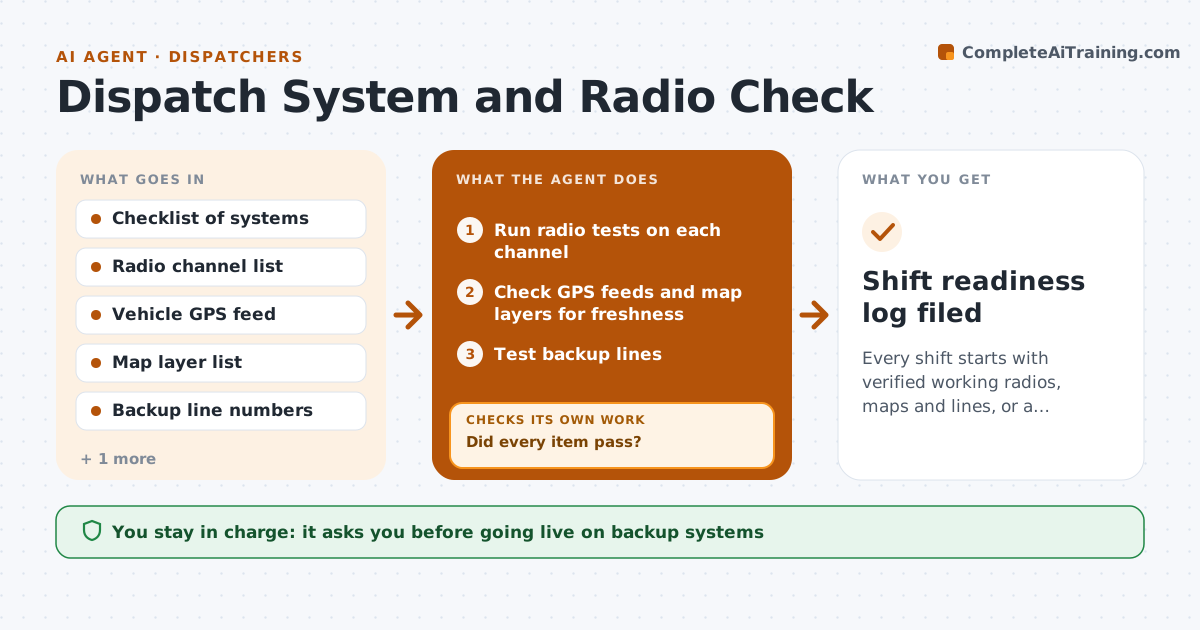
Radios, maps and dispatch software tend to fail at the worst moment, and the fault is found during an incident. At the start of each shift this agent runs a fixed checklist: radio tests on each channel, GPS feeds from vehicles, map layers, and the backup phone lines. It logs every result with a time stamp. When something fails it notifies the right person, waits for a fix, and retests the same item to confirm the repair worked. A fault that is still open after the retest goes to the supervisor with the backup procedure for that system. The supervisor decides whether to go live on backup. Edge case: the primary radio channel passes the test but the GPS feed for three ambulances is stale, so the agent marks those units as untracked on the board note.
How it works
Follow the arrows from top to bottom. The orange dashed arrow is the loop: when a check fails, the agent goes back and tries again.
Read the steps as a list
- Shift start time reached
- Run radio tests on each channel
- Check GPS feeds and map layers for freshness
- Test backup lines
- Log each result with time and who answered
- Did every item pass?If not: notify the fault contact for each failed item and wait for the reported fix, then rerun that test. Back to step 2.
- Mark untracked units or unavailable channels on the shift note
- Is any fault still open after the retest?If not: retest again after 15 minutes and update the shift note. Back to step 5.
- Supervisor decides whether to go live on backupThe agent waits here for your OK.
- Shift readiness log filed
How it decides
An item passes only when a live test returns the expected result. A failed item is retested after every reported fix, and unresolved faults trigger the backup procedure notice.
- Treat a GPS position older than 2 minutes as stale
- A radio test needs a clear reply, not just a transmit signal
- Notify the supervisor if a fault stays open after two retests
- Never mark an item passed without a test result
Make it yours
Every agent is a starting point. You choose these settings for your own situation.
- Checklist items and their order
- Staleness limit for GPS (default 2 minutes)
- Retest interval (default 15 minutes)
- Who gets each fault notice
What keeps you in control
It always asks you first
- Going live on backup systems
Hard limits
- Never change live system settings
- Never report a system as passed without a test
It stops when
- Done: all items pass or backup is approved
- Stop: the dispatch system is down and the supervisor has taken over
Set it up
We guide you through the set-up, step by step
Members get the full set-up guide for this agent. No technical skills needed: you copy, paste and upload.
- One set of instructions to paste into your AI, with the clicks for ChatGPT, Claude, Microsoft 365 Copilot, Gemini and Grok
- The agent then walks you through connecting your own data, one source at a time
- A downloadable copy with the flow chart, the rules and the full guide