AI agent for user support specialists
Docs Search Failure Review Agent
Cut the number of failed help center searches by fixing the top gaps each month.
What it does
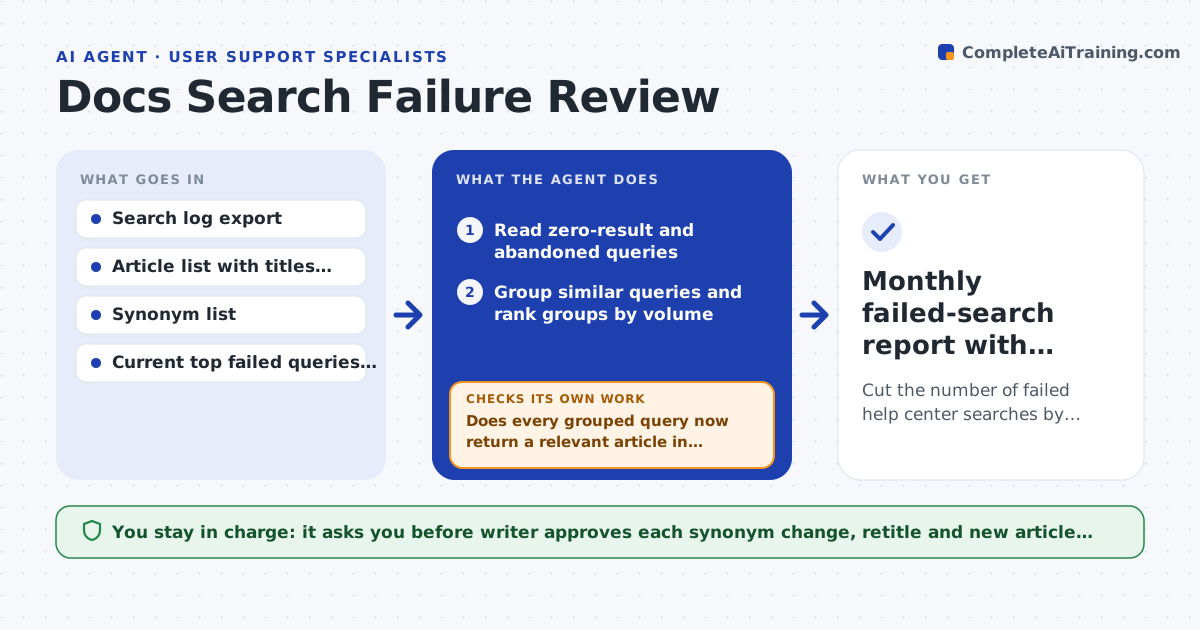
Readers type a question into your help center, get nothing back, and leave. Nobody looks at those failed searches, so the same gaps stay open for months. Each month this agent reads the search log and pulls out queries that returned no results or were abandoned. It groups similar queries, then searches your articles to see whether the answer already exists under another name. If it does, it drafts a synonym or title fix. If not, it drafts an outline for a new article. Then it reruns every original query against the proposed change and checks that useful results now appear. If a query still comes back empty, it tries another wording or a different fix. It never publishes anything. Edge case: a query like "cancel plan" fails because the article says "end subscription", so the agent proposes a synonym rather than a new page.
How it works
Follow the arrows from top to bottom. The orange dashed arrow is the loop: when a check fails, the agent goes back and tries again.
Read the steps as a list
- Month ends and the search log is exported
- Read zero-result and abandoned queries
- Group similar queries and rank groups by volume
- Search existing articles for an answer under another name
- Choose a fix: synonym, retitle or new article outline
- Rerun each original query against the proposed change
- Does every grouped query now return a relevant article in the top three?If not: try another synonym or wording, or escalate the group to a new article outline. Back to step 4.
- Rank remaining gaps by search volume
- Writer approves which fixes and outlines go liveThe agent waits here for your OK.
- Monthly failed-search report with approved fixes
How it decides
It fixes with a synonym or retitle when an existing article covers at least 80% of the question, and drafts a new outline only when no article does. A fix counts only if the rerun query returns a relevant article in the top three.
- Treat a query as a gap when it fails at least 5 times in the month
- Prefer a synonym fix over a new article when an article matches the intent
- Merge queries into one group when they share the same key nouns
- Skip queries that look like typos of product names and list them for the search settings
Make it yours
Every agent is a starting point. You choose these settings for your own situation.
- Failure threshold per query (default 5 per month)
- Rank cutoff that counts as success (default top 3)
- Log source and date range
- Which article types may get a new outline
- Schedule (default first Monday)
What keeps you in control
It always asks you first
- Writer approves each synonym change, retitle and new article outline before it goes live
Hard limits
- Never publish or edit live articles
- Never include customer names or emails from the log in outlines
It stops when
- Done: every approved gap passes the rerun test
- Stop: a fix fails after three attempts and goes to the writer as an open gap
Set it up
We guide you through the set-up, step by step
Members get the full set-up guide for this agent. No technical skills needed: you copy, paste and upload.
- One set of instructions to paste into your AI, with the clicks for ChatGPT, Claude, Microsoft 365 Copilot, Gemini and Grok
- The agent then walks you through connecting your own data, one source at a time
- A downloadable copy with the flow chart, the rules and the full guide