AI agent for customer support representatives
Support Resolution Verification Agent
Every 'solved' ticket has evidence that the customer's own symptom is fixed.
What it does
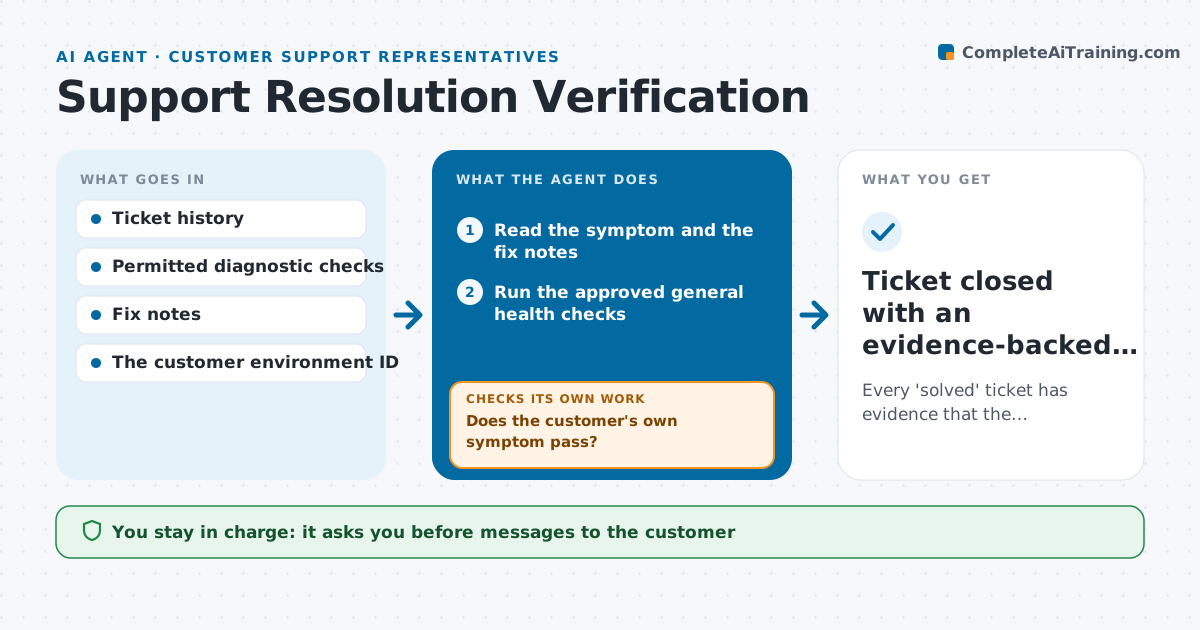
Support teams often close tickets once a fix is deployed, without checking that the customer's specific problem is actually gone. When it is not, the customer reopens the ticket and trust drops. This agent reads the ticket's symptom and the fix notes, runs the approved general health checks, and then runs a diagnostic that tests the customer's own symptom, read-only, in their environment. A passing general check is not enough. If the customer-specific check fails, it runs a narrower probe, and after two failures it prepares an engineering escalation with the logs. It attaches reproducible results to the ticket. The support agent approves closing the ticket and the message to the customer. Edge case: when the customer's environment cannot be reached, the ticket stays open with a note rather than closing on general evidence.
How it works
Follow the arrows from top to bottom. The orange dashed arrow is the loop: when a check fails, the agent goes back and tries again.
Read the steps as a list
- Ticket moved to pending close
- Read the symptom and the fix notes
- Run the approved general health checks
- Run the customer-specific diagnostic
- Does the customer's own symptom pass?If not: run a narrower probe; escalate after two failures. Back to step 4.
- Attach reproducible results to the ticket
- Support agent approves closing and the customer messageThe agent waits here for your OK.
- Ticket closed with an evidence-backed resolution record
How it decides
It chooses the next check from the reported symptom and the last result: general checks first, then the customer-specific check; a failure leads to a narrower probe, and two failing probes lead to escalation.
- Which check next: the one that tests the reported symptom most directly.
- Close or keep open: close only with customer-specific evidence.
- Escalate: after two failed narrower probes, with logs attached.
Make it yours
Every agent is a starting point. You choose these settings for your own situation.
- Diagnostic checks allowed per product area (default read-only checks only)
- Number of narrower probes before escalation (default 2)
- Evidence that must be attached before closing (default output of the customer-specific check)
- Ticket statuses that trigger a run (default pending close)
- Who approves closing and the customer message (default the assigned support agent)
What keeps you in control
It always asks you first
- Messages to the customer
- Final ticket closure
- Any change to the customer's environment
Hard limits
- Read-only diagnostics only.
- Nothing is sent to the customer without approval.
It stops when
- Done: symptom verified fixed.
- Escalated: the symptom persists with evidence attached.
Set it up
We guide you through the set-up, step by step
Members get the full set-up guide for this agent. No technical skills needed: you copy, paste and upload.
- One set of instructions to paste into your AI, with the clicks for ChatGPT, Claude, Microsoft 365 Copilot, Gemini and Grok
- The agent then walks you through connecting your own data, one source at a time
- A downloadable copy with the flow chart, the rules and the full guide