AI agent for caregivers
Doctor Visit Prep Agent
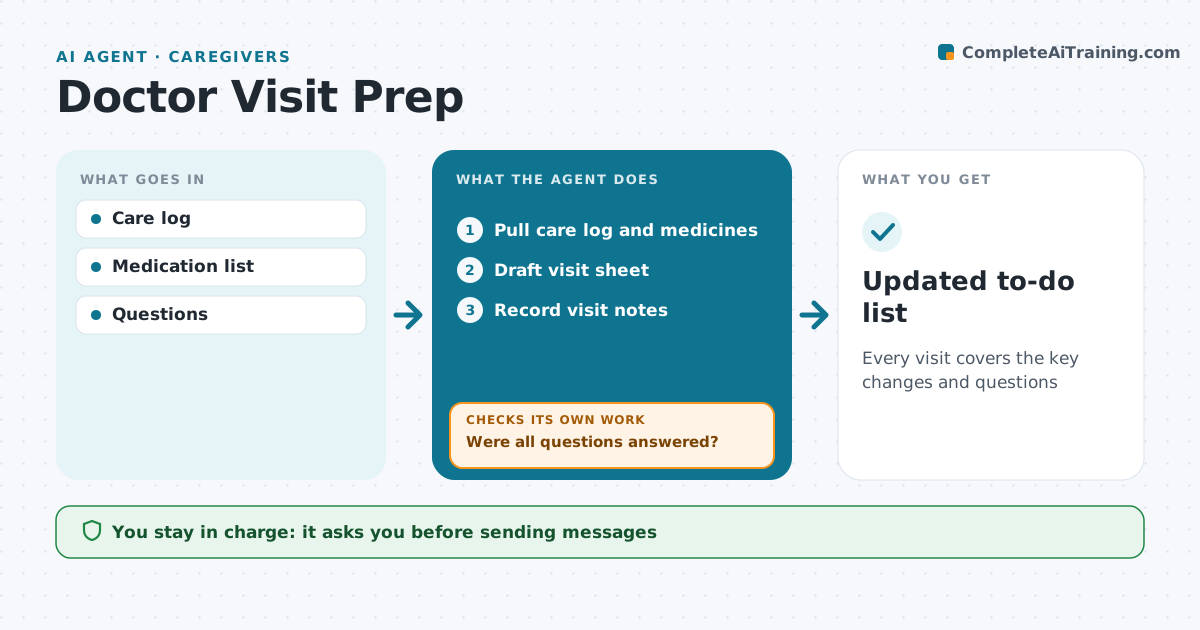
Every visit covers the key changes and questions
What it does
Doctor visits are short, and caregivers often leave with questions unasked or answers half remembered. This agent pulls recent entries from the care log, medication changes and earlier open questions, and drafts a one-page visit sheet with the most important changes first. After the visit, the caregiver enters what was said. The agent checks whether every question on the sheet was answered and updates the medication list and to-do list. Any question still open goes into a draft message for the doctor's patient portal, which the caregiver reviews and sends. It keeps the sheet for the next visit, so open items carry forward. Edge case: if the doctor changed a medicine, the agent asks the caregiver to confirm the new dose and timing with the pharmacy before updating the list.
How it works
Follow the arrows from top to bottom. The orange dashed arrow is the loop: when a check fails, the agent goes back and tries again.
Read the steps as a list
- Appointment in 3 days
- Pull care log and medicines
- Draft visit sheet
- Caregiver reviews sheetThe agent waits here for your OK.
- Record visit notes
- Were all questions answered?If not: draft follow-up message. Back to step 3.
- Updated to-do list
How it decides
Questions ranked by urgency.
- Urgent questions first
- Medicine changes confirmed
- Follow-up draft for gaps
Make it yours
Every agent is a starting point. You choose these settings for your own situation.
- Sheet format
- Days ahead
- Questions
- Recipients
What keeps you in control
It always asks you first
- Sending messages
Hard limits
- No medical advice
It stops when
- Done: visit closed
- Stop: appointment cancelled
Set it up
We guide you through the set-up, step by step
Members get the full set-up guide for this agent. No technical skills needed: you copy, paste and upload.
- One set of instructions to paste into your AI, with the clicks for ChatGPT, Claude, Microsoft 365 Copilot, Gemini and Grok
- The agent then walks you through connecting your own data, one source at a time
- A downloadable copy with the flow chart, the rules and the full guide