AI agent for bank branch managers
Dormant Account Escheat Agent
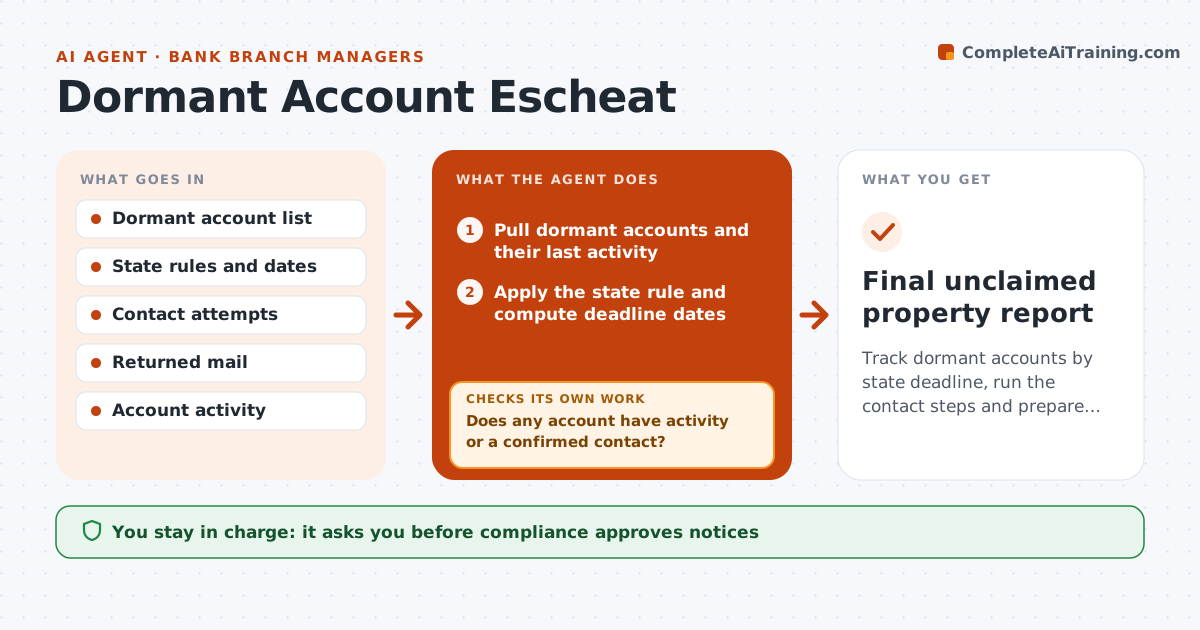
Track dormant accounts by state deadline, run the contact steps and prepare the unclaimed property list
What it does
Dormant accounts reach legal deadlines before customers are contacted. Each month the agent lists accounts by dormancy date and applies the state rule that fits the customer's address. It schedules the contact steps required: first letter, second notice, phone or email attempt. It records returned mail and looks for activity, such as a login or transfer, that restarts the clock. As the deadline nears, it builds the unclaimed property list with owner details and amounts. It reruns the list after new contacts or activity. The compliance officer approves the report. Edge case: a customer in another state uses an old address, so the agent checks which state rule applies.
How it works
Follow the arrows from top to bottom. The orange dashed arrow is the loop: when a check fails, the agent goes back and tries again.
Read the steps as a list
- Monthly run
- Pull dormant accounts and their last activity
- Apply the state rule and compute deadline dates
- Schedule and draft contact notices
- Compliance approves the noticesThe agent waits here for your OK.
- Record returned mail and new activity
- Does any account have activity or a confirmed contact?If not: Remove it from the dormant list and reset the date. Back to step 3.
- Build the draft unclaimed property list
- Does every listed account have a valid deadline and contact attempts on file?If not: Complete the missing step or recompute the date. Back to step 3.
- Compliance approves the reportThe agent waits here for your OK.
- Final unclaimed property report
How it decides
Dormancy dates come from state rules; accounts with activity or a confirmed contact drop out before the list is prepared.
- Use the state of the customer's last known address
- Count customer-initiated activity as a reset
- Require documented contact attempts before listing
- Start contact steps 90 days before the deadline
Make it yours
Every agent is a starting point. You choose these settings for your own situation.
- State rules table
- Lead time before deadline (default 90 days)
- Contact steps required
- Report format
What keeps you in control
It always asks you first
- Compliance approves notices
- Compliance approves the final report and filing
Hard limits
- Never file without compliance approval
- Never remove an account without a documented reason
It stops when
- Done: list approved before the state deadline
- Stop: a state rule is unclear and compliance must interpret
Set it up
We guide you through the set-up, step by step
Members get the full set-up guide for this agent. No technical skills needed: you copy, paste and upload.
- One set of instructions to paste into your AI, with the clicks for ChatGPT, Claude, Microsoft 365 Copilot, Gemini and Grok
- The agent then walks you through connecting your own data, one source at a time
- A downloadable copy with the flow chart, the rules and the full guide