AI agent for dispatchers
Dropped Call Callback Agent
Every dropped call is either reached, located and resolved, or escalated with a written record
What it does
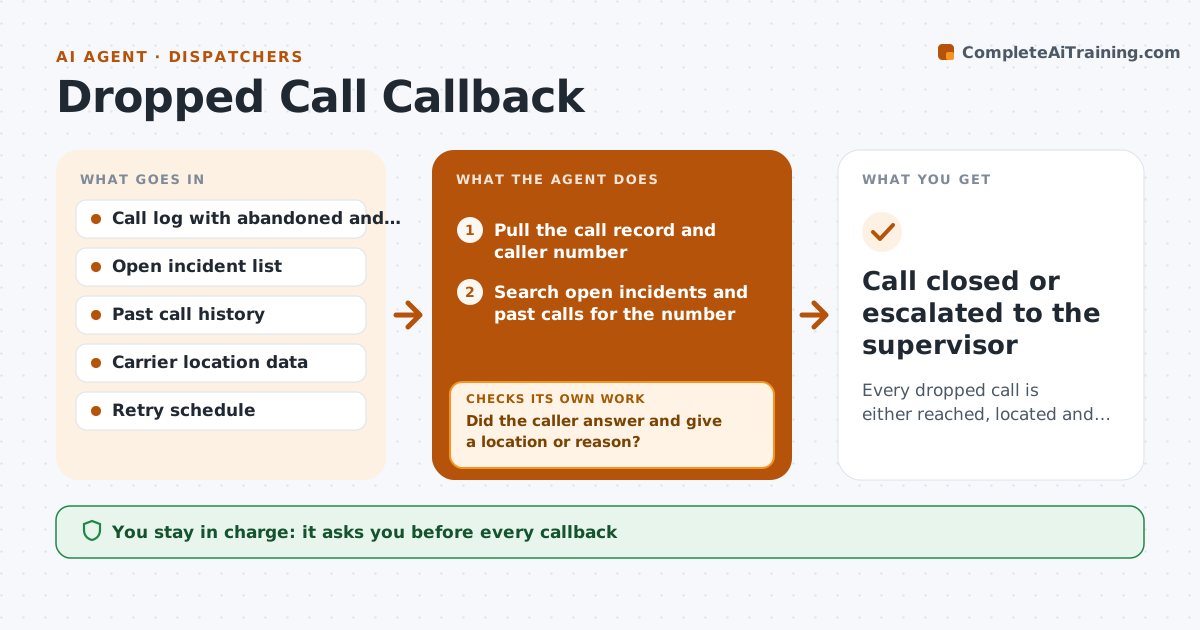
In a busy dispatch center, a call that drops before the caller gives a location or reason is easy to lose under the next ringing line. This agent lists every abandoned and disconnected call from the call log. For each number it checks open incidents and past calls to see whether the caller is already known or already being helped. It then prepares a callback script and a location lookup from carrier data. If the callback gets no answer, it retries on a set schedule and escalates when the retries run out. After each attempt it checks the result and decides whether to try again, look up an address, or close the call. The dispatcher approves every callback and any unit sent. Edge case: the number belongs to an open medical incident, so the agent merges the two instead of calling again.
How it works
Follow the arrows from top to bottom. The orange dashed arrow is the loop: when a check fails, the agent goes back and tries again.
Read the steps as a list
- Abandoned or disconnected call appears in the log
- Pull the call record and caller number
- Search open incidents and past calls for the number
- Decide: already handled, known caller, or needs a callback
- Look up carrier location data and draft the callback script
- Dispatcher approves the callbackThe agent waits here for your OK.
- Place the callback or queue it for the dispatcher
- Did the caller answer and give a location or reason?If not: schedule the next retry, widen the location lookup, and ask the dispatcher about sending a welfare check after the last retry. Back to step 5.
- Log the outcome and any incident created
- Is the call record complete with a closing reason?If not: re-read the log entry and fill in the missing reason from the incident notes. Back to step 4.
- Call closed or escalated to the supervisor
How it decides
A call is closed only when contact is made or the full retry schedule and escalation are done. A number linked to an open incident is merged, not called.
- Retry at 2, 5 and 10 minutes, then escalate
- Merge into an open incident when the number matches one
- Suggest a welfare check only after the last retry fails and carrier location is available
- Skip calls already marked as test or known false
Make it yours
Every agent is a starting point. You choose these settings for your own situation.
- Retry schedule (default 2, 5 and 10 minutes)
- How often it scans the log (default every 5 minutes)
- Who it escalates to after the last retry
- Which call types it ignores
What keeps you in control
It always asks you first
- Every callback
- Any unit or welfare check sent
Hard limits
- Never place a callback without dispatcher approval
- Never share caller details outside the dispatch system
It stops when
- Done: caller reached or escalated and the record closed
- Stop: call log is unavailable
Set it up
We guide you through the set-up, step by step
Members get the full set-up guide for this agent. No technical skills needed: you copy, paste and upload.
- One set of instructions to paste into your AI, with the clicks for ChatGPT, Claude, Microsoft 365 Copilot, Gemini and Grok
- The agent then walks you through connecting your own data, one source at a time
- A downloadable copy with the flow chart, the rules and the full guide