AI agent for investment analysts
Earnings Results Model Update Agent
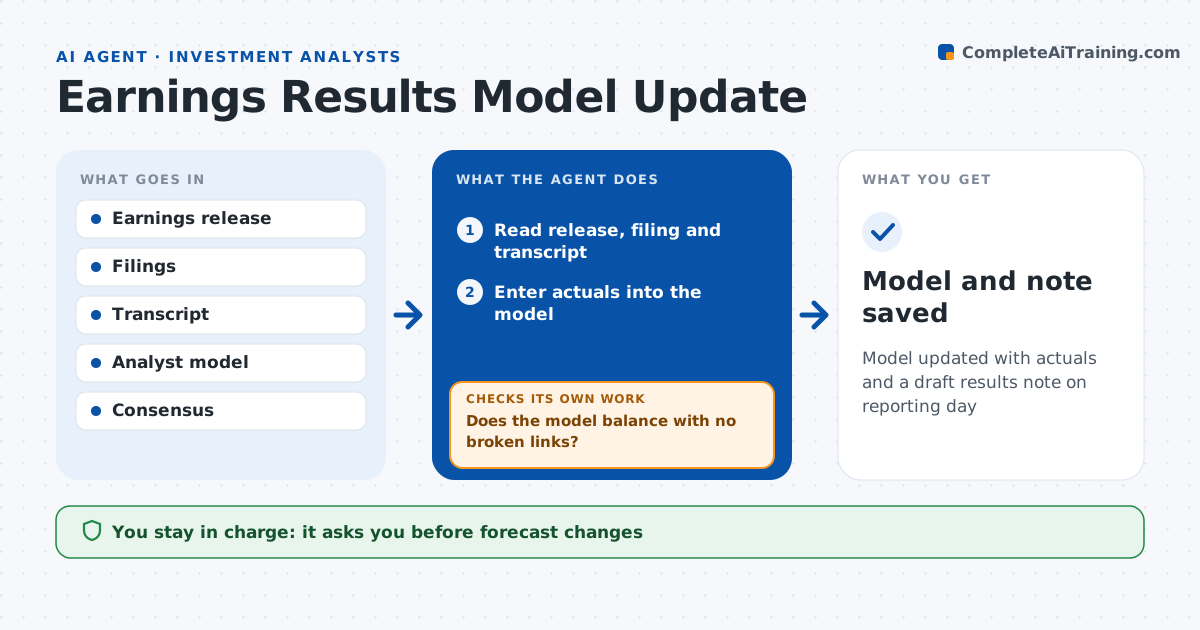
Model updated with actuals and a draft results note on reporting day
What it does
On earnings day, analysts rush to update models, and a typo in a cash flow line can carry into a published call. When a covered company reports, this agent updates the model. It reads the release, filings and call transcript, enters actuals for the quarter, and compares them to the analyst's estimates and consensus. It records guidance changes with old and new figures and flags line items that changed definition. It then checks the model: the balance sheet balances, cash flow ties and no links are broken. If a check fails, it finds the cell and fixes the entry. It drafts a short results note with beats, misses over 5% and key quotes. The analyst changes forecasts and approves the note. Edge case: the company restates last year's segments, so the agent updates history before comparing.
How it works
Follow the arrows from top to bottom. The orange dashed arrow is the loop: when a check fails, the agent goes back and tries again.
Read the steps as a list
- Company reports
- Read release, filing and transcript
- Enter actuals into the model
- Compare to estimates and consensus
- Does the model balance with no broken links?If not: find the faulty entry and fix it. Back to step 3.
- Draft results note
- Analyst updates forecasts and approves noteThe agent waits here for your OK.
- Model and note saved
How it decides
It maps reported lines to the model and only finishes when integrity checks pass.
- Variance to estimate over 5%: highlight
- Segment restated: update history first
- Guidance changed: list old and new
Make it yours
Every agent is a starting point. You choose these settings for your own situation.
- Companies covered
- Variance thresholds
- Note template
- Consensus source
What keeps you in control
It always asks you first
- Forecast changes
- Publishing the note
Hard limits
- Never changes forward forecasts
- Never publishes notes
It stops when
- Done: note approved
- Stop: filing not yet available
Set it up
We guide you through the set-up, step by step
Members get the full set-up guide for this agent. No technical skills needed: you copy, paste and upload.
- One set of instructions to paste into your AI, with the clicks for ChatGPT, Claude, Microsoft 365 Copilot, Gemini and Grok
- The agent then walks you through connecting your own data, one source at a time
- A downloadable copy with the flow chart, the rules and the full guide