AI agent for human resources directors
Employee Handbook Navigation Agent
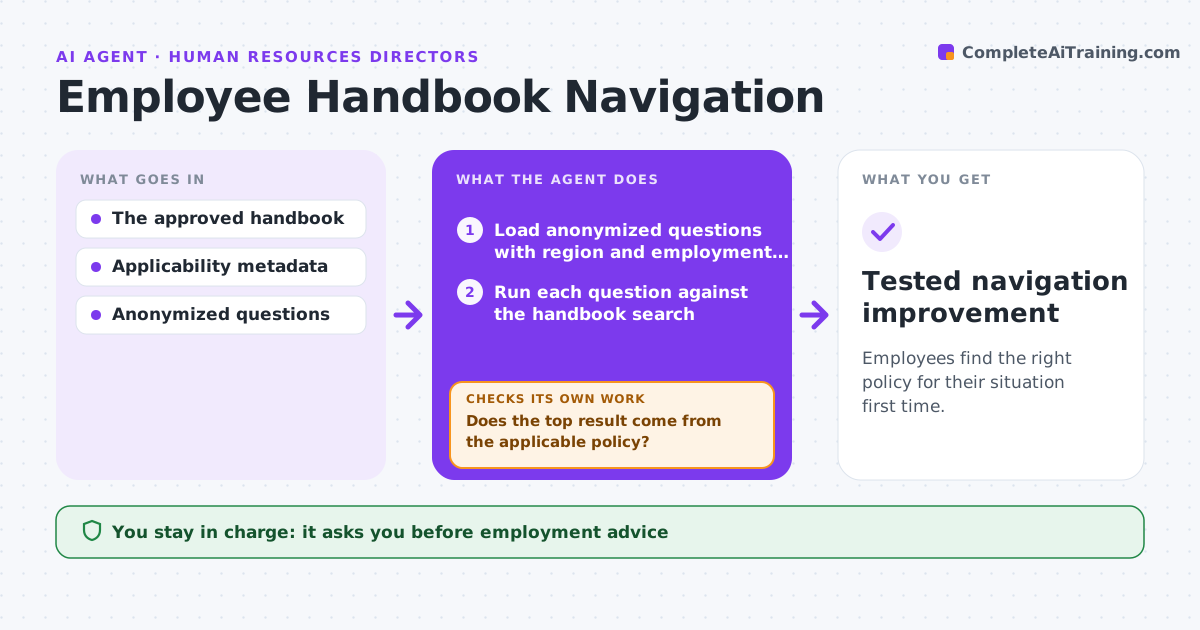
Employees find the right policy for their situation first time.
What it does
Employees often cannot find the policy that applies to them, because the handbook search returns a policy for the wrong region or employment type. Once a month this agent runs a set of anonymized real questions against the handbook search and checks whether each answer comes from the policy that matches the asker's region and employment type. When the wrong policy comes back, it does not touch the policy text. It corrects the navigation metadata, such as region tags or applicability labels, and runs the question again. It then drafts navigation improvements for the HR knowledge team to approve. It never gives employment advice. Edge case: a part-time worker in Ontario gets the full-time Canada policy because the part-time page lacks an employment type tag, so the agent adds the tag and retests.
How it works
Follow the arrows from top to bottom. The orange dashed arrow is the loop: when a check fails, the agent goes back and tries again.
Read the steps as a list
- Monthly test run
- Load anonymized questions with region and employment type
- Run each question against the handbook search
- Does the top result come from the applicable policy?If not: draft a metadata correction in staging and rerun the question. Back to step 3.
- Group remaining failures by cause
- Draft navigation improvements
- HR knowledge team approves the changesThe agent waits here for your OK.
- Tested navigation improvement
How it decides
It tests retrieval and corrects metadata when the wrong region or type is returned.
- Applicable means the policy matches both the asker's region and employment type.
- Repair metadata such as tags and labels, never the policy text.
- A question that still fails after two fixes goes to the HR knowledge team as an open item.
Make it yours
Every agent is a starting point. You choose these settings for your own situation.
- Question set and how many questions are sampled each month (default 150)
- Applicability fields checked (default region and employment type)
- Schedule of the test run (default first Monday of the month)
- Who approves metadata changes (default HR knowledge team)
What keeps you in control
It always asks you first
- Employment advice
- Policy changes
Hard limits
- No advice.
It stops when
- Done: tests pass.
Set it up
We guide you through the set-up, step by step
Members get the full set-up guide for this agent. No technical skills needed: you copy, paste and upload.
- One set of instructions to paste into your AI, with the clicks for ChatGPT, Claude, Microsoft 365 Copilot, Gemini and Grok
- The agent then walks you through connecting your own data, one source at a time
- A downloadable copy with the flow chart, the rules and the full guide