AI agent for chief human resources officers
Succession and Career Path Planning Agent
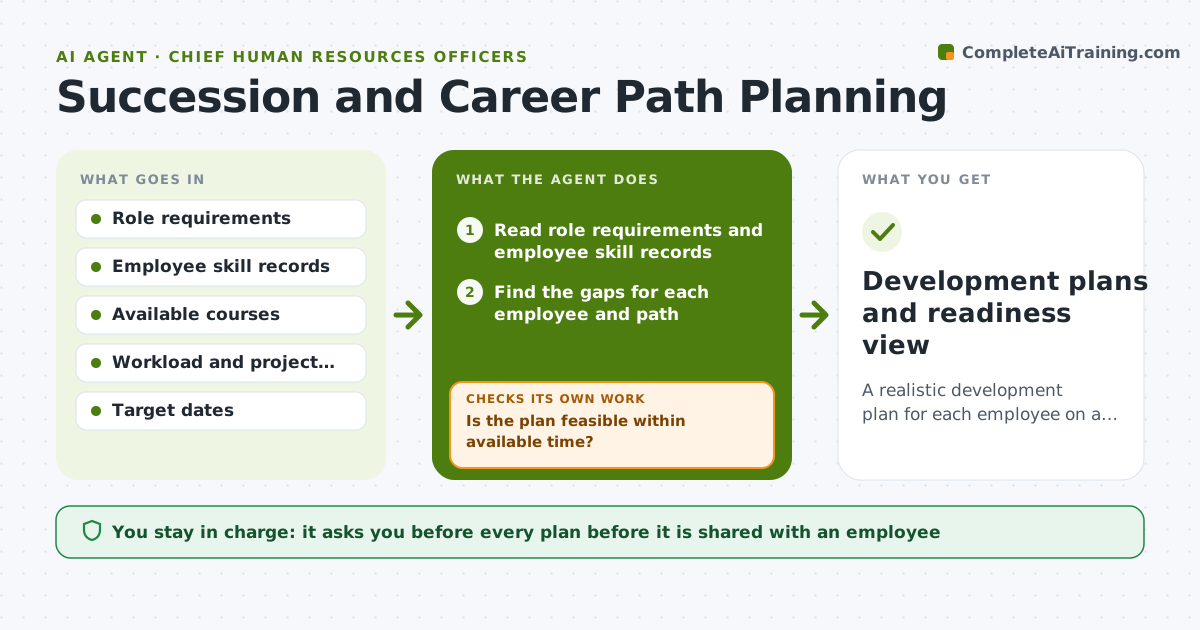
A realistic development plan for each employee on a career or succession path.
What it does
Career paths in the company are vague, so every development plan says take a leadership course. This agent reads the requirements for each target role and each employee's current skills, then finds the gaps for each path. It matches courses and stretch work to the gaps, and checks whether the plan is feasible against the employee's current workload and the time to the target date. If the plan is too heavy, it spreads or trims it and checks again. It also shows who is ready now, in 1 year, or in 3 years for key roles. Edge case: an employee has the skills but lacks a required certification, so the agent adds the cert as a first step. HR approves plans and any talent decisions.
How it works
Follow the arrows from top to bottom. The orange dashed arrow is the loop: when a check fails, the agent goes back and tries again.
Read the steps as a list
- Planning cycle starts for key roles
- Read role requirements and employee skill records
- Find the gaps for each employee and path
- Match courses and stretch work to each gap
- Check the plan against workload and the target date
- Is the plan feasible within available time?If not: trim or spread the plan and recheck. Back to step 4.
- Does every required skill and certificate have a step?If not: add the missing step. Back to step 4.
- Group employees by readiness (now, 1 year, 3 years)
- HR approves plans and any talent decisionsThe agent waits here for your OK.
- Development plans and readiness view
How it decides
It ranks gaps by how much they block readiness and fits the plan to available time, never promising a role.
- Plan no more than 10% of work time for development.
- Required certifications come before stretch assignments.
- Readiness is based on skills evidence, not seniority.
- Never state a promotion as promised.
Make it yours
Every agent is a starting point. You choose these settings for your own situation.
- Development time limit
- Readiness bands
- Role requirement source
- Review cycle
- Plan format
What keeps you in control
It always asks you first
- Every plan before it is shared with an employee
- Any readiness label or talent decision
Hard limits
- Do not tell employees they are chosen for a role.
- Keep talent ratings confidential.
It stops when
- Done: plans are feasible, approved and readiness is set
- Stop: role requirements are missing, so the agent asks HR to define them
Set it up
We guide you through the set-up, step by step
Members get the full set-up guide for this agent. No technical skills needed: you copy, paste and upload.
- One set of instructions to paste into your AI, with the clicks for ChatGPT, Claude, Microsoft 365 Copilot, Gemini and Grok
- The agent then walks you through connecting your own data, one source at a time
- A downloadable copy with the flow chart, the rules and the full guide