AI agent for event planners
Event Accessibility and Inclusion Check Agent
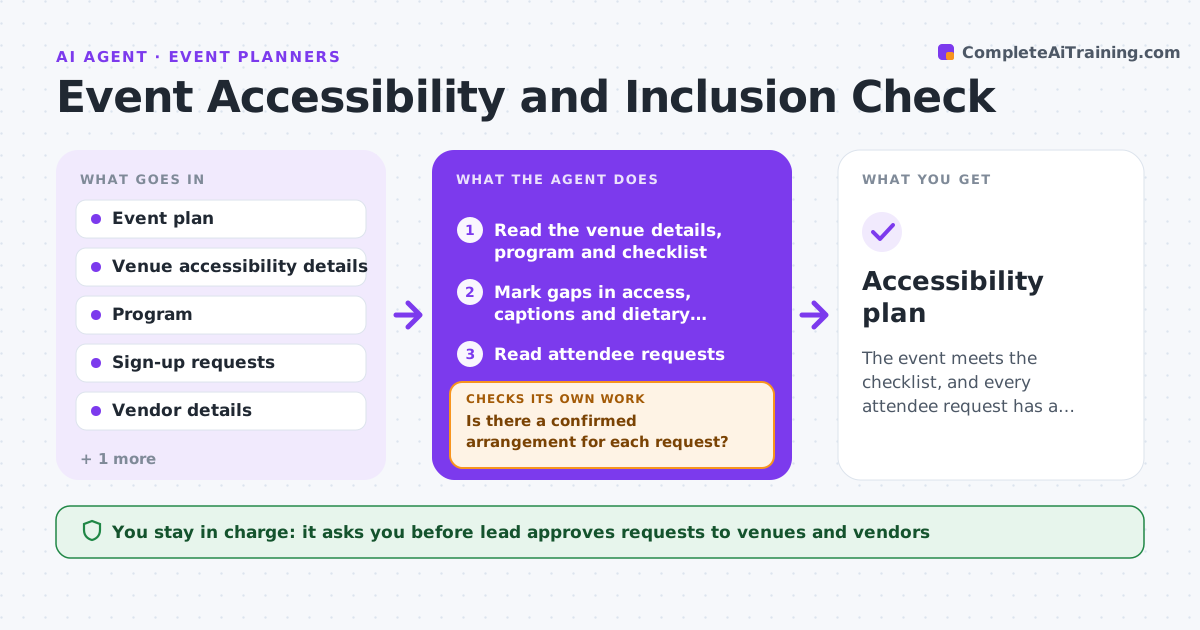
The event meets the checklist, and every attendee request has a confirmed answer.
What it does
Events miss needs such as step-free access, captions and dietary options, and problems are found on the day. The agent reviews the venue details, the program and the sign-up data against an accessibility checklist, finds the gaps and requests fixes from the venue and vendors. After each reply it rechecks the plan. It reads attendee requests and checks each one is met. It also reads each attendee request and checks that every one has a confirmed answer, not just a promise, and it keeps the requests private to the people who need them. It never books a venue itself. The lead approves the final event plan. Edge case: a venue with a step-free entrance but a back door route that is not signposted, so the agent asks for signage.
How it works
Follow the arrows from top to bottom. The orange dashed arrow is the loop: when a check fails, the agent goes back and tries again.
Read the steps as a list
- Event plan drafted
- Read the venue details, program and checklist
- Mark gaps in access, captions and dietary options
- Read attendee requests
- Is there a confirmed arrangement for each request?If not: List the open requests and the person to ask. Back to step 4.
- Draft requests to the venue and vendors
- Lead approves the requestsThe agent waits here for your OK.
- Send and read replies
- Are all gaps closed, including at the 3-day recheck?If not: Update the plan and rerun the checklist. Back to step 3.
- Lead approves the final planThe agent waits here for your OK.
- Accessibility plan
How it decides
It compares each plan item with the checklist and each attendee request with a confirmed arrangement, and treats an unconfirmed item as open.
- Step-free route must be signposted
- Captions or an interpreter for any request
- Dietary options cover listed needs
- Check again 3 days before the event
Make it yours
Every agent is a starting point. You choose these settings for your own situation.
- Checklist items
- Check dates (default 3 weeks and 3 days)
- Vendors and venues
- Attendee request channels
What keeps you in control
It always asks you first
- Lead approves requests to venues and vendors
- Lead approves the final plan
Hard limits
- Never disclose attendee needs beyond what is necessary
- Do not approve a venue itself
It stops when
- Done: plan meets the checklist and all requests are confirmed
- Stop: the venue cannot meet a need and the lead chooses another option
Set it up
We guide you through the set-up, step by step
Members get the full set-up guide for this agent. No technical skills needed: you copy, paste and upload.
- One set of instructions to paste into your AI, with the clicks for ChatGPT, Claude, Microsoft 365 Copilot, Gemini and Grok
- The agent then walks you through connecting your own data, one source at a time
- A downloadable copy with the flow chart, the rules and the full guide