AI agent for cfos
Exit Readiness Agent
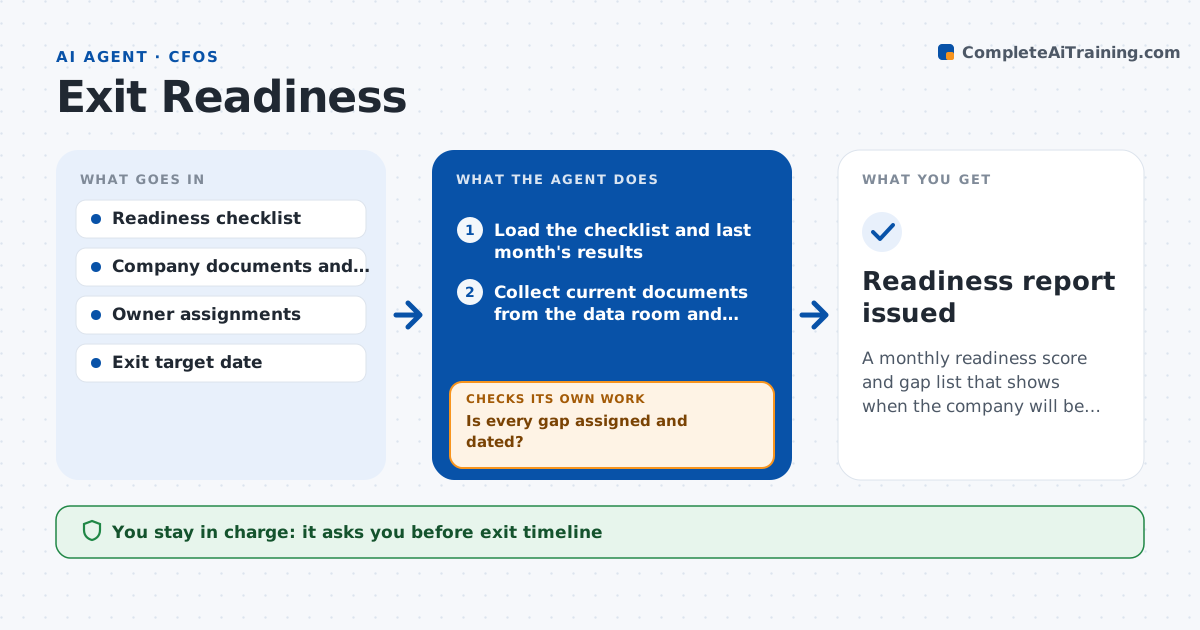
A monthly readiness score and gap list that shows when the company will be ready to sell
What it does
Buyers expect clean financials, a clear legal structure, tidy tax filings and a stable operation. When the sale process starts, many gaps appear and take months to fix. This agent runs a rolling readiness review on each portfolio company starting 24 months before the planned exit. It uses a checklist covering financial reporting, such as audited statements and a monthly close in 10 days, legal items, such as contracts and ownership records, tax positions and operations, such as key customer contracts and management depth. It checks each item against the company's documents, flags gaps with owners and costs, and tracks fixes. Each month it rechecks and updates the score and the expected time to be sale ready. The partner approves the exit timeline. Edge case: a key contract has a change of control clause that needs consent, and the agent puts it on the critical path.
How it works
Follow the arrows from top to bottom. The orange dashed arrow is the loop: when a check fails, the agent goes back and tries again.
Read the steps as a list
- Monthly readiness review begins
- Load the checklist and last month's results
- Collect current documents from the data room and company
- Score each checklist item against the documents
- List gaps with owner, cost and expected time to fix
- Is every gap assigned and dated?If not: ask the deal lead to assign owners and set dates, then rescore. Back to step 4.
- Identify items on the critical path, such as consent clauses
- Compute the expected sale-ready date
- Is the ready date earlier than the target exit date?If not: propose accelerated fixes and recompute the date. Back to step 4.
- Partner approves the exit timelineThe agent waits here for your OK.
- Readiness report issued
How it decides
It scores each item as ready, in progress or gap based on documents seen, and it computes the likely ready date from the longest open fix.
- Mark an item ready only when a document is seen
- Place consent and audit items on the critical path
- Review monthly, and every two weeks inside the last six months
- Flag a gap with no owner after 10 days
Make it yours
Every agent is a starting point. You choose these settings for your own situation.
- Checklist items by industry
- Review frequency (default monthly)
- Planned exit date
- Owner assignment rules
What keeps you in control
It always asks you first
- Exit timeline
- Any spending on fixes above the set limit
Hard limits
- Never contacts customers or buyers
- Marks scores as based on documents seen
- Keeps findings inside the deal team
It stops when
- Done: all items ready and timeline approved
- Stop: company documents cannot be accessed
Set it up
We guide you through the set-up, step by step
Members get the full set-up guide for this agent. No technical skills needed: you copy, paste and upload.
- One set of instructions to paste into your AI, with the clicks for ChatGPT, Claude, Microsoft 365 Copilot, Gemini and Grok
- The agent then walks you through connecting your own data, one source at a time
- A downloadable copy with the flow chart, the rules and the full guide